Page 1
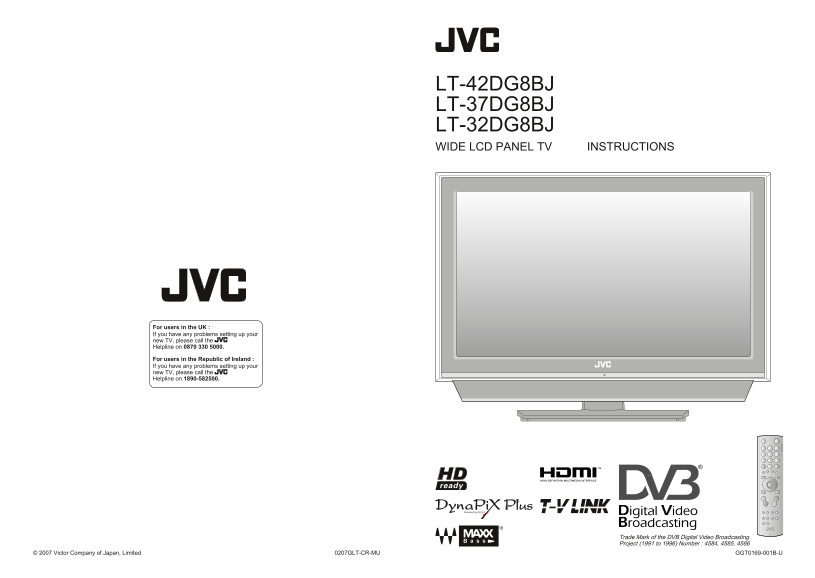
LT-42DG8BJ LT-37DG8BJ LT-32DG8BJ WIDE LCD PANEL TV INSTRUCTIONS For users in the UK : If you have any problems setting up your new TV, please call the Helpline on 0870 330 5000. For users in the Repub...
Page 2
Dear Customer, This apparatus is in conformance with the valid European directives and standards regarding electromagnetic compatibility and electrical safety. European representative of Victor Compan...
Page 3
IM PO TA T! PR EPA SE TTIN Expanding the world of beautiful images Digital terrestrial broadcasting (DVB-T) Digital channels Analogue terrestrial broadcasting (VHF / Enjoy rich multi-media with JVC U...
Page 4
First things first! IM PO TA T! PR EPA SE TTIN Warning Please follow all the guidelines below Follow this manual Do not allow the TV On disposal of the Never place anything on regarding setup! to fall...
Page 5
Getting started IM PO TA T! PR EPA SE TTIN Names of all the parts Mute Power On / Off Switch between “VCR / TV / DVD” Volume (P. 25) Change channel / Change the channel / page volume, turn on from sta...
Page 6
IM PO TA T! PR EPA SE TTIN Basic connections Please read the user manuals of each device carefully before setup. It is necessary to connect an aerial to watch TV. Connect with other devices “Connec...
Page 7
IM PO TA T! PR EPA SE TTIN VCR / DVD / other devices Connecting external devices You can connect many different devices to the rear panel of the TV. EXT-1 Watching videos Please read the user manuals ...
Page 8
IM PO TA T! PR EPA SE TTIN Initial settings Register digital / analogue channels on TV. These channels can be edited later. Begin The remote control (In this manual, digital terrestrial broadcasting ...
Page 9
IM PO TA T! PR EPA SE TTIN Initial settings (continued) Confirm the language When change a language When the TV cannot find the digital channels LANGUAGE select3 Language for on-screen analogue Check...
Page 10
Let’s try it out IM PO TA T! PR EPA SE TTIN Enjoying your new TV! Watching PAGE Watching digital channels View channel information videos / DVDs Select a channel Watch high quality video (S-VIDEO) ...
Page 11
IM PO TA T! PR EPA SE TTIN Watching digital channels Note To soften the picture for daily use, change the setting in “PICTURE MODE” “PICTURE MODE” (P. 34) Set to “TV”1 Symbols Name of station Symbol...
Page 12
IM PO TA T! PR EPA SE TTIN Using EPG (Electronic Programme Guide) You can find a digital channel programme from an eight-day programme guide, check its information, and make a reservation. Display the...
Page 13
IM PO TA T! PR EPA SE TTIN Viewing teletext Switch digital / analogue channels Hold the Hold the current page When watching analogue channels current page HOLD (Analogue channels) Release Press “ ...
Page 14
IM PO TA T! PR EPA SE TTIN Watching analogue channels Note To soften the picture for daily use, change the setting in “PICTURE MODE” “PICTURE MODE” (P. 34) Set to “TV”1 Time Channel information Mut...
Page 15
IM PO TA T! PR EPA SE TTIN Watching videos / DVDs Select the video source EXT MODE 1 select 1 Select the “EXT-2” 2 Set S-VIDEO input EXT SETTING EXT SETTING The device EXT-1 Switch EXT-1 DUBBING selec...
Page 16
IM PO TA T! PR EPA SE TTIN Using timer-record DTV original function and setting, such as a recorder-linked timer-record setting, can be selected from the DTV menu. Input / confirm timer-record setting...
Page 17
IM PO TA T! PR EPA SE TTIN Useful functions Subtitle Selection 1 select OFF ON : For “3D CINEMA SOUND” 2 set OFF : Don’t display 3D CINEMA SOUND ON OFF : Turns off “3D CINEMA SOUND” ON : Display By de...
Page 18
IM PO TA T! PR EPA SE TTIN Useful functions (continued) Display the menu FEATURES SLEEP TIMER 1 select “SLEEP TIMER” CHILD LOCK BLUE BACK ON FAVORITE SETTING APPEARANCE TYPE A 2 next SLEEP TIMER 1 sel...
Page 19
Just the way you like it IM PO TA T! PR EPA SE TTIN Customising your TV Display the menu Menu Item Adjustments / Configurations PICTURE MODE Picture mode (BRIGHT / STANDARD / SOFT) BRIGHT-1 Backlight ...
Page 20
IM PO TA T! PR EPA SE TTIN Using DTV menu Digital channels original function and setting can be selected from the DTV menu. Menu Item Adjustments / Configurations Switch to digital channels Timer Rese...
Page 21
IM PO TA T! PR EPA SE TTIN Advanced picture adjustment By default, the TV automatically adjusts itself for the best picture. To reduce noise OFF ON Display the menu ON : Function is : When noise DIGIT...
Page 22
IM PO TA T! PR EPA SE TTIN DTV configuration Available for favourite channel selection and changing PIN code, etc. Country The country of installation United Kingdom United Kingdom only Switch to digi...
Page 23
IM PO TA T! PR EPA SE TTIN DTV setup Available for setting power supply for the aerial, and upgrading the tuner software, etc. Output the PCM Dolby Digital Dolby Digital PCM : The Linear PCM : The Dol...
Page 24
IM PO TA T! PR EPA SE TTIN DTV installation Available for registration of digital channels, checking of digital channels signal, and initialisation of all digital channels settings. 1 Set items Switch...
Page 25
IM PO TA T! PR EPA SE TTIN Editing digital channels Edit the channels registered with “Automatic” in “Initial settings” (P. 12). 2 Change the name1 Select “Name” Edit PR List 14:00 05/05/2006 Edit PR ...
Page 26
IM PO TA T! PR EPA SE TTIN Editing analogue channels Edit the channels registered with “AUTO PROGRAM” in “Initial settings” (P. 13). 1 Begin 2 Select a destination 3 Finish When coming from “Initial s...
Page 27
When you have trouble IM PO TA T! PR EPA SE TTIN Troubleshooting Problem Actions page Analogue channels Is the analogue channel reception poor, too? Severe noise or Following the instructions in “S...
Page 28
IM PO TA T! PR EPA SE TTIN Troubleshooting (continued) Problem Actions page Problem Actions page Switch “SIZE” in “HDMI SETTING” to “1”, “2” or “AUTO”. LCD panels use fine dots (“pixels”) to display i...
Page 29
IM PO TA T! PR EPA SE TTIN “CH/CC” List Technical information To use the INSERT function (P. 48), find the CH/CC number corresponding to the TV’s channel number What is “T-V LINK”? from this table. If...
Page 30
IM PO TA T! PR EPA SE TTIN Technical information (continued) Power supply for the indoor aerial “Dolby Digital” output from the “DIGITAL AUDIO OUT” terminal When using an indoor aerial which needs ext...
Page 31
IM PO TA T! PR EPA SE TTIN Technical information (continued) Specifications Updating the PR list (Digital channel only) Main unit The TV will run the reception test (for digital channel) at midnight (...