HP Scitex FB10000 Industrial Printing Press Geffen TS Error 66063
Summary
This comprehensive troubleshooting guide is essential for maintenance technicians responsible for industrial printing equipment. It specifically addresses Error ID 60063 ("Unable to fill Yellow secondary tank timed out"). The manual provides detailed, step-by-step instructions to diagnose and resolve this critical system failure. Users will learn how to inspect physical plumbing, check filters for clogs, verify pump function, diagnose faulty valves, and troubleshoot control command failures, ensuring efficient and accurate maintenance of the yellow ink system components.
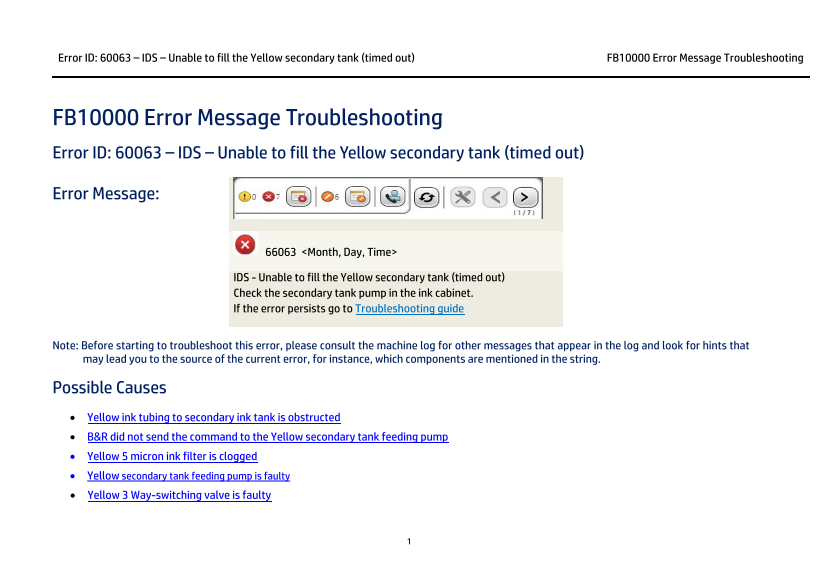
Page 1 Text Content
Error ID: 60063 – IDS – Unable to fill the Yellow secondary tank (timed out) FB10000 Error Message Troubleshooting
FB10000 Error Message Troubleshooting Error ID: 60063 – IDS – Unable to fill the Yellow secondary tank (timed out)
Error Message:
66063 <Month, Day, Time>
IDS - Unable to fill the Yellow secondary tank (timed out) Check the secondary tank pump in the ink cabinet. If the error persists go to Troubleshooting guide
Note: Before starting to troubleshoot this error, please consult the machine log for other messages that appear in the log and look for hints that may lead you to the source of the current error, for instance, which components are mentioned in the string.
Possible Causes • Yellow ink tubing to secondary ink tank is obstructed • B&R did not send the command to the Yellow secondary tank feeding pump • Yellow 5 micron ink filter is clogged • Yellow secondary tank feeding pump is faulty • Yellow 3 Way-switching valve is faulty
Page Summary Contents For HP Scitex FB10000 Industrial Printing Press Geffen TS Error 66063
Manual Details
| Brand | HP |
|---|---|
| Pages | 6 |
| File Size | 605.51 KB |
| Published | June 16, 2026 |
Enter the captcha to get the download link:

Frequently Asked Questions
What is the initial step to troubleshoot Error ID 60063?
Before troubleshooting, consult the machine log for any other messages for hints that reveal the source of the error.
If I suspect an obstruction, where should I first inspect within the yellow ink system?
Inspect the tubing along the route from the Main ink tank to the secondary tank. Repair or ensure it is not bent or damaged.
What component needs replacement if filter inspection and command activation fail?
Replace the 5 micron Yellow ink filter. If that fails, ensure the pump wiring and B&R commands are correct before replacing the secondary tank feeding pump.
If all pumps and filters are checked, which advanced valve might be the cause of the error?
The yellow three-way switching valve may be faulty; you will need to replace it.