HP Scitex FB10000 Industrial Printing Press Geffen TS Error 50080
Summary
This comprehensive technical guide is designed for maintenance technicians and automation engineers responsible for operating high-precision handling systems. It provides detailed troubleshooting flowcharts and recommended actions for resolving complex operational errors, such as issues with automated loading pins failing to move. The manual systematically directs users through analysis of mechanical components, pneumatic pressure integrity, sensor faults, signal cable disconnections, and core electronic block failures, ensuring efficient system repair and maximum uptime.
Page 1 Text Content
Error ID: 50080: M-Handling – Manual loading pins are unable to go down FB10000 Error Messages Troubleshooting
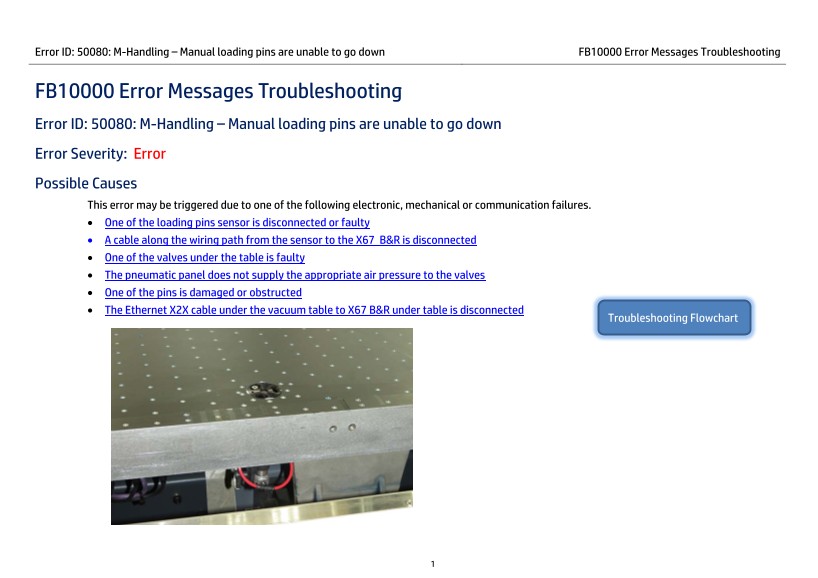
FB10000 Error Messages Troubleshooting Error ID: 50080: M-Handling – Manual loading pins are unable to go down Error Severity: Error Possible Causes This error may be triggered due to one of the following electronic, mechanical or communication failures. • One of the loading pins sensor is disconnected or faulty • A cable along the wiring path from the sensor to the X67 B&R is disconnected • One of the valves under the table is faulty • The pneumatic panel does not supply the appropriate air pressure to the valves • One of the pins is damaged or obstructed • The Ethernet X2X cable under the vacuum table to X67 B&R under table is disconnected
Troubleshooting Flowchart
Page Summary Contents For HP Scitex FB10000 Industrial Printing Press Geffen TS Error 50080
Manual Details
| Brand | HP |
|---|---|
| Pages | 6 |
| File Size | 812.55 KB |
| Published | June 17, 2026 |
Enter the captcha to get the download link:

Frequently Asked Questions
What causes Error ID: 50080 (Manual loading pins unable to go down)?
It can be caused by electronic, mechanical, or communication failures, such as a faulty sensor or obstructed pin.
How do I check the wiring path for Sensor-to-X67 B&R issues?
Ensure the six positioning pin Molex connectors are tightly attached to the cable leading to the X67 B&R block and inspect the entire wiring path for disconnections.
What pneumatic pressure is required for proper function?
The pneumatic panel must supply 7 bar of air pressure to both the pancake and the positioning pins valves.
If an error persists after checking connections, what steps should be taken?
Try replacing the sensor of the faulty positioning pin, or check if the individual valve for that pin needs replacement.