HP OfficeJet Enterprise Color X555 Series - Installation Guide
Summary
This comprehensive guide empowers users to successfully set up their professional color printer with detailed steps for every stage. It covers everything from selecting a safe mounting location and inserting ink cartridges, through establishing network and power connections. The manual walks you through essential initial configuration—including setting language, time zone, and IP addresses—to ensure your HP Officejet Enterprise is fully connected and ready for high-volume printing in any office environment.
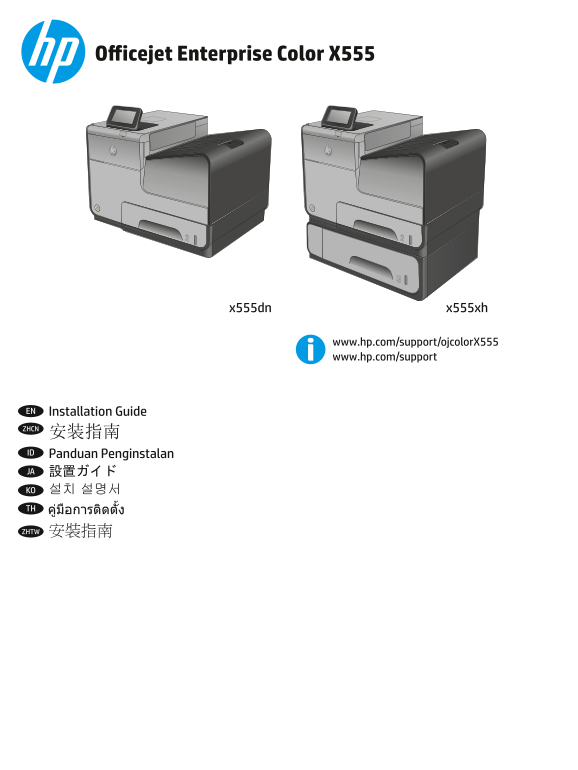
Page 1 Text Content
Officejet Enterprise Color X555
x555dn x555xh
www.hp.com/support/ojcolor X555 www.hp.com/support
EN Installation Guide ZHCN 安装指南 ID Panduan Penginstalan JA 設置ガイド KO 설치 설명서 TH
ZHTW 安裝指南
C2S11-90903.indd 1 1/2/2014 5:19:02 PM
Page Summary Contents For HP OfficeJet Enterprise Color X555 Series - Installation Guide
Manual Details
| Brand | HP |
|---|---|
| Pages | 16 |
| File Size | 3.28 MB |
| Published | June 16, 2026 |
Enter the captcha to get the download link:

Frequently Asked Questions
What is the ideal location for setting up the printer?
Select a sturdy, level, ventilated, dust-free area that avoids direct sunlight.
What power standards does this product require?
It uses 100-240 Vac at 50/60 Hz and must be connected to a grounded AC outlet using the provided cable.
When should I connect the USB cable if networking is involved?
Connect the network cable immediately, but wait until prompted during software installation before connecting the USB cable.