Page 1
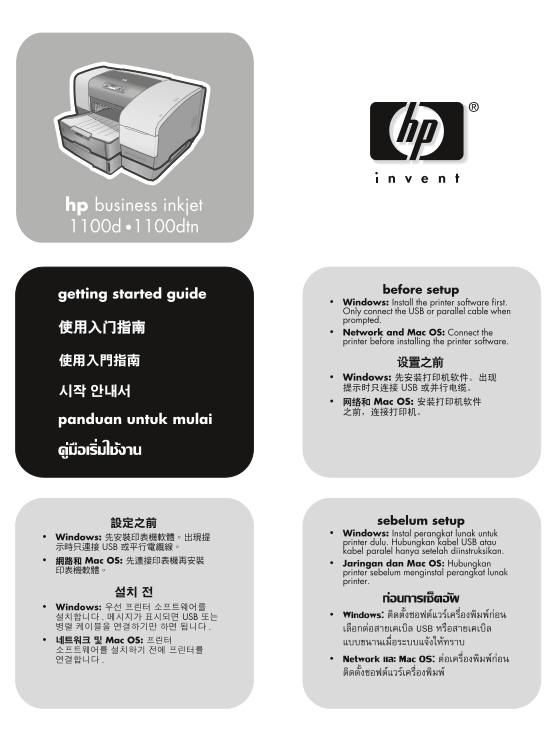
EMEA_90007.book Page 1 Wednesday, April 16, 2003 1:50 PM hp business inkjet 1100d •1100dtn before setup getting started guide Windows: Install the printer software first. Only connect the USB or paral...
Page 2
EMEA_90007.book Page 1 Wednesday, April 16, 2003 1:50 PM Copyright Information 版权信息 © Copyright Hewlett-Packard Company 2003 © 版权所有 Hewlett-Packard Company 2003 All Rights Reserved. Reproduction, adap...
Page 3
EMEA_90007.book Page 2 Wednesday, April 16, 2003 1:50 PM 在線材不受踐踏的安全位置安裝本產品,且線材必須是 본 제품을 물가나 몸이 젖은 상태 에서 설치 또는 사용하지 完好的。 마십시오 若產品無法正常運作,請參閱 Starter CD 上的聯機 제품이 정상적으로 작동하지 않을 경우 , Starter CD 에 있는 온라인 사용...
Page 4
EMEA_90007.book Page 3 Wednesday, April 16, 2003 1:50 PM ภา ษา ไท ah as In do ne si En gl is Step 1: Check the package contents. 9) auto-duplex unit, 10) Tray 2 (HP Business Inkjet 1100dtn only), 1) H...
Page 5
EMEA_90007.book Page 4 Wednesday, April 16, 2003 1:50 PM Step 2: Remove the packing tape and materials. Step 3: Identify printer parts (front). Remove all packing tape from the outside of the printer ...
Page 6
EMEA_90007.book Page 5 Wednesday, April 16, 2003 1:50 PM ภา ษา ไท ah as In do ne si En gl is Identify control panel parts. Identify printer parts (back). 1) (power button), 2) printing supplies lights...
Page 7
EMEA_90007.book Page 6 Wednesday, April 16, 2003 1:50 PM Step 4: Install the auto-duplex unit. Step 5: Install Tray 2 (HP Business Inkjet 1100dtn). On the back of the printer, insert the auto-duplex u...
Page 8
EMEA_90007.book Page 7 Wednesday, April 16, 2003 1:50 PM ภา ษา ไท ah as In do ne si En gl is Step 6: Connect the power cord. Step 7: Load paper in the trays. 1) Plug the power adapter into the printer...
Page 9
EMEA_90007.book Page 8 Wednesday, April 16, 2003 1:50 PM 3) For paper between 11 inches and 14 inches (356 mm and 279 mm) 5) Slide the guides in the tray to adjust them for the size that you are long,...
Page 10
EMEA_90007.book Page 9 Wednesday, April 16, 2003 1:50 PM ภา ษา ไท ah as In do ne si En gl is 7) Reattach the output tray (if you loaded Tray 1). 8) Reinsert the tray Step 8: Install the ink cartridges...
Page 11
EMEA_90007.book Page 10 Wednesday, April 16, 2003 1:50 PM 3) Align the arrow on each cartridge with the arrow on its color-coded Step 9: Turn the printer on and install the printheads. slot, and then ...
Page 12
EMEA_90007.book Page 11 Wednesday, April 16, 2003 1:50 PM ภา ษา ไท ah as In do ne si En gl is 4) Remove the packing material from the printhead slot. 5) Remove 7) Pull the printhead latch all the way ...
Page 13
EMEA_90007.book Page 12 Wednesday, April 16, 2003 1:50 PM 9) Close the printing supplies cover. The printer aligns the printheads If the printer prints the two alignment pages, go to Step 10. and prin...
Page 14
EMEA_90007.book Page 13 Wednesday, April 16, 2003 1:50 PM ภา ษา ไท ah as In do ne si En gl is 4) Check that no lights on the control panel are blinking. If a light is Step 10: Install the print server...
Page 15
EMEA_90007.book Page 14 Wednesday, April 16, 2003 1:50 PM For the HP Business Inkjet 1100d, remove the slot cover and Step 11: Install the software. insert the parallel connector as shown until it cli...
Page 16
EMEA_90007.book Page 15 Wednesday, April 16, 2003 1:50 PM ภา ษา ไท ah as In do ne si En gl is If using the USB ( ) or parallel ( ) connection, connect the Step 12: Test the software installation. cabl...
Page 17
EMEA_90007.book Page 16 Wednesday, April 16, 2003 1:50 PM Step 13: Register the printer. Congratulations! Register the printer to receive important support and technical Your printer is ready to use. ...
Page 18
EMEA_90007.book Page 17 Wednesday, April 16, 2003 1:50 PM Hewlett-Packard Limited Warranty Statement HP product Duration of Limited Warranty Software 1 year Accessories 1 year Ink cartridges 90 days P...
Page 19
EMEA_90007.book Page 18 Wednesday, April 16, 2003 1:50 PM Hewlett-Packard 有限保修声明 HP 产品 有限保修期限 软件 1 年 附件 1 年 打印墨盒 90 天 打印机外设硬件 (参见以下详细说明) 1 年 有限保修范围 担修限制 Hewlett-Packard 向最终用户保证:以上列出的 HP 产品在上述期限 在当地法律允...
Page 20
EMEA_90007.book Page 19 Wednesday, April 16, 2003 1:50 PM Hewlett-Packard ㈲限擔保聲明 HP 產品 ㈲限擔保期限 軟體 1 年 Hewlett-Packard 向用戶保證,上述的 HP 產品在從客戶購貨日期開始計 在當地法律允許的範圍內,HP 及其協力廠商均不做任何其他的保 對於軟體產品,HP 的有限保固僅適用於無法執行程式...
Page 21
EMEA_90007.book Page 20 Wednesday, April 16, 2003 1:50 PM Hewlett-Packard 제한 보증 규정 HP 제품 제한 보증 기간 소프트웨어 1 년 Hewlett-Packard는 일반 사용자가 제품을 구입한 날로부터 정해진 기간 지역법이 허용하는 범위에서 , HP 또는 협력업체는 상업성 , 품질 동안 상기 hp ...
Page 22
EMEA_90007.book Page 21 Wednesday, April 16, 2003 1:50 PM Pernyataan Garansi Terbatas Hewlett-Packard Produk Hewlett-Packard Duration of Limited Warranty Perangkat lunak 1 tahun Aksesori 1 tahun Tabun...
Page 23
EMEA_90007.book Page 22 Wednesday, April 16, 2003 1:50 PM รายละเอียดการรับประกันแบบมีขอจํากดัของ Hewlett-Packard ผลิตภัณฑของ HP ระยะเวลาในการจํากัดการรับประกัน ขอบเขตของการรับประกัน ขอจํากัดของการร...
Page 24
EMEA_90007.book Page 1 Wednesday, April 16, 2003 1:50 PM printed on recycled paper copyright © 2003 Hewlett-Packard Company printed in Singapore 新加坡印刷 http://www.hp.com/support/businessinkjet1100