# A B C D E F G H I J K L M N O P Q R S T U V W X Y Z

EXTECH Laser Distance Finder DT300 User's Guide - Extech Documentation

Summary

This professional Extech DT300 Laser Distance Finder is an essential tool for accurate measurements, capable of determining distances up to 50m while conveniently calculating Area and Volume dimensions. Equipped with a laser pointer for precise targeting, it provides reliable performance for demanding tasks. This user manual guides you through every aspect of operation, including mastering single-point readings, using continuous MIN-MAX measurement mode, understanding proper site setup, and adhering to critical safety protocols, ensuring extended and safe use across various professional construction and surveying needs.
📄 Preview PAGE OF 10

Page 1 Text Content

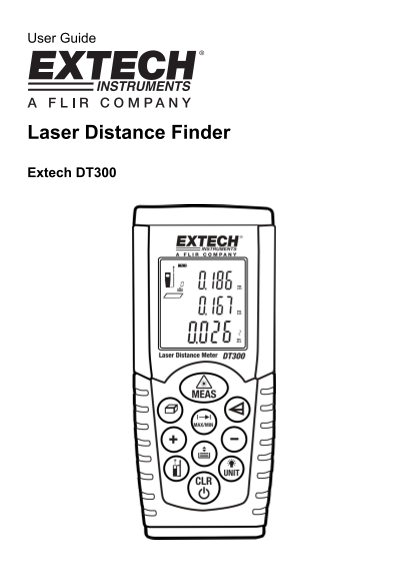
User Guide

Laser Distance Finder

Extech DT300

Page Summary Contents For EXTECH Laser Distance Finder DT300 User's Guide - Extech Documentation

Page 1 User Guide Laser Distance Finder Extech DT300
Page 2 Introduction Congratulations on your purchase of the Extech Model DT300 Laser Distance Finder. This meter measures Distance up to 164 ft (50m) and calculates Area and Volume. In addition, the DT300 in...
Page 3 Meter Description Front Panel 1. Laser Pointer 2. Laser Test Beam 3. LCD display area 4. Keypad (described below) 5. Battery compartment on rear of instrument Display 1. Laser Status icon appears when...
Page 4 Operating Instructions Measurement Considerations 1. For best results, choose a target that is flat, hard and smooth 2. Use a section of cardboard or similar material if the target size needs to be in...
Page 5 MAX-MIN Continuous Measurement Mode This mode of operation is useful for determining the shortest and longest distances from a given point. 1. Press the MEAS button to switch the meter ON. 2. Press an...
Page 6 Volume Calculation The DT300 allows the user to compute room Volume. 1. Press the MEAS button to switch the meter ON. Wait several seconds and the Laser pointer will automatically switch ON. 2. Press ...
Page 7 Indirect Measurements (Using Three Measurements) The DT300 can measure height in two segments by taking three measurements. The operator stands at Point X. The first measurement is Point X to 1, the s...
Page 8 Storing and Recalling Readings The DT300 stores up to twenty (20) readings in memory for later recall. 1. Take a reading as previously described. 2. With the reading displayed, press the button. 3. Th...
Page 9 Maintenance WARNING: Do not operate the meter until the battery compartment cover is in place and fastened securely. This instrument is designed to provide years of dependable service, if the followin...
Page 10 Specifications General Specifications Laser diode Class 2 red laser (wavelength: 635nm) Battery Two (2) ‘AAA’ alkaline batteries Dust/Splash Proof IP 54 Operating conditions 0 to 40°C (32 to 104°F) St...

Manual Details

Brand Laser
Pages 10
File Size 375.38 KB
Published May 29, 2026
63 views

Enter the captcha to get the download link:

captcha

Frequently Asked Questions

How can I change the unit of measure?

Press and hold the UNIT button to switch between ft, in, m, and ' '.

What is the maximum measuring distance range?

The distance range is 0.5 to 50m (2” to 164’).

Can I measure volume or area with this device?

Yes, the DT300 can compute Area and Volume in addition to single distances.

What safety precautions should be taken when using the laser pointer?

Do not directly view or direct the laser pointer at an eye, nor look into the beam using optical aids like binoculars.

Which conditions prevent accurate measurements?

Inaccurate results can result from low battery, measured distance exceeding range, or irregular objects near the target.