Page 1
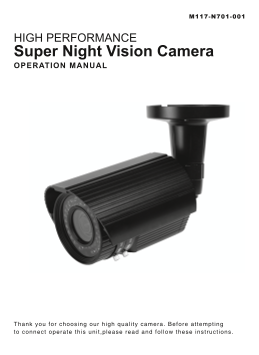
HIGH PERFORMANCE Super Night Vision Camera OPERATION MANUAL Thank you for choosing our high qual ty camera. Before at tempt ing to connect operate th is uni ,p lease read and fol low these instruct io...
Page 2
CAUTION These servicing instructions are for use by qualified service personnel only. To reduce the risk of electric shock do not perform any servicing other than that contained in the operating instr...
Page 3
CONTENTS 1. CAUTIONS 2. IMPORTANT SAFETY INSTRUCTIONS 3. FEATURES 4. COMPONENTS 5. NAME AND FUNCTION 6. INSTALLATION 7. DIMENSIONS 8. SPECIFICATION 9. OSD MANUAL 10. COMMUNICATION PROTOCOL
Page 4
1. CAUTIONS This device complies with Part 15 of the FCC Rules. Operation is subject to the following two conditions; 1. This device may not cause harmful interference. 2. This device must accept any ...
Page 5
1. CAUTIONS Correct Disposal of This Product (Waste Electrical & Electronic Equipment) (Applicable in the European Union and other European countries with separate collection systems) This marking...
Page 6
2. IMPORTANT SAFETY INSTRUCTION 1) Read these instructions. 2) Keep these instructions. 3) Heed all warnings. 4) Follow all instructions. 5) Do not use this apparatus near water. 6) Clean only with dr...
Page 7
3. FEATURES • 1/3 960H SONY EXview HAD CCD II • High Resolution of 700TV Lines • OSD Function • Multi Language (ENGLISH, CHINESE, RUSSIAN, SPANISH, GERMAN, FRENCH, PORTUGUESE, JAPANESE) • 2DNR • Priv...
Page 8
5. NAME AND FUNCTION ① Sunshield ② Cable Concealed Thru Bracket ③ LED : 45ea ④ Photo cel ⑤ Body • Service Video connector & OSD Joystick • CONTROL FUNCTION (OSD JOYSTICK)
Page 9
5. NAME AND FUNCTION • Heater Heater Built in heater protects the camera from low temperature. (Operating temperature with Heater:-40℃) • External Zoom & Focus Adjustable External Zoom & Focus...
Page 10
6. INSTALLATION • MOUNTING POSITION 360̊ PAN 90̊ TLIT 360̊ PAN 90̊ TLIT
Page 11
6. INSTALLATION • MONITOR CONNECTION DC 12V POWER SUPPLY or AC 24V POWER SUPPLY DC12V/AC24V VIDEO IN MONITOR DC 12V POWER SUPPLY or AC 24V POWER SUPPLY DC12V/AC24V VIDEO IN MONITOR BNC FEMALE RS485 Wh...
Page 12
7. DIMENSIONS Unit : mm 45 LED SENSOR M12XP1.25 (2EA)
Page 13
8. SPECIFICATION Signal Format NTSC PAL Image Device 1/3˝ 960H SONY EXview HAD CCD II Scanning System 2 : 1 Interlace Scanning Frequency 15.734KHz(H), 59.94Hz(V) 15.625KHz(H), 50Hz(V) Total Pixels 102...
Page 14
9. OSD MANUAL GENERAL STRUCTURE SETUP FOCUS ADJUST >FOCUS ADJUST [-] EXPOSURE [-] WHITE BALANCE [-] BLC [-] DAY&NIGHT [-] IMAGE [-] SPECIAL [-] > RETURN FACTORY DEFAULT EXIT EXPOSURE >BRI...
Page 15
9. OSD MANUAL CAM TITLE [TITLE LOCATION] IMAGE 0123456789ABCDEFGHIJK LMNOPQRSTUVWXYZ!()<> TITLE SPA>> <<BAK >MIRROR OFF TITLE SET DNR ON DNR LEVEL 4 LOCATION [┛] SHARPNESS 8 RETUR...
Page 16
9. OSD MANUAL MAIN MENU Sub Menu Sub MENU SETUP FOCUS ADJUST RETURN BRIGHTNESS 0~15 SHUTTER 1/60(50), 1/120(100),1/250, 1/500, 1/1k, 1/2k, 1/4k, 1/6k, 1/10k, 1/50k, 1/100k FLICKERLESS OFF, ON EXPOSURE...
Page 17
9. OSD MANUAL MAIN MENU Sub Menu Sub MENU LANGUAGE ENGLISH, CHINESE, RUSSIAN, SPANISH, GERMAN, FRENCH, PORTUGUESE, JAPANESE CAM ID 0 ~ 255 COMM ADJUST BAUDRATE 2400, 4800, 9600, 19200 RETURN ZONE NO 0...
Page 18
9. OSD MANUAL OSD FUNCTION DESCRIPTION 1. FOCUS ADJUST : According to the brightness of light to minimize the depth of focus, to be more accurate to focus. FOCUS >RETURN 2. EXPOSURE : Enable user t...
Page 19
9. OSD MANUAL 3. WHITE BALANCE : Enable user to represent the accurate white color by controlling the R,G,B level. Setting up LEFT, RIGHT KEY on each menu. - WB MODE WHITE BALANCE ① ATW : Enable user ...
Page 20
9. OSD MANUAL - BLC ZONE : Enable user to set the BLC area -> TOP, BOTTOM, CENTER, LEFT, RIGHT. - BLC LEVEL : Enable user to set BLC in selected area(0~15 level). CENTER - INITIAL : Enable user to ...
Page 21
9. OSD MANUAL 6. IMAGE : MIRROR, DNR, SHARPNESS functions set up by pressing LEFT, RIGHT KEY. IMAGE >MIRROR OFF DNR ON DNR LEVEL 4 SHARPNESS 8 INITAL RETURN (OFF) (ON) - MIRROR: Enable user to reve...
Page 22
9. OSD MANUAL - CAM TITLE : Enable user to choose any word in screen(Maximum 10 letter is available) ① A letter Choice from the screen using menu key ② Enable user to move to next menu using LEFT, RIG...
Page 23
9. OSD MANUAL - MOTION DETECT : Motion detection function. ① MOTION MODE : Enable user to set up ON/OFF ② LEVEL : Enable user to setup a motion detect sensitivity (0~3) ③ V START : Motion area Vertica...
Page 24
10. Communication Protocol Pelco “D” Protocol Commands • Most widely used Commands - TELE = UP KEY - WIDE = DOWN KEY - NEAR = LEFT KEY - FAR = RIGHT KEY - MENU = MENU KEY