EverFocus EQH5200 User Guide and Manual
Summary
This comprehensive guide is essential for installing and operating your 2 Megapixel Full HD-CCTV Camera (Model EQH5200). It provides dedicated instructions for proper setup, understanding major components, advanced configuration settings (e.g., Auto Gain Control, White Balance), and crucial safety precautions to ensure reliable performance. Ideal for installers and system users seeking thorough guidance for professional camera deployment and operation.
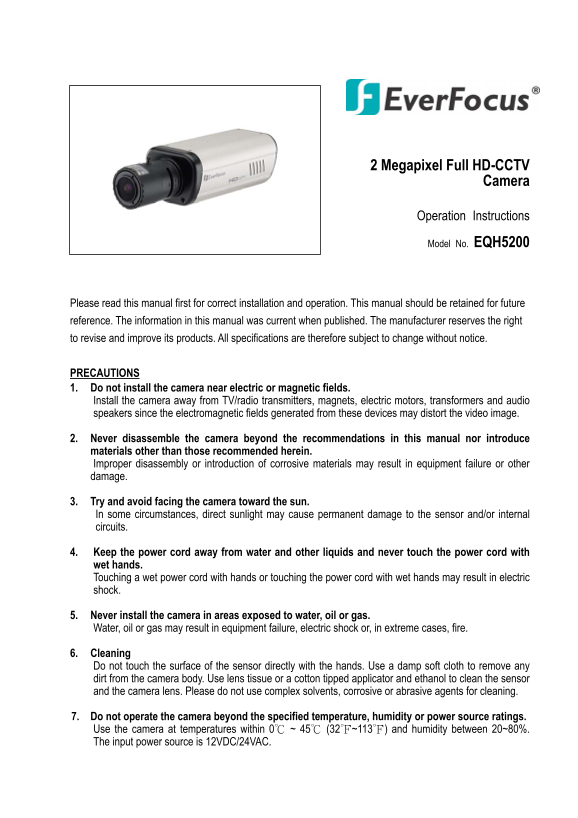
Page 1 Text Content
2 Megapixel Full HD-CCTV
Camera
Operation Instructions
Model No. EQH5200
Please read this manual first for correct installation and operation. This manual should be retained for future reference. The information in this manual was current when published. The manufacturer reserves the right to revise and improve its products. All specifications are therefore subject to change without notice.
PRECAUTIONS 1. Do not install the camera near electric or magnetic fields. Install the camera away from TV/radio transmitters, magnets, electric motors, transformers and audio speakers since the electromagnetic fields generated from these devices may distort the video image.
2. Never disassemble the camera beyond the recommendations in this manual nor introduce materials other than those recommended herein. Improper disassembly or introduction of corrosive materials may result in equipment failure or other damage.
3. Try and avoid facing the camera toward the sun. In some circumstances, direct sunlight may cause permanent damage to the sensor and/or internal circuits.
4. Keep the power cord away from water and other liquids and never touch the power cord with wet hands. Touching a wet power cord with hands or touching the power cord with wet hands may result in electric shock.
5. Never install the camera in areas exposed to water, oil or gas. Water, oil or gas may result in equipment failure, electric shock or, in extreme cases, fire.
6. Cleaning Do not touch the surface of the sensor directly with the hands. Use a damp soft cloth to remove any dirt from the camera body. Use lens tissue or a cotton tipped applicator and ethanol to clean the sensor and the camera lens. Please do not use complex solvents, corrosive or abrasive agents for cleaning.
7. Do not operate the camera beyond the specified temperature, humidity or power source ratings. Use the camera at temperatures within 0℃ ~ 45℃ (32℉~113℉) and humidity between 20~80%. The input power source is 12VDC/24VAC.
Page Summary Contents For EverFocus EQH5200 User Guide and Manual
Manual Details
| Brand | EverFocus |
|---|---|
| Pages | 15 |
| File Size | 470.34 KB |
| Published | May 20, 2026 |
Enter the captcha to get the download link:

Frequently Asked Questions
What is the recommended cleaning method for the sensor?
Use a lens tissue or a cotton tipped applicator with ethanol. Do not use complex solvents, corrosive or abrasive agents.
What are the permissible operating temperatures and humidity range?
The camera should be used at temperatures between 0℃ and 45℃ (32℉~113℉) and humidity between 20% and 80%.
Where should I avoid installing the CCTV camera?
Avoid areas near electric/magnetic fields, TV or radio transmitters, magnets, electric motors, transformers, audio speakers, or exposed to water, oil, or gas.
What is the input power requirement for the model?
The input power source can be 12VDC or 24VAC.