# A B C D E F G H I J K L M N O P Q R S T U V W X Y Z

EVERFOCUS EHD525EX User Guide and Manual

Summary

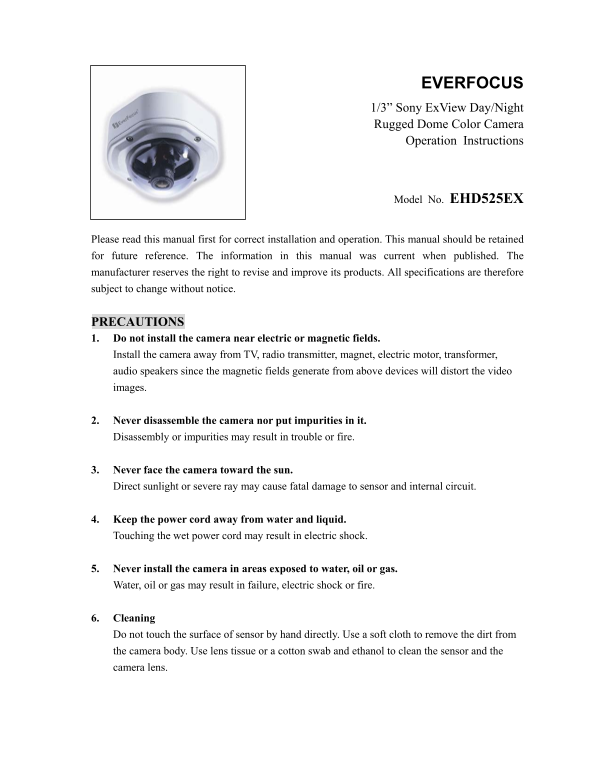
The EverFocus EHD525EX is an ultra-rugged, vandal-resistant color dome camera designed for high-security environments such as retail stores, malls, and building entrances. Built to withstand extreme impacts and operating in low temperatures via a built-in heater, it features advanced Day/Night capabilities and robust 1/3” Sony ExView CCD technology. This manual provides comprehensive guidance on professional installation, safe operation, necessary precautions, and detailed specifications for proper deployment.
📄 Preview PAGE OF 15

Page 1 Text Content

EVERFOCUS 1/3” Sony Ex View Day/Night Rugged Dome Color Camera Operation Instructions

Model No. EHD525EX

Please read this manual first for correct installation and operation. This manual should be retained for future reference. The information in this manual was current when published. The manufacturer reserves the right to revise and improve its products. All specifications are therefore subject to change without notice.

PRECAUTIONS 1. Do not install the camera near electric or magnetic fields. Install the camera away from TV, radio transmitter, magnet, electric motor, transformer, audio speakers since the magnetic fields generate from above devices will distort the video images.

2. Never disassemble the camera nor put impurities in it. Disassembly or impurities may result in trouble or fire.

3. Never face the camera toward the sun. Direct sunlight or severe ray may cause fatal damage to sensor and internal circuit.

4. Keep the power cord away from water and liquid. Touching the wet power cord may result in electric shock.

5. Never install the camera in areas exposed to water, oil or gas. Water, oil or gas may result in failure, electric shock or fire.

6. Cleaning Do not touch the surface of sensor by hand directly. Use a soft cloth to remove the dirt from the camera body. Use lens tissue or a cotton swab and ethanol to clean the sensor and the camera lens.

Page Summary Contents For EVERFOCUS EHD525EX User Guide and Manual

Page 1 EVERFOCUS 1/3” Sony Ex View Day/Night Rugged Dome Color Camera Operation Instructions Model No. EHD525EX Please read this manual first for correct installation and operation. This manual should be ret...
Page 2 7. Do not operate the camera beyond the specified temperature, humidity or power source ratings. Use the camera at temperatures within -40℃ ~ 50℃ (-40℉ ~ 122℉) and humidity between 20%~ 80%. The input...
Page 3 Conduit x 1 Power & Video Cable x 1 Desiccant Pack x 1 Manual x 1 Optional Accessory Wall Mount Bracket (BA-EHD) SPECIFICATIONS Pickup Device 1/3'' SONY EXView CCD Video Format NTSC or PAL NTSC: 5...
Page 4 Power Source 12VDC/24VAC 24VAC: 6VA max. (Heater OFF) 24VAC: 20.5VA max. (Heater ON) Power Consumption 12VDC: 4W max. (Heater OFF) 12VDC: 11.5W max. (Heater ON) 130mm(W) x 98.8mm(H) x 130mm(D); Dimens...
Page 5 Figure 1 2. Remove the camera. Vari-Focal Lens Heater Locking Screws Figure 3 To remove the camera, first unplug the wire connection on the back of the camera. Then loosen the 2 locking screws on the ...
Page 6 Attach the base to the wall or ceiling, fix the base by the 4 setscrews attached in the accessory pack. The dome is weighted 1.7kg, please make sure if the mounting is strengthened enough to support i...
Page 7 4. Re-assemble Camera 1. When mounting COLOR RUGGED DOME CAMERA on the wall, please aim the “Wall” in line with the triangle “ ” marked on the lead frame. (Factory default) Figure 6-1 “Wall” 2. When m...
Page 8 5. Wire Connection Termination Board Micro Switch for Alarm trigger Power In (+) GND Video Alarm COM Power In (-) Alarm NO V. Phase Adjustment VR Alarm NC Figure 7 Connect the power supply cable (24VA...
Page 9 sync mode. Make the adjustment when the vertical phase of the camera does not match with other cameras. 6. View Angle Adjustment The camera can be rotated 360° horizontally, 140° vertically and 60° 3’...
Page 10 7. Repositioning the adjustment stick (only for 3.6-9mm Vari-focal lens) a) The default position of adjustment stick is shown as below: b) While zooming In/Out with the adjustment stick, it may obstru...
Page 12 DIP SWITCH FUNCTION Vari-Focal Lens LL (Line-Lock) OFF/ON To select the sync mode between Internal Sync.(LL off) and Line-Lock (LL on). Set the line-lock off, the camera will synchronize to the intern...
Page 13 BLC (Back Light Compensation) ON/OFF When BLC is turned on, the AGC, ES and IRIS operating points are determined by averaging over the center area instead of entire field-of-view, so that a dimly-lit ...
Page 14 SIMPLE INSTRUCTIONS FOR THE DESICCANT PACK Due to the camera lens blurred from the humidity inside the camera. The desiccant pack absorbs the humidity; please refer to the easy instruction as follows:...
Page 15 Ever Focus Electronics Corp. Head Office: Europe Office: 12F, No.79 Sec. 1 Shin-Tai Wu Road, Albert-Einstein-Strasse 1 Hsi-Chih, Taipei, Taiwan D-46446 Emmerich, Germany TEL: +886-2-26982334 TEL: 49-2...

Manual Details

Brand EverFocus
Pages 15
File Size 524.17 KB
Published May 20, 2026
95 views

Enter the captcha to get the download link:

captcha

Frequently Asked Questions

What is the camera's required cleaning method for the sensor?

Use a lens tissue or a cotton swab with ethanol to clean the sensor and lens.

Is this camera suitable for cold environments?

Yes, it features a built-in heater allowing operation within -40℃ to 50℃.

What kind of magnetic fields should I avoid when installing it?

Do not install the camera near electric or magnetic fields like speakers or transformers.

Does this dome camera provide vandal resistance and extra protection?

Yes, it has a polycarbonate shell that can withstand a blow from a 10 lb sledgehammer.