EVERFOCUS EHD300 User Guide and Manual
Summary
This advanced, vandal-proof EverFocus Rugged Dome Camera is engineered for high-profile, crime-prone environments such as retail stores, building entrances, and shopping malls. Featuring a robust design, built-in heater, IP66 weatherproof rating, and superior low-light capture using 1/3” SONY Super HAD CCD, it ensures reliable surveillance in harsh settings. The accompanying manual provides comprehensive instructions necessary for proper system setup, detailed electrical wiring (12VDC/24VAC), secure mounting techniques, and critical operational precautions to maximize performance and longevity.
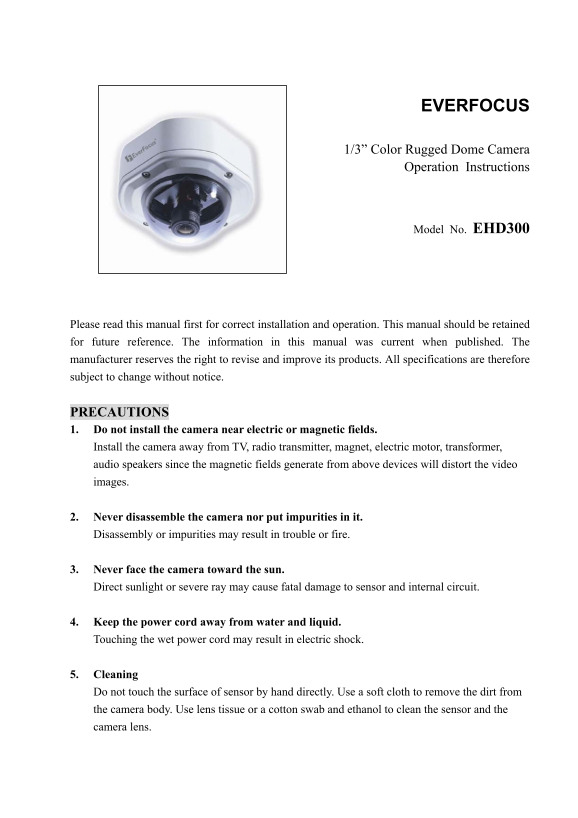
Page 1 Text Content
EVERFOCUS
1/3” Color Rugged Dome Camera
Operation Instructions
Model No. EHD300
Please read this manual first for correct installation and operation. This manual should be retained for future reference. The information in this manual was current when published. The manufacturer reserves the right to revise and improve its products. All specifications are therefore subject to change without notice.
PRECAUTIONS 1. Do not install the camera near electric or magnetic fields. Install the camera away from TV, radio transmitter, magnet, electric motor, transformer, audio speakers since the magnetic fields generate from above devices will distort the video images.
2. Never disassemble the camera nor put impurities in it. Disassembly or impurities may result in trouble or fire.
3. Never face the camera toward the sun. Direct sunlight or severe ray may cause fatal damage to sensor and internal circuit.
4. Keep the power cord away from water and liquid. Touching the wet power cord may result in electric shock.
5. Cleaning Do not touch the surface of sensor by hand directly. Use a soft cloth to remove the dirt from the camera body. Use lens tissue or a cotton swab and ethanol to clean the sensor and the camera lens.
Page Summary Contents For EVERFOCUS EHD300 User Guide and Manual
Manual Details
| Brand | EverFocus |
|---|---|
| Pages | 13 |
| File Size | 340.77 KB |
| Published | May 20, 2026 |
Enter the captcha to get the download link:

Frequently Asked Questions
What is the recommended operating temperature and humidity range?
The camera can operate at temperatures between –10℃~ 50℃ (14℉ ~ 122℉) and a humidity level of 20% to 80%.
How do I clean the sensor and camera lens?
Use lens tissue or a cotton swab with ethanol for cleaning the sensor and lens. Do not touch the surface directly with your hands.
What is required when mounting the base to the wall or ceiling?
Ensure the mounting surface is strengthened enough to support the camera; otherwise, reinforce it appropriately.
How do I connect the power supply and video output?(Required for setting up alarm functionality?)
Connect the power supply cable (12VDC/24VAC), video output, and alarm output to the proper connectors on the termination board, paying attention to Power In (+) and GND.