Page 1
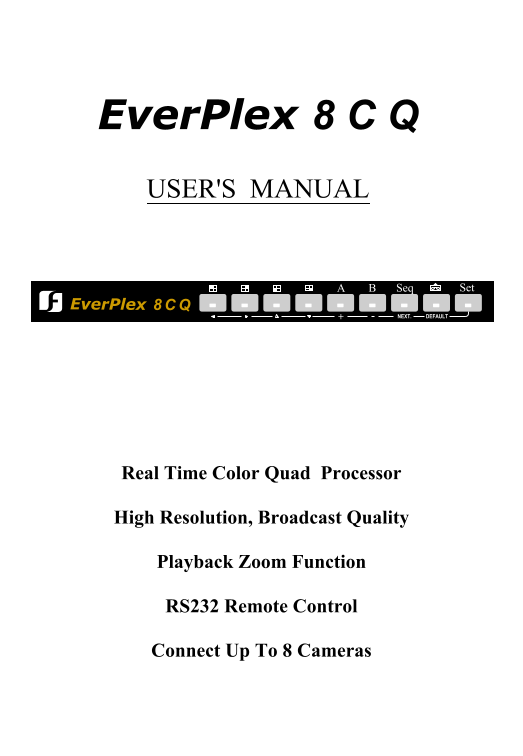
Ever Plex 8 C Q USER'S MANUAL BA Set Seq Ever Plex NEXT. DEFAULT+ Real Time Color Quad Processor High Resolution, Broadcast Quality Playback Zoom Function RS232 Remote Control Connect Up To 8 Cameras
Page 2
Table of Content Notice................................................................................................................. Safety Warning....................................................
Page 3
Notice This manual is presented to the users of Ever Plex 8CQ by Ever Focus Electronics Corp. With years of engineering researches, Ever Focus has spared no effort to provide the high quality products...
Page 4
Important Messages: 1. To prevent fire or shock hazard, do not expose this equipment to the environment of high humidity and dust. So, do not use it in an unprotected outdoor installation or any area ...
Page 5
Introduction Everplex 8CQ, a two page real time color Quad and 8 channel auto switcher, is the best choice for multiple monitoring and recording. The superior video quality is achieved by adopting the...
Page 6
Specification Video input: 8 cameras + one VCR inputs Video output: Video output x 2, 1V p-p/75 ohm Title: Up to 6 characters Timer: Built-in real time clock Alarm input: 8 alarm inputs and 1 alarm re...
Page 7
Chapter I Functional Description 1. Front Panel Keypads BA Set Seq Ever Plex NEXT. DEFAULT+ 1.1 Full Screen Press any key of FULL SCREEN, the picture of the corresponding quadrant will fill the whole ...
Page 8
1.5 Set Press the SET key to set time/date, title on/off, picture, camera titles, switching sequence, switching time period, alarm sensor type, alarm hold time, and display the alarm/video loss record...
Page 9
1.5.1 Date, Time setting, and OSD display on/off setting DATE: 1997-01-01 TIME: 01:01:01 QUAD SCREEN DATE: ON QUAD SCREEN TIME: ON QUAD SCREEN TITLE: ON FULL SCREEN DATE: ON FULL SCREEN TIME: ON FULL ...
Page 10
1.5.3 Set the Brightness, Contrast, Color, Tint for each channel in Page A PAGE A BRIGHT: 32 BRIGHT: 32 CONTRAST:27 CONTRAST:27 COLOR: 31 COLOR: 31 TINT: 32 TINT: 32 BRIGHT: 32 BRIGHT: 32 CONTRAST:27 ...
Page 11
1.5.6 Set the camera titles for Page B CH5: CH5 CH6: CH6 CH7: CH7 CH8: CH8 1.5.7 Set sequential switching parameters SEQUENTIAL SWITCH MENU CH1: OFF CH5: OFF CH2: OFF CH6: OFF CH3: OFF CH7: OFF CH4: O...
Page 12
1.5.8 Set alarm parameters ALARM SETTING MENU CH SENSOR CH SENSOR 1 N.O. 5 N.O. 2 N.O. 6 N.O. 3 N.O. 7 N.O. 4 N.O. 8 N.O. ALARM RESET IN : N.O. BUZZER : ON KEY LOCK : OFF ALARM HOLD TIME: 05 SEC CH1 -...
Page 13
Chapter II Back Panel Connection 10~24 VAC VIDEO INPUT PAGE BPAGE A PLAY BACK REC. OUT MONITOR ALARM I/O DC12V 1. BNC Connectors 1.1 MONITOR Connect this output port to the main monitor. 1.2 REC. OUT ...
Page 14
2.1 Alarm out There are two ways to do the alarm out connection: 2.1.1 Normally Open Connection (use pin # 1 and # 9) IL IL 2 1 RELAY Alarm out Ever Plex 8CQ 2.1.2 Normally Closed Connection (use pin ...
Page 15
2.2 Alarm in and Alarm reset There are 8 alarm sensors in for 8 channels and 1 alarm reset in, all these 9 alarm input can be set to Normally Open or Normally Closed by user and the setting menu. ALAR...
Page 16
The ALARM IN can be selected as normally open input or normally closed input: Normally Open : if the alarm input is selected as Normally Open input, then the (N.O.) input is opened normally, and short...
Page 17
3.1. The pin assignment of the 9 pin D-SUB connector Ever Plex 8CQ HOST PIN # NAME PIN # NAME 1 NOT CONNECTED 1 NOT CONNECTED 2 TXD 2 RXD 3 RXD 3 TXD 4 NOT CONNECTED 4 DTR 5 GROUND 5 GROUND 6 NOT CONN...
Page 18
3.4. Alarm message sent via RS232 Ever Plex 8CQ will send out alarm message thru RS232 when any alarm occurs, the alarm message format are three ASCII characters followed carriage return and line feed...
Page 19
Ever Focus Electronics Corp. 8F-4, No.79 Sec. 1 Shin-Tai Wu Road, Hsi-Chi, Taipei Hsien, Taiwan TEL : 886-2-26982334 FAX : 886-2-26982380 Suite 102, 2975 Huntington Drive San Marino, CA. 91108 U.S.A. ...