Epson Stylus SX125 User Guide
Summary
The Epson SX125 is a compact 3-in-1 all-in-one solution designed for effortless home printing, scanning, and copying. It delivers professional, lab-quality results on photos and crisp documents using durable DURABrite Ultra Ink. This comprehensive guide details the printer's features, including setup instructions, optimal usage for diverse media (from glossy photos to standard papers), advanced functions like OCR text scanning, and detailed specifications to ensure perfect performance for every household user.
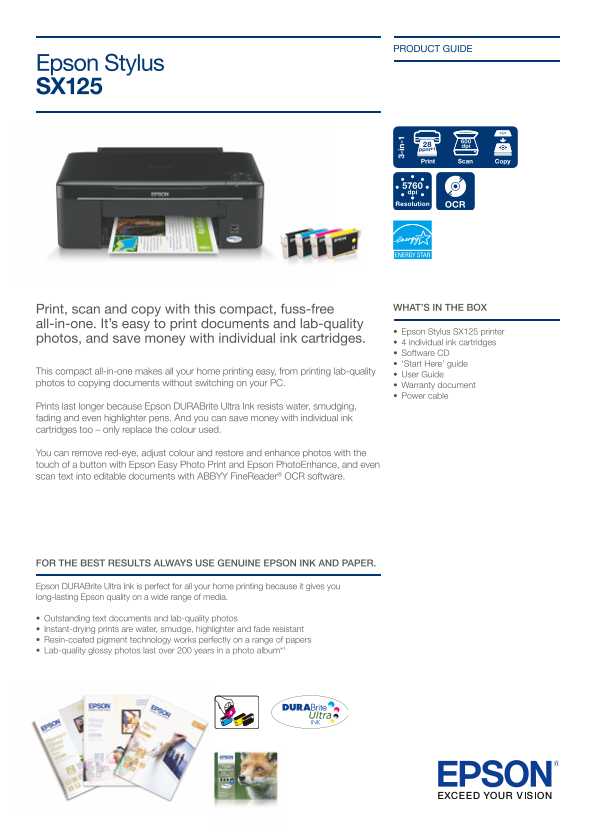
Page 1 Text Content
PRODUCT GUIDE
Epson Stylus SX125
Print Scan Copy
Print, scan and copy with this compact, fuss-free WHAT’S IN THE BOX
all-in-one. It’s easy to print documents and lab-quality
• Epson Stylus SX125 printer
photos, and save money with individual ink cartridges.
• 4 individual ink cartridges • Software CD • ‘Start Here’ guide
This compact all-in-one makes all your home printing easy, from printing lab-quality
• User Guide
photos to copying documents without switching on your PC. • Warranty document
• Power cable
3- in -1
Prints last longer because Epson DURABrite Ultra Ink resists water, smudging, fading and even highlighter pens. And you can save money with individual ink cartridges too – only replace the colour used.
You can remove red-eye, adjust colour and restore and enhance photos with the touch of a button with Epson Easy Photo Print and Epson Photo Enhance, and even scan text into editable documents with ABBYY Fine Reader® OCR software.
FOR THE BEST RESULTS ALWAYS USE GENUINE EPSON INK AND PAPER.
Epson DURABrite Ultra Ink is perfect for all your home printing because it gives you long-lasting Epson quality on a wide range of media.
• Outstanding text documents and lab-quality photos • Instant-drying prints are water, smudge, highlighter and fade resistant • Resin-coated pigment technology works perfectly on a range of papers • Lab-quality glossy photos last over 200 years in a photo album*1
Page Summary Contents For Epson Stylus SX125 User Guide
Manual Details
| Brand | Epson |
|---|---|
| Pages | 2 |
| File Size | 1017.43 KB |
| Published | May 20, 2026 |
Enter the captcha to get the download link:

Frequently Asked Questions
What type of ink does the printer use?
It uses Epson DURABrite Ultra Ink, which resists water, smudging, fading, and highlighter pens.
Can I scan text into an editable document format?
Yes, using ABBYY FineReader OCR software included with the unit.
What is the maximum print resolution?
The highest printed resolution available is up to 5760x1440 optimised dpi on suitable media.
Is this model compatible with various operating systems?
Yes, it supports Windows XP/Vista and Win 7, as well as Mac OS 10.4.11 or later.