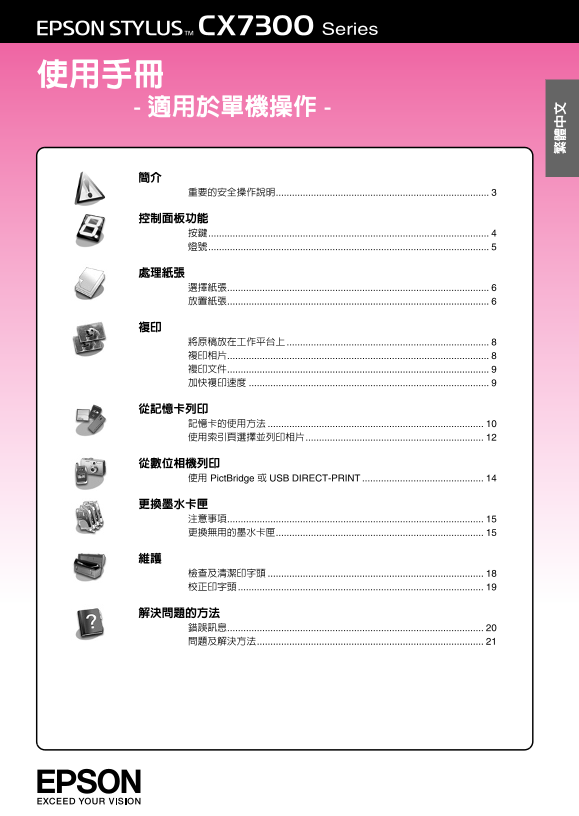
Page 1
R41AA113 K.Yoda CRE Kitabayashi RProof Sign-off: Low-end Rev.D E.Otera editor COVER1.FM A4 size 使用 Pict Bridge 或 USB DIRECT-PRINT
Page 2
Proof Sign-off: R41AA113 K.Yoda CRE Kitabayashi Low-end Rev.D E.Otera editor COVER2.FM A4 size 版權注意事項 No part of this publication may be reproduced, stored in a retrieval system, or transmitted in any...
Page 3
R41AA113 K.Yoda CRE Kitabayashi RProof Sign-off: Low-end Rev.D E.Otera editor INTRO.fm A4 size
Page 4
Proof Sign-off: R41AA113 K.Yoda CRE Kitabayashi Low-end Rev.D E.Otera PANEL.fm A4 size editor 啟動 / On 按下此鍵可開啟和關閉本產品的電源。 停止 / Stop 按下此鍵可停止複印。正在列印的紙張將會被退 列印索引頁 / Print 按下此鍵列印相片的索引頁。 Index Sheet 按索引頁列印 /...
Page 5
R41AA113 K.Yoda CRE Kitabayashi RProof Sign-off: Low-end Rev.D E.Otera editor PANEL.fm A4 size 啟動 / On 印表機的電源已開啟。 複印 / Copies 記憶卡列印選項在 DPOF 模式。 視窗 不支援的裝置 (HUB) 已被連接。 當連接具有 Pict Bridge 資料的數位相機 時會閃爍。 當連...
Page 6
Proof Sign-off: R41AA113 K.Yoda CRE Kitabayashi Low-end Rev.D E.Otera PAPER.fm A4 size editor 選擇紙張 放置紙張 列印之前,您必須選擇正確的紙張設定。這 1. 打開並拉出紙張支撐板。 個重要設定會決定墨水如何列印在紙張上。 附註: 可購買來使用的專用紙張,取決於您所居住的 國家。 您可以在 Epson 的...
Page 7
R41AA113 K.Yoda CRE Kitabayashi RProof Sign-off: Low-end Rev.D E.Otera editor PAPER.fm A4 size 15 cm (4 6 in.) 列印面通常比另一 cm (5 7 in.) 面白且光滑。 16:9 wide size (102 181 mm)
Page 8
Proof Sign-off: R41AA113 K.Yoda CRE Kitabayashi Low-end Rev.D E.Otera COPY.fm A4 size editor 選擇份數。 選擇 〝 10×15/4"×6" 相 片紙 / Photo Paper〞。 印表機將會自動地設 定,以列印在 cm/4 6 in. 尺寸的相片 紙上。 若要彩色複印。請按下 『x 開...
Page 9
R41AA113 K.Yoda CRE Kitabayashi RProof Sign-off: Low-end Rev.D E.Otera editor COPY.fm A4 size 選擇份數。 選擇 〝A4 普通紙 / Plain Paper〞。印表機 將會自動地設定,以列 印在 A4 的普通紙上。 放入 A4 普通紙。 若要彩色複印。請按下 『x 開始 / Start 彩色 / Color...
Page 10
Proof Sign-off: R41AA113 K.Yoda CRE Kitabayashi Low-end Rev.D E.Otera CARD.fm A4 size editor SD Memory Card SDHC Memory Card Multi Media Card Compact Flash Microdrive micro SD card* micro SDHC card* m...
Page 11
R41AA113 K.Yoda CRE Kitabayashi RProof Sign-off: Low-end Rev.D E.Otera editor CARD.fm A4 size 使用 DPOF 設定列印 若您的數位相機有支援 DPOF,則當記憶卡 仍在數位相機中時,您即可使用此功能來預 選相片和列印份數。詳細說明,請查看數位 相機的操作手冊。 1. 插入有 DPOF 資料的記憶卡 10 ...
Page 12
Proof Sign-off: R41AA113 K.Yoda CRE Kitabayashi Low-end Rev.D E.Otera CARD.fm A4 size editor 1. 列印索引頁 1. 放入數張 A4 尺寸的普通紙 6 頁 )。 附註 每頁最多可列印 個影像。 2. 按下『列印索引頁 / Print Index Sheet』 〝P 啟動 / On〞燈號閃爍,並且列印出 索引...
Page 13
R41AA113 K.Yoda CRE Kitabayashi RProof Sign-off: Low-end Rev.D E.Otera editor CARD.fm A4 size 3. 塗滿 的圓框,則可印出相片的日期 戳記。 4. 在區塊 2,選擇〝All〞將每張相片都列 印一份,或是在每張相片下塗滿您要的 列印份數,可選擇 1、2 份。 2. 闔上文件上蓋。 3. 放入符合您在索引頁上...
Page 14
Proof Sign-off: R41AA113 K.Yoda CRE Kitabayashi Low-end Rev.D E.Otera CAMERA.fm A4 size editor 使用 Pict Bridge 或 USB 位相機選擇您要列印相片,調整所需的 DIRECT-PRINT 設定,然後列印相片。詳細說明,請參 考數位相機的使用手冊。 Pict Bridge和USB DIRECT-...
Page 15
R41AA113 K.Yoda CRE Kitabayashi RProof Sign-off: Low-end Rev.D E.Otera editor INK.fm A4 size 請勿用手去移動印字頭。 換墨水卡匣,請參考線上進階使用說明 適用 Windows)。 行性檢查動作而消耗一些墨水。 為了發揮墨水最大效能,只在您準備要更 換墨水卡匣時再取出舊卡匣。重新安裝 後,存量太低的墨水卡匣將...
Page 16
Proof Sign-off: R41AA113 K.Yoda CRE Kitabayashi Low-end Rev.D E.Otera INK.fm A4 size editor 2. 按一下『y 停止 / Stop』鍵。 4. 打開墨水卡匣護蓋。 印字頭會移至檢查墨水卡匣的位置, 〝P 啟動 / On〞和〝B 墨水〞燈號會開 始不停閃爍。若有一個墨水卡匣無法使 用時,印表機會將該墨水卡匣移動...
Page 17
R41AA113 K.Yoda CRE Kitabayashi RProof Sign-off: Low-end Rev.D E.Otera editor INK.fm A4 size 請勿觸碰墨水卡匣側邊的綠色 IC 晶片。這 11.按下『y 停止 / Stop』鍵。
Page 18
Proof Sign-off: R41AA113 K.Yoda CRE Kitabayashi Low-end Rev.D E.Otera MAINT.fm A4 size editor 2. 按下『y 停止 / Stop』鍵三秒鐘,直到 3. 按住『y 停止 / Stop』鍵不放,再按下 〝P 啟動 / On〞燈號開始閃爍。印表機 『P 啟動 / On』鍵。 開始清潔印字頭,且〝P 啟動 / O...
Page 19
R41AA113 K.Yoda CRE Kitabayashi RProof Sign-off: Low-end Rev.D E.Otera editor MAINT.fm A4 size 校正印字頭 若您發現在噴嘴檢查表單上的直線不直,您 可以校正印字頭來解決這個問題。 1. 關閉印表機的電源。 2. 放入 A4 尺寸的普通紙 6 頁 )。 3. 按住『複印 / Copies』鍵不放,再按下 『...
Page 20
Proof Sign-off: R41AA113 K.Yoda CRE Kitabayashi Low-end Rev.D E.Otera TRBLE.fm A4 size editor 解決問題的方法 您可以查看控制面板上的指示燈號和代碼,或是從〝複印 /Copies〞視窗中所顯示的文字來判 斷問題。 有關透過電腦使用印表機的詳細說明,請查看線上進階使用說明。 錯誤訊息 O:燈號亮起 k:燈號閃...
Page 21
R41AA113 K.Yoda CRE Kitabayashi RProof Sign-off: Low-end Rev.D E.Otera editor TRBLE.fm A4 size 連接不支援的裝 移除連接的裝置,或按下 『y 停止 / Stop』鍵。 置。 複印 / Copies 當連接支援的數位相機時,〝b 錯誤〞燈號會熄滅。 啟動 / On 需要更換零件。 請連絡 Epson 授權維...
Page 22
Proof Sign-off: R41AA113 K.Yoda CRE Kitabayashi Low-end Rev.D E.Otera TRBLE.fm A4 size editor 動 / On』鍵,關閉電源。打開掃描單元並 取出內部的所有紙張,包含撕破的紙張碎 一次裝入一張紙。移除出紙托盤上的紙 片。闔上掃描單元。若有紙張殘留在自動 張,不要一次堆積太多紙張。 進紙槽附近,請小心地拉出紙張...
Page 23
R41AA113 K.Yoda CRE Kitabayashi RProof Sign-off: Low-end Rev.D E.Otera editor TRBLE.fm A4 size 只使用 Epson 建議的紙張,及 Epson 原廠 聯絡客戶服務中心 墨水卡匣。 若您的 Epson 產品運作不正常,而且您無法 額定頻率:50 ~ 60 Hz 板上選擇合適的設定。 SEIKO EPSON ...
Page 24
Proof Sign-off: R41AA113 K.Yoda CRE Kitabayashi Low-end Rev.D E.Otera editor COVER4.FM A4 size 原廠墨水卡匣 產品型號 黑色 藍色 紅色 黃色 CX7300 Series 可用的墨水卡匣,因國家不同而有所差異。 Copyright © 2007 Seiko Epson Corporation. All r...