EPSON Stylus Pro 4900 User's Guide and Manual
Summary
The Epson Stylus Pro 4900 is a professional-grade, large format inkjet printer designed for industry experts needing exquisite print quality and reliable performance. Featuring advanced MicroPiezo TFP technology and SpectroProofer capabilities, this compact A2 model delivers professional results across diverse media—including roll and cut sheets—with superior color accuracy (up to 98% Pantone+ coverage). This manual provides comprehensive operational guidance, enabling users to maximize speed, minimize waste, and achieve vibrant, consistent output for demanding commercial and photographic applications.
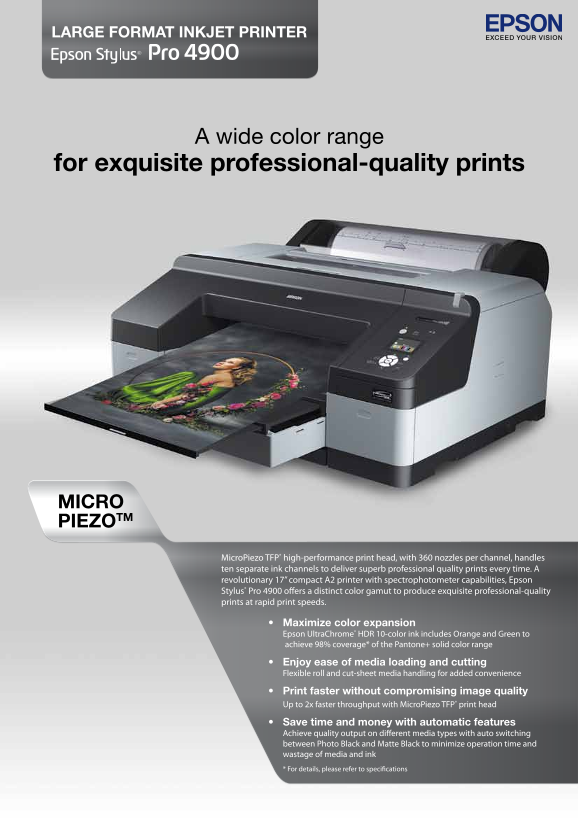
Page 1 Text Content
LAr Ge For MAt INKjet Pr INter
A wide color range
for exquisite professional-quality prints
MIcro PIe Zot M
Micro Piezo TFP® high-performance print head, with 360 nozzles per channel, handles ten separate ink channels to deliver superb professional quality prints every time. A revolutionary 17” compact A2 printer with spectrophotometer capabilities, Epson Stylus® Pro 4900 offers a distinct color gamut to produce exquisite professional-quality prints at rapid print speeds.
• Maximize color expansion Epson Ultra Chrome® HDR 10-color ink includes Orange and Green to achieve 98% coverage* of the Pantone+ solid color range • enjoy ease of media loading and cutting Flexible roll and cut-sheet media handling for added convenience • Print faster without compromising image quality Up to 2x faster throughput with Micro Piezo TFP® print head • Save time and money with automatic features Achieve quality output on different media types with auto switching between Photo Black and Matte Black to minimize operation time and wastage of media and ink * For details, please refer to specifications
Page Summary Contents For EPSON Stylus Pro 4900 User's Guide and Manual
Manual Details
| Brand | Epson |
|---|---|
| Pages | 4 |
| File Size | 421.79 KB |
| Published | May 19, 2026 |
Enter the captcha to get the download link:

Frequently Asked Questions
What is the maximum size of print media it can handle?
It handles paper and materials from 8” to 17” in width, and from 0.08 mm to 1.5 mm in thickness.
Can this printer automatically switch media types for efficiency?
Yes, it features automatic paper loading that adjusts between cut sheet or roll media smoothly and cleanly.
How does the MicroPiezo TFP print head improve performance?
It allows up to 2x faster throughput (print speed) without compromising image quality due to its high-performance design.
What specific color coverage can users achieve with the UltraChrome HDR inks?
The inks allow for 98% coverage of the Pantone+ solid color range, including Green and Orange.