Epson Stylus Photo PX820FWD User's Manual
Summary
Experience ultimate connectivity with this high-definition 4-in-1 wireless printer, scanner, copier, and fax system. Perfect for modern homes or small offices, it delivers lab-quality photo prints and professional documents directly from your camera, phone, or computer—wirelessly. The manual guides you through setting up Wi-Fi, utilizing the auto document feeder, printing from memory cards, and managing individual ink cartridges, ensuring easy all-in-one functionality for every user.
Page 1 Text Content
DATASHEET
Epson Stylus Photo PX820FWD
ppm *1
Print Scan Copy Fax
Wi Fi
Ethernet
10x15 cm
10sec*1
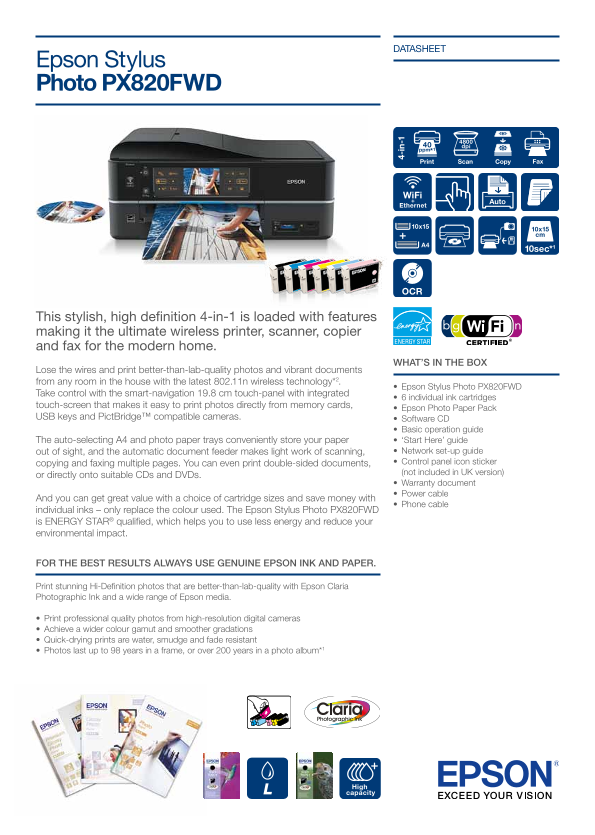
This stylish, high definition 4-in-1 is loaded with features making it the ultimate wireless printer, scanner, copier and fax for the modern home.
WHAT’S IN THE BOX
Lose the wires and print better-than-lab-quality photos and vibrant documents from any room in the house with the latest 802.11n wireless technology*2.
• Epson Stylus Photo PX820FWD
Take control with the smart-navigation 19.8 cm touch-panel with integrated
• 6 individual ink cartridges
4- in -1
touch-screen that makes it easy to print photos directly from memory cards,
• Epson Photo Paper Pack
USB keys and Pict Bridge™ compatible cameras. • Software CD
• Basic operation guide The auto-selecting A4 and photo paper trays conveniently store your paper • ‘Start Here’ guide out of sight, and the automatic document feeder makes light work of scanning, • Network set-up guide copying and faxing multiple pages. You can even print double-sided documents, • Control panel icon sticker (not included in UK version)
or directly onto suitable CDs and DVDs.
• Warranty document • Power cable
And you can get great value with a choice of cartridge sizes and save money with
• Phone cable
individual inks – only replace the colour used. The Epson Stylus Photo PX820FWD is ENERGY STAR® qualified, which helps you to use less energy and reduce your environmental impact.
FOR THE BEST RESULTS ALWAYS USE GENUINE EPSON INK AND PAPER.
Print stunning Hi-Definition photos that are better-than-lab-quality with Epson Claria Photographic Ink and a wide range of Epson media.
• Print professional quality photos from high-resolution digital cameras • Achieve a wider colour gamut and smoother gradations • Quick-drying prints are water, smudge and fade resistant • Photos last up to 98 years in a frame, or over 200 years in a photo album*1
High capacity L
Page Summary Contents For Epson Stylus Photo PX820FWD User's Manual
Manual Details
| Brand | Epson |
|---|---|
| Pages | 2 |
| File Size | 2.05 MB |
| Published | May 30, 2026 |
Enter the captcha to get the download link:

Frequently Asked Questions
How can I print photos directly from my memory card or camera?
You can use PictBridge™ compatible cameras or connect via USB keys to print photo memories.
What kind of printing technology does the PX820FWD use?
It uses a 6-colour inkjet printer with an Epson Micro Piezo print head and variable droplet size technology.
What is the maximum supported document size for scanning?
The automatic document feeder (ADF) supports a maximum document size of A4 paper.
How do I use the printer's ink cartridges to save money?
You can buy individual inks, allowing you to only replace the color that has been used efficiently.