Dell Projector 4350 RS232 Command Set Guide
Summary
This essential protocol document provides comprehensive technical guidance for integrating and automating control of the Dell 4350 Projector using RS232 serial communication. It serves developers, IT specialists, and system integrators who need to programmatically manage projector functions. The manual details both pin assignments and full command syntax, covering all necessary settings (e.g., Baud Rate: 9600 bps) and providing a robust list of controls. Users can implement core commands such as power cycling, navigating the OSD menu, retrieving system operational status (like lamp hours or firmware version), and adjusting projection parameters with high reliability.
Page 1 Text Content
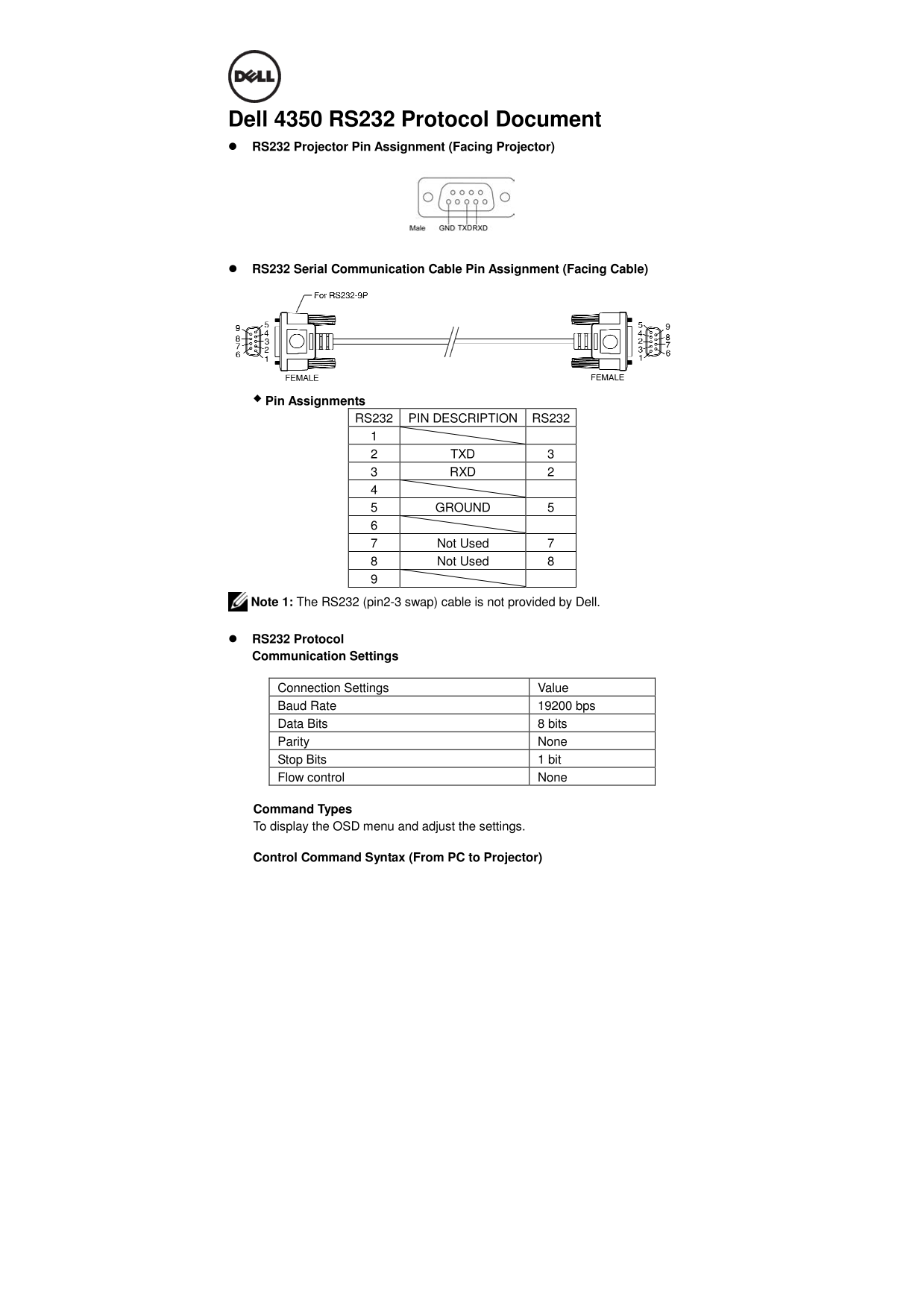
Dell 4350 RS232 Protocol Document RS232 Projector Pin Assignment (Facing Projector)
RS232 Serial Communication Cable Pin Assignment (Facing Cable)
Pin Assignments
RS232 PIN DESCRIPTION RS232
2 TXD 3 3 RXD 2
5 GROUND 5
7 Not Used 7 8 Not Used 8
Note 1: The RS232 (pin2-3 swap) cable is not provided by Dell.
RS232 Protocol Communication Settings
Connection Settings Value Baud Rate 19200 bps Data Bits 8 bits Parity None Stop Bits 1 bit Flow control None
Command Types To display the OSD menu and adjust the settings.
Control Command Syntax (From PC to Projector)
Page Summary Contents For Dell Projector 4350 RS232 Command Set Guide
Manual Details
| Brand | Dell |
|---|---|
| Pages | 5 |
| File Size | 292.42 KB |
| Published | June 23, 2026 |
Enter the captcha to get the download link:

Frequently Asked Questions
What communication settings should I use?
The required settings are: Baud Rate of 19200 bps, Data Bits of 8 bits, Parity None, Stop Bits of 1 bit, and Flow control None.
How do I send the Power On command?
Send a packet starting with Header (0xbe, 0xef), Address Code (0x10), SoP (0x05, 0x00), CRC16 (0x05, 0xc6), MsgID (0x11, 0x11), SoM (0x00, 0x01), and Command Code for Power On (0x01).
What does a specific response code mean?
A response of 0x00 in Byte0 indicates Success. 0x02 means an Error Command (e.g., CRC error or unknown command).
How can I check the projector's current firmware version?
Send a command with Address Code: '30', so that the response contains the firmware version across Bytes 2 through 7.