Dell Precision M6500 Quick Install Guide
Summary
Installation guide for the Dell Latitude ON Flash card, a hardware module providing instant-on computing capabilities on compatible Latitude laptops. Covers pre-installation safety steps including AC adapter disconnection and battery removal, identifying the FCM or WWAN Mini Card slot, physical card insertion with secure screw fastening, BIOS and software download from support.dell.com, and specific guidance for Latitude E4200/E4300 WWAN slot installation.
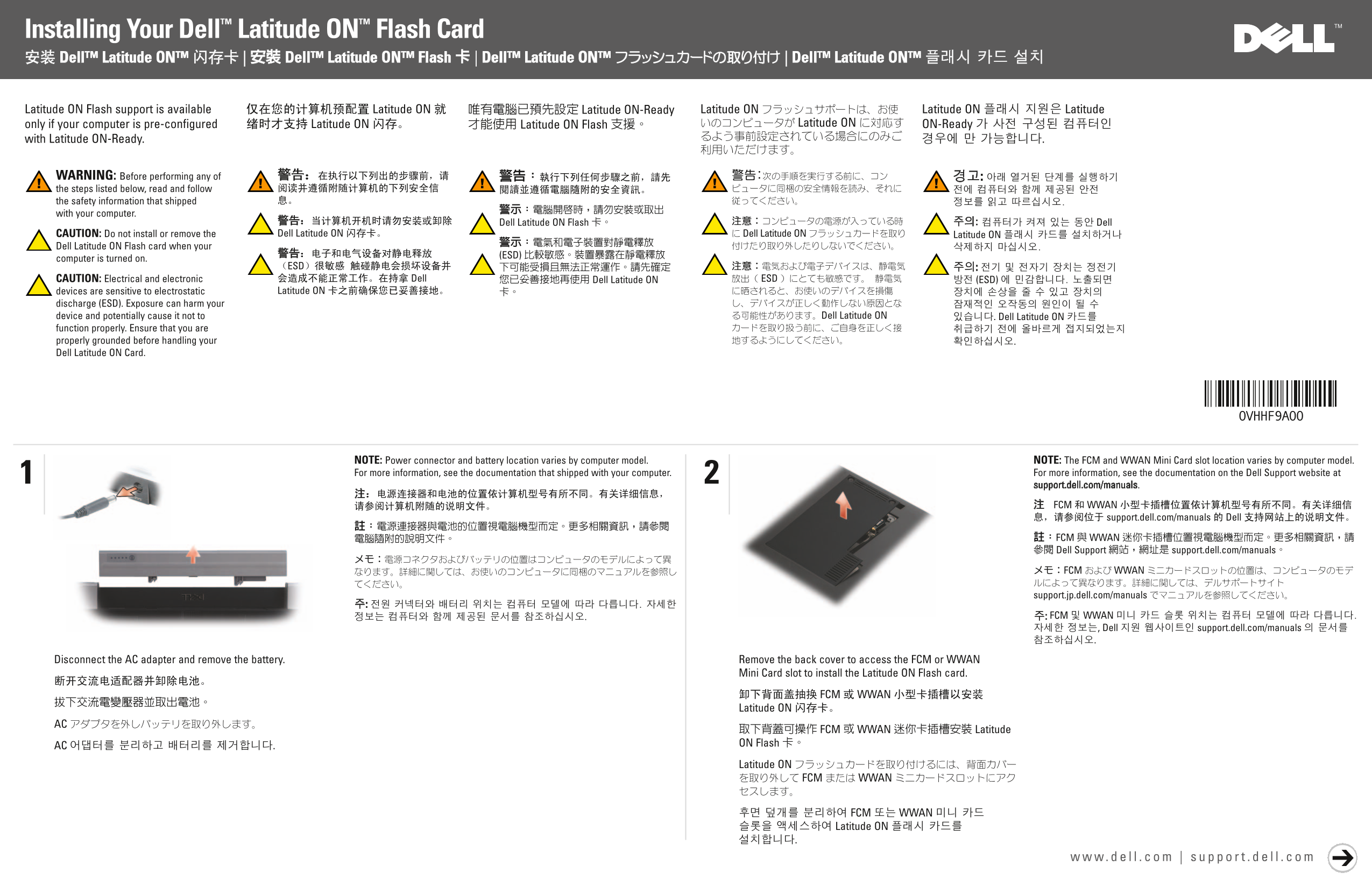
Page 1 Text Content
Installing Your Dell™ Latitude ON™ Flash Card
Latitude ON Flash support is available only if your computer is pre-configured with Latitude ON-Ready.
WARNING: Before performing any of the steps listed below, read and follow the safety information that shipped with your computer. CAUTION: Do not install or remove the Dell Latitude ON Flash card when your computer is turned on. CAUTION: Electrical and electronic devices are sensitive to electrostatic discharge (ESD). Exposure can harm your device and potentially cause it not to function properly. Ensure that you are properly grounded before handling your Dell Latitude ON Card.
NOTE: Power connector and battery location varies by computer model. NOTE: The FCM and WWAN Mini Card slot location varies by computer model. For more information, see the documentation that shipped with your computer. For more information, see the documentation on the Dell Support website at
support.dell.com/manuals.
Disconnect the AC adapter and remove the battery. Remove the back cover to access the FCM or WWAN
Mini Card slot to install the Latitude ON Flash card.
Page Summary Contents For Dell Precision M6500 Quick Install Guide
Manual Details
| Brand | Dell |
|---|---|
| Pages | 2 |
| File Size | 2.30 MB |
| Published | July 03, 2026 |
Enter the captcha to get the download link:

Frequently Asked Questions
Is this card compatible with all Dell Latitudes?
Support is only available if your computer was pre-configured with Latitude ON-Ready.
What precautions should I take before handling the card?
Ensure you are properly grounded due to sensitivity to electrostatic discharge (ESD).
How do I install the Latitude ON Flash card?
Remove power and battery, access the slot via the back cover, remove old cards, insert the new card, and secure it with a screw.
What should be done after installing the physical flash card?
Replace the battery, reconnect the AC adapter, and download/install the latest BIOS and software from support.dell.com.