Dell Precision 7520 Quick User Guide
Summary
This Quick Start Guide for the Dell Precision 7520 mobile workstation provides setup instructions in English, Simplified Chinese, Traditional Chinese, Japanese, and Korean. It covers power adapter connection, operating system setup for both Windows 10 and Ubuntu, network connectivity, Microsoft account sign-in, and SupportAssist system check. Includes hardware features such as network port, camera, smart card reader, and USB ports, plus regulatory information and product specifications for professional workstation users.
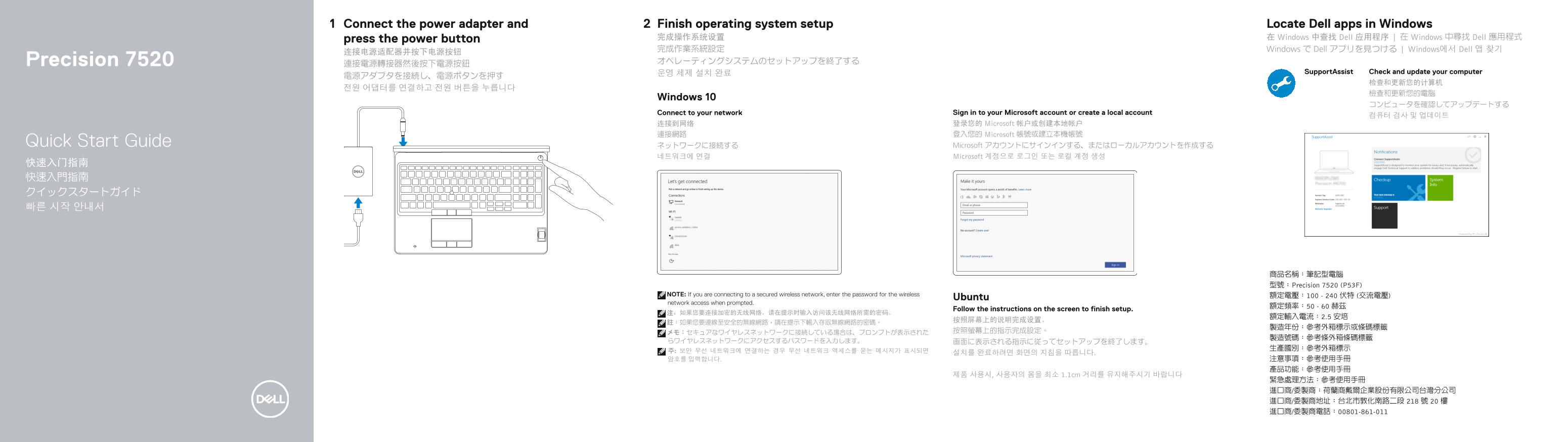
Page 1 Text Content
Connect the power adapter and Finish operating system setup Locate Dell apps in Windows
press the power button 完成操作系统设置 在 Windows 中查找 Dell 应用程序 | 在 Windows 中尋找 Dell 應用程式
完成作業系統設定 Windows で Dell アプリを見つける | Windows에서 Dell 앱 찾기
Precision 7520 オペレーティングシステムのセットアップを終了する
운영 체제 설치 완료 Support Assist Check and update your computer
Windows 10
Connect to your network Sign in to your Microsoft account or create a local account
连接到网络 登录您的 Microsoft 帐户或创建本地帐户 連接網路 登入您的 Microsoft 帳號或建立本機帳號
Quick Start Guide ネットワークに接続する Microsoft アカウントにサインインする、またはローカルアカウントを作成する
네트워크에 연결 Microsoft 계정으로 로그인 또는 로컬 계정 생성
商品名稱:筆記型電腦 型號:Precision 7520 (P53F)
NOTE: If you are connecting to a secured wireless network, enter the password for the wireless 額定電壓:100 - 240 伏特 (交流電壓)
Ubuntu
network access when prompted.
Follow the instructions on the screen to finish setup.
제품 사용시, 사용자의 몸을 최소 1.1cm 거리를 유지해주시기 바랍니다
Page Summary Contents For Dell Precision 7520 Quick User Guide
Manual Details
| Brand | Dell |
|---|---|
| Pages | 2 |
| File Size | 716.69 KB |
| Published | July 01, 2026 |
Enter the captcha to get the download link:

Frequently Asked Questions
如何完成系統初始設定?
請按照螢幕指示完成作業系統的設置。需要有網路連線才能繼續下一步操作。
如果連接到加密無線網路,我該怎麼做?
在提示時輸入連接該安全的無線網絡所需的密碼即可。
筆記型電腦支持哪些擴充功能和接口?
它具備 HDMI、Mini DisplayPort、Thunderbolt™ 3 over Type-C 和 PowerShare USB 3.0 等端口,並可選配讀卡器等。