Dell Precision 7920 Tower Quick User Guide
Summary
This Quick Start Guide for the Dell Precision 7920 Tower workstation (Regulatory Model D04X, Type D04X001) provides multilingual setup instructions covering power cable connection, display connectivity, side cover safety warnings, and operating system configuration. It includes Taiwan RoHS compliance documentation, electrical specifications, and a QR code-based Quick Resource Locator for accessing how-to videos and troubleshooting information. A critical safety note warns the system will not pow
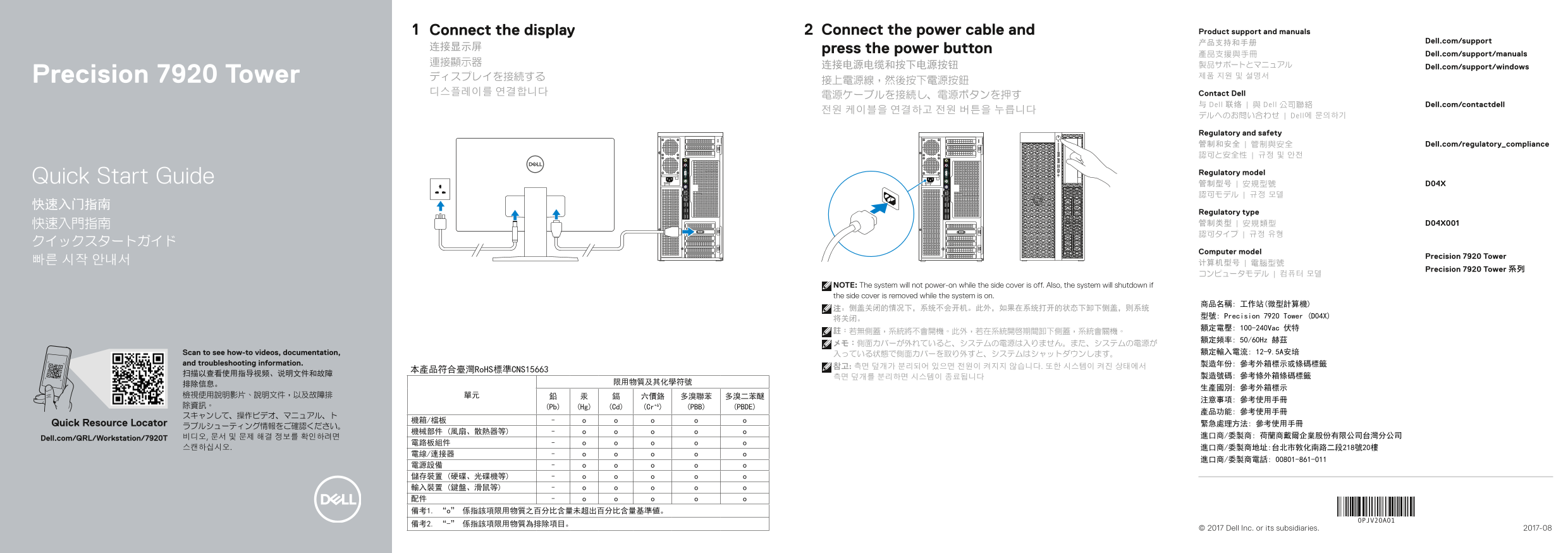
Page 1 Text Content
Connect the display Connect the power cable and Product support and manuals
产品支持和手册 Dell.com/support
连接显示屏 press the power button
產品支援與手冊 Dell.com/support/manuals
连接电源电缆和按下电源按钮 Dell.com/support/windows
Precision 7920 Tower ディスプレイを接続する 제품 지원 및 설명서
디스플레이를 연결합니다 Contact Dell
与 Dell 联络 | 與 Dell 公司聯絡 Dell.com/contactdell
デルへのお問い合わせ | Dell에 문의하기
Regulatory and safety 管制和安全 | 管制與安全 Dell.com/regulatory_compliance 認可と安全性 | 규정 및 안전
Regulatory model
Quick Start Guide 管制型号 | 安規型號 D04X
Regulatory type 快速入門指南 管制类型 | 安規類型 D04X001 認可タイプ | 규정 유형
Computer model
Precision 7920 Tower
Precision 7920 Tower 系列
NOTE: The system will not power-on while the side cover is off. Also, the system will shutdown if the side cover is removed while the system is on.
将关闭。 型號: Precision 7920 Tower (D04X) 額定電壓: 100-240Vac 伏特
額定頻率: 50/60Hz 赫茲
Scan to see how-to videos, documentation, 入っている状態で側面カバーを取り外すと、システムはシャットダウンします。 額定輸入電流: 12-9.5A安培
and troubleshooting information. 製造年份: 參考外箱標示或條碼標籤
本產品符合臺灣Ro HS標準CNS15663
除資訊。 (Pb) (Hg) (Cd) (Cr+6) (PBB) (PBDE)
Quick Resource Locator 緊急處理方法: 參考使用手冊
Dell.com/QRL/Workstation/7920T 비디오, 문서 및 문제 해결 정보를 확인하려면 進口商/委製商: 荷蘭商戴爾企業股份有限公司台灣分公司
© 2017 Dell Inc. or its subsidiaries. 2017-08
Page Summary Contents For Dell Precision 7920 Tower Quick User Guide
Manual Details
| Brand | Dell |
|---|---|
| Pages | 2 |
| File Size | 644.48 KB |
| Published | July 02, 2026 |
Enter the captcha to get the download link:

Frequently Asked Questions
What happens if I remove the side cover during operation?
The system will automatically shut down, and it cannot power on while the side cover is removed.
Is this product compliant with environmental standards?
Yes, it complies with Taiwan's RoHS standard (CNS15663), which regulates lead, mercury, cadmium, and other substances.
Where can I find troubleshooting videos and manuals?
You can visit Dell.com/QRL/Workstation/7920T for usage guides, videos, documentation, and diagnostic information.
What video output connectivity options are available?
It features specific ports such as a Line-out port (USB 3.1 Gen 1) and is also equipped with an optional Network port.