# A B C D E F G H I J K L M N O P Q R S T U V W X Y Z

Dell OpenManage Server Administrator Version 5.1 Readme

Summary

Master your infrastructure with professional server management using this guide for Dell OpenManage Server Administrator. This manual provides comprehensive documentation for system administrators, covering installation details, minimum hardware requirements, and advanced usage instructions across multiple platforms. Discover detailed user guides, CLI references, SNMP specifics, and compatibility information needed to effectively manage and maintain your PowerEdge servers and associated components.
📄 Preview 📖 Table of Contents Contents PAGE OF 27

Page 1 Text Content

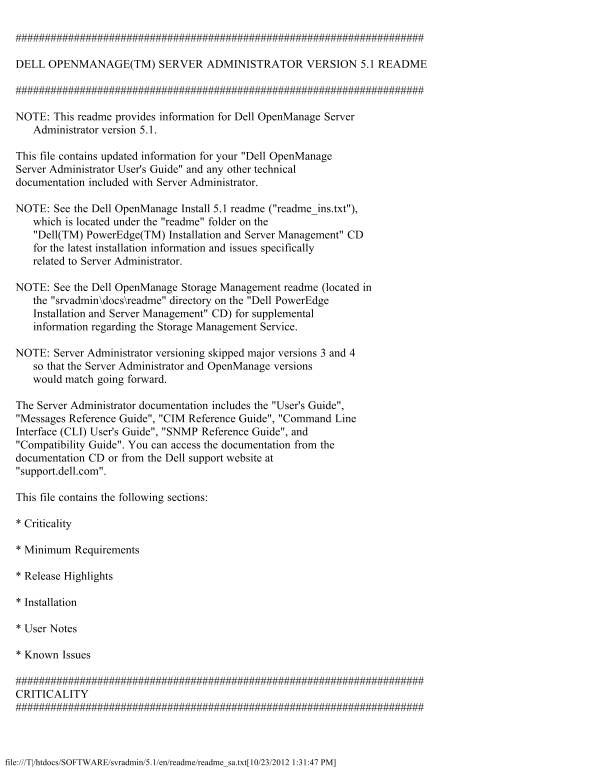
DELL OPENMANAGE(TM) SERVER ADMINISTRATOR VERSION 5.1 README

NOTE: This readme provides information for Dell Open Manage Server Administrator version 5.1.

This file contains updated information for your "Dell Open Manage Server Administrator User's Guide" and any other technical documentation included with Server Administrator.

NOTE: See the Dell Open Manage Install 5.1 readme ("readme_ins.txt"), which is located under the "readme" folder on the "Dell(TM) Power Edge(TM) Installation and Server Management" CD for the latest installation information and issues specifically related to Server Administrator.

NOTE: See the Dell Open Manage Storage Management readme (located in the "srvadmin\docs\readme" directory on the "Dell Power Edge Installation and Server Management" CD) for supplemental information regarding the Storage Management Service.

NOTE: Server Administrator versioning skipped major versions 3 and 4 so that the Server Administrator and Open Manage versions would match going forward.

The Server Administrator documentation includes the "User's Guide", "Messages Reference Guide", "CIM Reference Guide", "Command Line Interface (CLI) User's Guide", "SNMP Reference Guide", and "Compatibility Guide". You can access the documentation from the documentation CD or from the Dell support website at "support.dell.com".

This file contains the following sections:

* Criticality

* Minimum Requirements

* Release Highlights

* Installation

* User Notes

* Known Issues

CRITICALITY

file:///T|/htdocs/SOFTWARE/svradmin/5.1/en/readme/readme_sa.txt[10/23/2012 1:31:47 PM]

Page Summary Contents For Dell OpenManage Server Administrator Version 5.1 Readme

Page 1 DELL OPENMANAGE(TM) SERVER ADMINISTRATOR VERSION 5.1 README NOTE: This readme provides information for Dell Open Manage Server Administrator version 5.1. This file contains updated information for you...
Page 2 3 - Optional Dell recommends that you review specifics about the update to determine if it applies to your system. The update contains changes that impacts only certain configurations, or provides new...
Page 3 NOTE: Please refer to the "ISSUES FOR THE DRAC 5" section of this document for the supported managed server operating systems by DRAC 5. SUPPORTED WEB BROWSERS * Microsoft Internet Explorer ...
Page 4 Intel Extended Memory 64 Technology (Intel EM64T) systems. NOTE: DRAC 5 support on SUSE Linux Enterprise Server (version 10) is limited to the Manage Node and to the CLI only. DRAC 5 does not support ...
Page 5 For complete installation instructions, see the "Dell Open Manage Installation and Security User's Guide". USER NOTES This section provides information to help enhance your experience with S...
Page 6 * To allow Single Sign-on for Server Administrator, without prompts for user credentials, perform the following steps: 1. Navigate to "Tools" in Internet Explorer. 2. Under "Tools"...
Page 7 * Dell SNMP MIB Files for Power Edge Systems Dell SNMP MIB files for Power Edge systems allow customers to obtain and verify information provided by supported software agents. The current MIB files su...
Page 8 * If you have to uninstall and reinstall the operating system SNMP service, then reinstall Server Administrator as well, so that the Server Administrator SNMP agents are registered with the operating ...
Page 9 NOTES FOR THE REMOTE ACCESS SERVICE * This service is supported on Power Edge 650, 700, 750, 800, 830, 840, 850, 860, 1600SC, 1650, 1750, 1800, 1850, 2600, 2650, 2800, 2850, 4600, 6600, 6650, 6800, an...
Page 10 As explained in the Microsoft KB article, use the Registry Editor ("regedit.exe") to browse to the following key: HKEY_LOCAL_MACHINE\Software\Microsoft\Windows\Current Version \Internet Sett...
Page 11 * After a "Reset to Defaults" operation of the BMC Management controller, the first user configuration operation will fail if it is a single user configuration item (such as enabling or disa...
Page 12 parameters", please modify your command into several simpler commands. Each command should change only one setting. * When running Server Administrator on a system with a Traditional Chinese oper...
Page 13 * Clicking the browser "Back" and "Refresh" buttons may not display the correct page with respect to the Server Administrator component tree, tabs, tab menus, or help as Server Adm...
Page 14 When setting dates with the CLI, the appended time is noon. * If Network Adapter Teaming is installed and enabled on your system, Server Administrator does not display the IP address or other connecti...
Page 15 Recovery feature has been enabled, increase the System Reset Timer value to at least 120 seconds. (78425) * If you install Server Administrator on a system that includes a underscore in its hostname, ...
Page 16 2. Select "Command," "Alert," or "Hardware." 3. Click "Save As" 4. Click "Open" in "File Download" message box. Additionally, the "Expo...
Page 17 1. Edit the "/etc/sysconfig/syslog" file and modify KLOGD_OPTIONS to KLOGD_OPTIONS="-c 4". 2. Restart "syslog" by executing "/etc/init.d/syslog restart". * When...
Page 18 "srvadmin-services.sh restart" or "omconfig system webserver action=restart" from the command line. You must refresh the web interface and log back into Server Administrator to con...
Page 19 * Using the Storage Management Service "Advanced Create VDisk Wizard" might occasionally result in a vertical scrollbar of less than normal width. If this occurs, resizing the Server Adminis...
Page 20 operating systems. * DRAC 5 support on SUSE Linux Enterprise Server (version 10) is limited to the Manage Node and to the CLI only. DRAC 5 does not support the Out of Band GUI on the Management statio...
Page 21 4. After saving the file, close the browser. 5. Restart the browser, and specify the Web address of the "rac4vm.xpi" file (for example: file:///root/rac4vm.xpi). 6. Mozilla presents you with...
Page 22 swapping. The cfg Lan Networking group is configured using the "racadm config" command.(132894) * The remote access controller uses FTP protocol to perform some of the Dell Open Manage comma...
Page 23 - Change your passwords before updating the firmware. - Use the following CLI command to change the password: "omconfig rac users username=xx userpassword=yy" where "xx" is the ori...
Page 24 Chinese, UTF-8 is the correct encoding for RAC pages. * To view the RAC Web-based interface when using Mozilla 1.6, you must configure your cookie settings to "Enable all cookies". To enable...
Page 25 the following steps: 1. Insert the "Systems Management" CD into the CD drive. 2. When the installation application starts, click "Exit". 3. Open a command shell window: a. Click th...
Page 26 you can stop the service.(129915) DRAC III ISSUES FOR RED HAT ENTERPRISE LINUX OPERATING SYSTEMS * While installing the Dell Open Manage systems management applications through the Nautilus File Manag...
Page 27 July 2006 file:///T|/htdocs/SOFTWARE/svradmin/5.1/en/readme/readme_sa.txt[10/23/2012 1:31:47 PM]

Manual Details

Brand Server
Pages 27
File Size 69.73 KB
Published June 01, 2026
75 views

Enter the captcha to get the download link:

captcha

Frequently Asked Questions

What operating systems are compatible with Server Administrator 5.1?

It supports Windows 2000 Server SP4+, Windows Server 2003 R2, Red Hat Enterprise Linux v3/v4, and SUSE LSE version 9 SP3 and 10.

How can I restart the racing console view (racvnc)?

To restart RACVNC, run the command: "service racvnc restart" in the relevant management system application.

What do I do if I lose focus while using Console Redirection?

Before typing in a text window, you must click within the text window's spacebar or top menu bar to ensure it has the active focus.