# A B C D E F G H I J K L M N O P Q R S T U V W X Y Z

Dell OpenManage Server Administrator Version 5.3 README

Summary

Essential resource for System Administrators managing Dell PowerEdge infrastructure. This manual provides comprehensive insights into Dell OpenManage Server Administrator version 5.3, detailing everything from core installation steps and minimum requirements to advanced features. It includes detailed guides covering CLI usage, SNMP integration, and system compatibility across various operating systems (Windows Server, Red Hat Linux). Use this documentation to ensure efficient, reliable, and optimal server management within your data center environment.
📄 Preview 📖 Table of Contents Contents PAGE OF 29

Page 1 Text Content

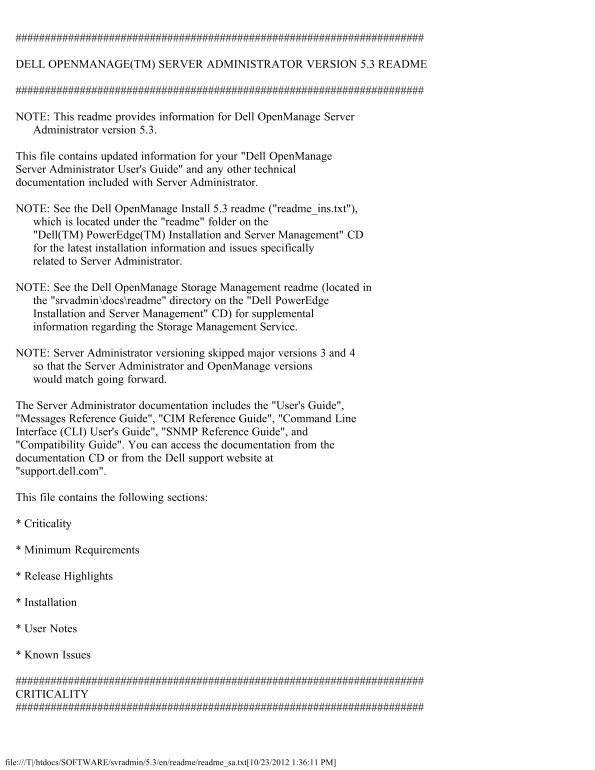
DELL OPENMANAGE(TM) SERVER ADMINISTRATOR VERSION 5.3 README

NOTE: This readme provides information for Dell Open Manage Server Administrator version 5.3.

This file contains updated information for your "Dell Open Manage Server Administrator User's Guide" and any other technical documentation included with Server Administrator.

NOTE: See the Dell Open Manage Install 5.3 readme ("readme_ins.txt"), which is located under the "readme" folder on the "Dell(TM) Power Edge(TM) Installation and Server Management" CD for the latest installation information and issues specifically related to Server Administrator.

NOTE: See the Dell Open Manage Storage Management readme (located in the "srvadmin\docs\readme" directory on the "Dell Power Edge Installation and Server Management" CD) for supplemental information regarding the Storage Management Service.

NOTE: Server Administrator versioning skipped major versions 3 and 4 so that the Server Administrator and Open Manage versions would match going forward.

The Server Administrator documentation includes the "User's Guide", "Messages Reference Guide", "CIM Reference Guide", "Command Line Interface (CLI) User's Guide", "SNMP Reference Guide", and "Compatibility Guide". You can access the documentation from the documentation CD or from the Dell support website at "support.dell.com".

This file contains the following sections:

* Criticality

* Minimum Requirements

* Release Highlights

* Installation

* User Notes

* Known Issues

CRITICALITY

file:///T|/htdocs/SOFTWARE/svradmin/5.3/en/readme/readme_sa.txt[10/23/2012 1:36:11 PM]

Page Summary Contents For Dell OpenManage Server Administrator Version 5.3 README

Page 1 DELL OPENMANAGE(TM) SERVER ADMINISTRATOR VERSION 5.3 README NOTE: This readme provides information for Dell Open Manage Server Administrator version 5.3. This file contains updated information for you...
Page 2 3 - Optional Dell recommends that you review specifics about the update to determine if it applies to your system. The update contains changes that impact only certain configurations and provides new ...
Page 3 Server 2003 R2 (Express, Standard, Workgroup, and Enterprise editions), Microsoft Windows Server 2003 SBS R2 (Standard and Premium), Microsoft Windows Server 2008 32-bit (Web edition), and Microsoft W...
Page 4 SUPPORTED SSL VERSION * Server Administrator supports SSL 3.0 exclusively. SUPPORTED RAC FIRMWARE * i DRAC firmware version 1.0 or greater is required for systems installed with i DRAC. * DRAC 5 firmw...
Page 5 * Added support to disable baseboard management controller (BMC) automatic system recovery (ASR) when the operating system's watchdog timer (WDT) is configured. * Added support for additional LAN netw...
Page 6 This section provides information to help enhance your experience with Server Administrator, in particular, implementations and environments. * Server Administrator uses port 1311 as the default port....
Page 7 4. Select "Trusted sites". 5. Click the "Custom Level" button. 6. Under "User Authentication", select the "Automatic Logon with current username and password" r...
Page 8 at "\support\mib" on the "Dell Systems Consoles and Agent" CD. NOTE: A MIB-II-compliant, SNMP-supported network management station is required to compile and browse MIB files. * Op...
Page 9 running Server Administrator. * If you have to uninstall and reinstall the operating system SNMP service, then reinstall Server Administrator as well, so that the Server Administrator SNMP agents are ...
Page 10 Service online help by selecting the Storage or lower-level tree object and clicking the Help button on the global navigation bar. NOTES FOR THE REMOTE ACCESS SERVICE * This service is supported on De...
Page 11 (Windows 2000 Server) "http://support.microsoft.com?kbid=818060" (Windows 2003 Server) "http://support.microsoft.com/kb/839571" As explained in the Microsoft KB article, use the Re...
Page 12 unexpectedly and restart. If this occurs, the folder "C:\Temp\invcol" may be left as an artifact. The presence of this folder does not affect functionality of the inventory collection. The f...
Page 13 command on the CLI can result in XML parsing errors if the size of the log is very large. Use the GUI or the "omreport system esmlog/alertlog/cmdlog" CLI command to view the contents of the ...
Page 14 omconfig system webserver action=start * A temperature that drops below a minimum failure threshold does not cause a system reset even if this alert action is set. * A reporting error, for the amount ...
Page 15 - If you are using Internet Explorer, click "File" on the menu bar and deselect the "Work Offline" option. When "Work Offline" is selected, a check displays to the left o...
Page 16 The Auto Recovery feature can be set to execute an action (e.g. reboot system) to recover a hung system. Since the Auto Recovery timer is now an application level timer instead of a kernel level timer...
Page 17 * The DSM SA Connection Service might hang on system startup if both Oracle and VERITAS(R) Backup Exec(TM) are installed on the system. To manually start the DSM SA Connection Service on a system runn...
Page 18 with Internet Explorer 6 Service Pack 1: 1. Go to System -> Logs 2. Select "Command," "Alert," or "Hardware." 3. Click "Save As" 4. Click "Open" in...
Page 19 Sign-on may not work if in the Internet Explorer, under "Tools" -> "Internet Options" -> "Security" -> "Custom Level", the "User Authentication Lo...
Page 20 request for a network interface address. For example, if a network interface has an IP address of 192.168.1.1, the SNMP daemon will provide an IP address of 192.168.1.1.0.0.0.0. This may have adverse ...
Page 21 for a regenerating virtual disk. When a physical disk in a virtual disk is rebuilding, the virtual disk changes to a "Regenerating" state. The Format and Check Consistency operations should ...
Page 22 750, 800, 830, 840, 850, 860, 1600SC, 1650, 1750, 1800, 1850, 2600, 2650, 2800, 2850, 4600, 6600, 6650, 6800, 6850, 6950, 2970, R200, M600, M605, R805, and R900 systems only. The following subsections...
Page 23 or running". This issue is caused by the new Java applet security features of Mozilla 1.7.3 or later. Perform the following steps to manually install the plug-in for that specific browser: 1. Log...
Page 24 operating system authentication" feature in this version of firmware. Due to this change, the following commands will return errors: "racadm localauthenable" "omconfig rac authenti...
Page 25 timer using the Server Administrator GUI. In the Server Administrator GUI, click the "Properties" tab and ensure that the "Auto Recovery" is selected. The default value of the &quo...
Page 26 3. Click "Preferences ...". 4. Click "Advanced" in the left sidebar. 5. Click "Proxies" in the left sidebar. 6. Enter the RAC IP address in the "No Proxy for:" ...
Page 27 default value for a RAC's internal PPP IP address is 192.168.234.235, but the address can be changed by the user. This issue is a known problem, and there is an article and a hot fix available from Mi...
Page 28 and erratic during DRAC III console redirection. This behavior is evident especially when using menus or opening windows. * Resizing the Windows desktop to a resolution of 640 x 480 causes some inform...
Page 29 "Red Hat" is a registered trademark of Red Hat, Inc.; "SUSE" is a registered trademark of Novell Inc.; "EMC" and "Navisphere" are registered trademarks of EMC C...

Manual Details

Brand Server
Pages 29
File Size 74.50 KB
Published June 01, 2026
83 views

Enter the captcha to get the download link:

captcha

Frequently Asked Questions

What operating systems are supported by Server Administrator 5.3?

Supported OS include Microsoft Windows Server 2008, Windows Server 2003 R2, Red Hat Enterprise Linux (v4.5 and 5), SUSE LES (v9 SP3 and 10), and VMware ESX 3 service console.

Which Dell PowerVault systems are supported for version 5.3?

The supported models for the Dell PowerVault system are NX 1950, 100, 500, and 600.

How should I handle focus loss when using Console Redirection on Red Hat Enterprise Linux?

Before attempting to type in a text window within Console Redirection, you must click the mouse into that specific window's space bar or top menu bar to ensure it has the correct focus.