# A B C D E F G H I J K L M N O P Q R S T U V W X Y Z

Dell OpenManage Server Administrator Version 6.3 Readme

Summary

This comprehensive documentation guide provides essential technical information for Dell OpenManage Server Administrator version 6.3. It is designed for system administrators and IT professionals responsible for managing Dell server infrastructure. The manual details minimum operating system requirements (supporting various Windows and Linux versions), installation procedures, supported browsers, release highlights, and necessary prerequisites like iDRAC firmware versions. Use this resource to ensures proper deployment and operation of your server management tools.
📄 Preview 📖 Table of Contents Contents PAGE OF 25

Page 1 Text Content

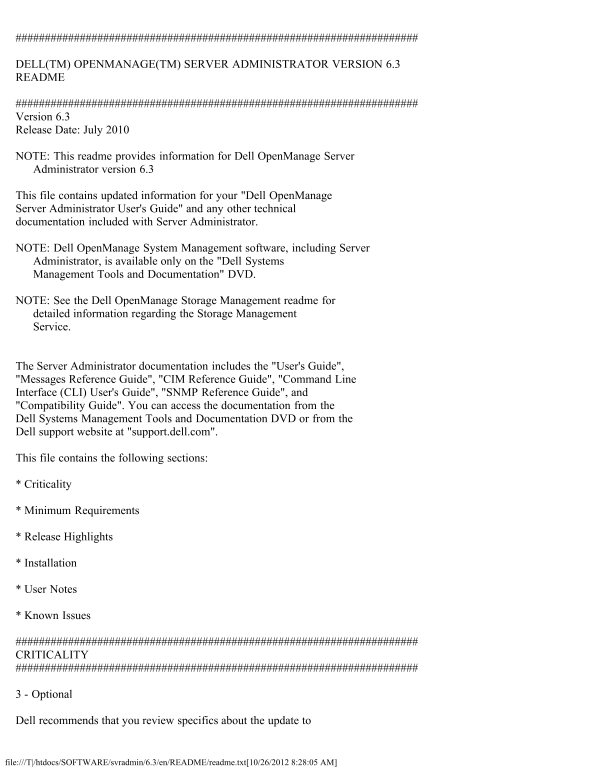
DELL(TM) OPENMANAGE(TM) SERVER ADMINISTRATOR VERSION 6.3 README

Version 6.3 Release Date: July 2010

NOTE: This readme provides information for Dell Open Manage Server Administrator version 6.3

This file contains updated information for your "Dell Open Manage Server Administrator User's Guide" and any other technical documentation included with Server Administrator.

NOTE: Dell Open Manage System Management software, including Server Administrator, is available only on the "Dell Systems Management Tools and Documentation" DVD.

NOTE: See the Dell Open Manage Storage Management readme for detailed information regarding the Storage Management Service.

The Server Administrator documentation includes the "User's Guide", "Messages Reference Guide", "CIM Reference Guide", "Command Line Interface (CLI) User's Guide", "SNMP Reference Guide", and "Compatibility Guide". You can access the documentation from the Dell Systems Management Tools and Documentation DVD or from the Dell support website at "support.dell.com".

This file contains the following sections:

* Criticality

* Minimum Requirements

* Release Highlights

* Installation

* User Notes

* Known Issues

CRITICALITY

3 - Optional

Dell recommends that you review specifics about the update to

file:///T|/htdocs/SOFTWARE/svradmin/6.3/en/README/readme.txt[10/26/2012 8:28:05 AM]

Page Summary Contents For Dell OpenManage Server Administrator Version 6.3 Readme

Page 1 DELL(TM) OPENMANAGE(TM) SERVER ADMINISTRATOR VERSION 6.3 README Version 6.3 Release Date: July 2010 NOTE: This readme provides information for Dell Open Manage Server Administrator version 6.3 This fi...
Page 2 determine if it applies to your system. The update contains changes that impact only certain configurations and provides new features that may or may not apply to your environment. MINIMUM REQUIREMENT...
Page 3 * i DRAC firmware version 1.1 or greater is required for systems installed with i DRAC. * Managed node installation racadm (local racadm) for systems installed with i DRAC supports i DRAC monolithic 1...
Page 4 5. Click the "Custom Level" button. 6. For Windows 2003, perform the following steps, - Under "Miscellaneous", select the "Allow Meta Refresh" radio button. - Under &quot...
Page 5 Request' attack." Dell has determined that this warning is a false positive. * "It is possible to make the remote thttpd server execute arbitrary code by sending a request like: GET If-Modif...
Page 6 The amount of time varies depending on the hardware system and operating system. [188345] NOTES FOR THE INSTRUMENTATION SERVICE * When configuring BIOS setup options through server administrator, if c...
Page 7 service, then reinstall Server Administrator as well, so that the Server Administrator SNMP agents are registered with the operating system SNMP agent. * Server Administrator Device Drivers for Linux ...
Page 8 NOTES FOR THE REMOTE ACCESS SERVICE * This service is available on supported systems in this release only. It enables remote access to a server that has lost its network connection or that has become ...
Page 9 1. Unzip "Q818060-Eng-IE6.zip". 2. From a Windows command shell, enter "Q818060.exe /C" to extract the Hot Fix files to a directory. 3. In the command shell, switch to the director...
Page 10 * While remote managing a Windows-based node using a RHEL4-based Server Administrator Webserver, the following health status links are not displayed: • Storage in the System page • Hardware Log in the...
Page 11 The presence of this folder does not affect functionality of the inventory collection. The folder can be deleted if required. [138549] * After installing Server Administrator from the command prompt, ...
Page 12 several simpler commands. Each command should change only one setting. * When running Server Administrator on a system with a Traditional Chinese operating system, the Server Administrator pages are d...
Page 13 the System Setup Program. * The links on the Server Administrator home page may lock up after repeated random clicking. To resolve this situation, refresh the browser by pressing <F5> or click t...
Page 14 The Auto Recovery feature can be set to execute an action (For example, reboot system) to recover a hung system. Since the Auto Recovery timer is now an application level timer instead of a kernel lev...
Page 15 3. Now the items on the front page may respond to your click. * Persistence of Configuration and Log File Changes in VMware(R) ESXi On systems running the VMware ESXi operating system, the file system...
Page 16 are by clicking "Start-> Programs-> Accessories-> Command Prompt" or by clicking "Start-> Run" and then typing "cmd.exe". Attempts to run the CLI commands fro...
Page 17 reads the inventory data; it does not perform any functions on the server that require user impersonation. * An error message ("The compressed (zipped) folder is invalid or corrupted") will ...
Page 18 Event log. ISSUES FOR SERVER ADMINISTRATOR RUNNING ON MICROSOFT WINDOWS 2008 OPERATING SYSTEMS * If Server Administrator is launched using the desktop icon, Single Sign-on may not work if in the Inter...
Page 19 If you need to execute an interactive application for an Alert Action on Microsoft Windows Server 2008, you must configure the DSM SA Data Manager service to be allowed to interact with the desktop. T...
Page 20 apply Microsoft KB909425. The KB is available at -> http://support.microsoft.com/kb/909425/ [275271] ISSUES FOR SERVER ADMINISTRATOR RUNNING ON RED HAT ENTERPRISE LINUX OPERATING SYSTEMS * When sta...
Page 21 User" privileges, the "Error! User has insufficient privileges to run command: omconfig" message may be displayed. You must be logged in as an Administrator to perform these actions. * ...
Page 22 Storage Management Service Advanced Create VDisk Wizard may occasionally result in text overflowing to the bottom of the side-by-side blue text boxes. ISSUES FOR REMOTE ACCESS NOTE: The Remote Access ...
Page 23 "racadm sslcertupload" "racadm sslcsrgen" "racadm fwupdate" * If the RAC configuration is reset to factory defaults using the "racadm racresetcfg" command, the ...
Page 24 - Use the racadm utility to change the password: "racadm config -g cfg User Admin -o cfg User Admin Password -i <usr_index> <new_pwd>" where <usr_index> is the index of the...
Page 25 Workaround would be downloading and installing Microsoft Visual C++ 2008 Redistributable Package (x86) from the following location: -> http://www.microsoft.com/downloads/details.aspx? familyid=9B2D...

Manual Details

Brand Server
Pages 25
File Size 66.28 KB
Published June 01, 2026
70 views

Enter the captcha to get the download link:

captcha

Frequently Asked Questions

What operating systems are supported for Server Administrator?

Support depends on the latest Dell Systems Software Support Matrix, but listed examples include Windows XP SP2, Vista, 7, and various Linux versions (SUSE, Red Hat).

Is a specific SSL version required for operation?

Yes, Server Administrator supports SSL 3.0 exclusively.

What firmware version is needed for iDRAC systems?

A minimum of iDRAC firmware version 1.1 or greater is required for iDRAC-installed systems.

What should I do if vmcli.exe fails on iDRAC Monolithic?

You must download and install Microsoft Visual C++ 2008 Redistributable Package (x86) to fix this issue.