Page 1
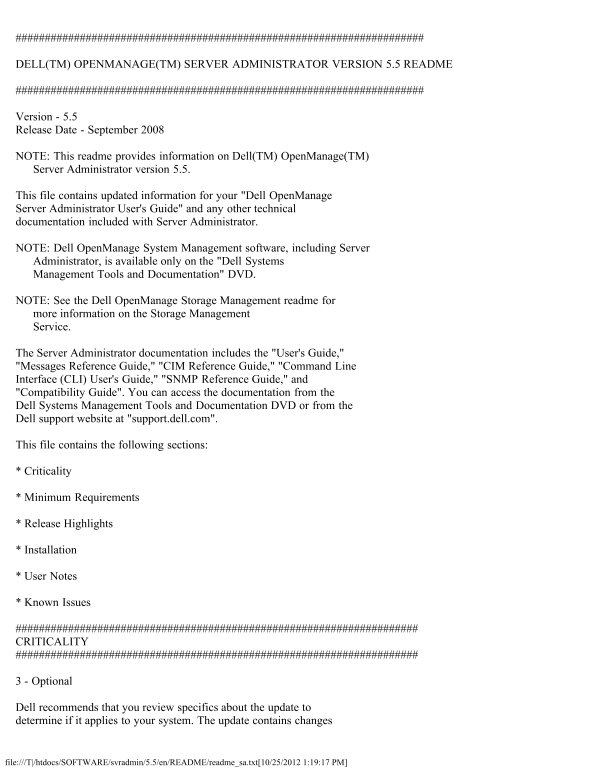
DELL(TM) OPENMANAGE(TM) SERVER ADMINISTRATOR VERSION 5.5 README Version - 5.5 Release Date - September 2008 NOTE: This readme provides information on Dell(TM) Open Manage(TM) Server Administrator vers...
Page 2
that impact only certain configurations and provides new features that may or may not apply to your environment. MINIMUM REQUIREMENTS This section provides information about the minimum requirements f...
Page 3
* Server Administrator supports SSL 3.0 exclusively. SUPPORTED RAC FIRMWARE * i DRAC firmware version 1.0 or greater is required for systems installed with i DRAC. * DRAC 5 firmware version 1.0 or gre...
Page 4
* See the "Dell Systems Software Support Matrix" for a complete list of supported Dell systems and operating systems. INSTALLATION For complete installation instructions, see the "Dell ...
Page 5
- Under "Active Scripting", select the "Enable" radio button. - Under "Active scripting", select the "Allow scripting of Internet Explorer web browser controls"...
Page 6
warning is a false positive. * "The Web server on 1311 allows to delete " / " which implies that the Web server will allow a remote user to delete the files in root on the server."...
Page 7
- Server Administrator home page on log in - Remote Access -> Users - Alert Management -> Platform Events You may notice a delayed response on the following Server Administrator CLI commands: - ...
Page 8
log to find the memory module that failed. * If you run Server Administrator while the system is in "OS Install Mode", memory may be reported incorrectly by Server Administrator. To avoid th...
Page 9
Manager Services before updating the Adaptec(R) Controllers. * Detailed information on the Storage Management Service is available in the Storage Management Service online help. After installing and l...
Page 10
To correct this problem, you must apply Microsoft IE Hot Fix Q818060 or KB839571 to Internet Explorer 6.0 SP1 on Windows 2000 server or Windows 2003 server. Hot Fix Q818060 and KB839571 are available ...
Page 11
using Server Administrator GUI or CLI, the configuration will appear to be successful but the changes will not take effect on next reboot. If UA USB ports settings are changed from All Ports On to All...
Page 12
* When issuing the Server Administrator command line "omreport system version -outc <filename>", make sure you specify an absolute path name for the output file, for example, "c:\...
Page 13
"C:\program files\dell\Sys Mgt\iws\config". 3. Copy "keystore.db.bak" to "keystore.db". 4. Type: omconfig system webserver action=start * A temperature that drops below a...
Page 14
<port number>" request for connection with the server receives an invalid response. * If the browser used with Server Administrator indicates that it cannot display a page or perform an act...
Page 15
in the new time zone specified. Server Administrator needs to be restarted so that the correct time zone time is displayed in the Session Management page. * Server Administrator Auto Recovery feature ...
Page 16
* While installing Windows Server 2008 or post installation,if you set the Time and Currency formats to any of the newly added languages (in comparison with Windows Server 2003), then DSM SA Connectio...
Page 17
OPERATING SYSTEMS * Warning messages ("A provider, omprov, has been registered in the WMI namespace, Root\CIMV2\Dell, to use the Local System account. This account is privileged and the provider ...
Page 18
the Event log: - Uninstall the "Update Root certificates" component as described in the first knowledge base article mentioned above. Note: This procedure may affect other programs as discus...
Page 19
service is started. For each execution of the interactive application, there will be an entry for the application process in the Processes tab in Task Manager. If you need to execute an interactive ap...
Page 20
2. Restart "syslog" by executing "/etc/init.d/syslog restart". * When using the Mozilla browser on Red Hat Enterprise Linux operating systems, the font and type size on the Server ...
Page 21
"omconfig system webserver action=restart" from the command line. Refresh the web interface and log back into Server Administrator to continue. * On systems running SUSE Linux Enterprise Ser...
Page 22
* If a physical disk in a RAID 1-concatenated virtual disk fails, the virtual disk is in a "Degraded" state. Rebooting the system may cause the virtual disk to change to a "Failed"...
Page 23
ISSUES FOR DRAC 5 Download the DRAC 5 readme from the Dell support site at support.dell.com for the latest information on all known issues, supported web browsers and managed server operating systems....
Page 24
3. Click "OK" and save the file to a temporary location (should be your home directory, by default). 4. Close the browser after saving the file. 5. Restart the browser, and specify the Web a...
Page 25
* The cfg DNSServer1 and cfg DNSServer2 properties of group cfg Lan Networking may be set to identical values while swapping addresses. Some performance may be lost temporarily during the swapping. Th...
Page 26
in to the RAC. Use one of these methods to correct this issue: - Change your passwords before updating the firmware. - Use the following CLI command to change the password: "omconfig rac users us...
Page 27
extended ASCII characters may not display correctly in certain languages. This issue occurs because the browser is set to the UTF-8 character set by Server Administrator. To correct this issue, change...
Page 28
installing a later version of the RAC management station software. To remove the RAC management station software on Windows, perform the following steps: 1. Insert the "Dell Systems Management To...
Page 29
device (PCI Function 0, PCI Function 2 and RAC Virtual UART Port) is disabled and the RAC service is running, you may experience problems such as an application hang. To successfully install these app...
Page 30
trademark of Microsoft Corporation in the United States and/or other countries. Server Administrator uses the Over LIB Java Script library. This library can be obtained from "http://www.bosrup.co...