# A B C D E F G H I J K L M N O P Q R S T U V W X Y Z

Dell OpenManage Server Administrator Version 6.1 Readme

Summary

Manage your Dell hardware with OpenManage Server Administrator. This documentation serves as a comprehensive guide for system administrators needing to install, utilize, and understand this crucial server management software. The manual details minimum OS requirements, covered browser compatibility (IE, Firefox), technical prerequisites, and outlines access to essential resources like the User's Guide, CLI Reference Guide, and SNMP specifics. Use this resource for reliable setup and in-depth system troubleshooting.
📄 Preview 📖 Table of Contents Contents PAGE OF 23

Page 1 Text Content

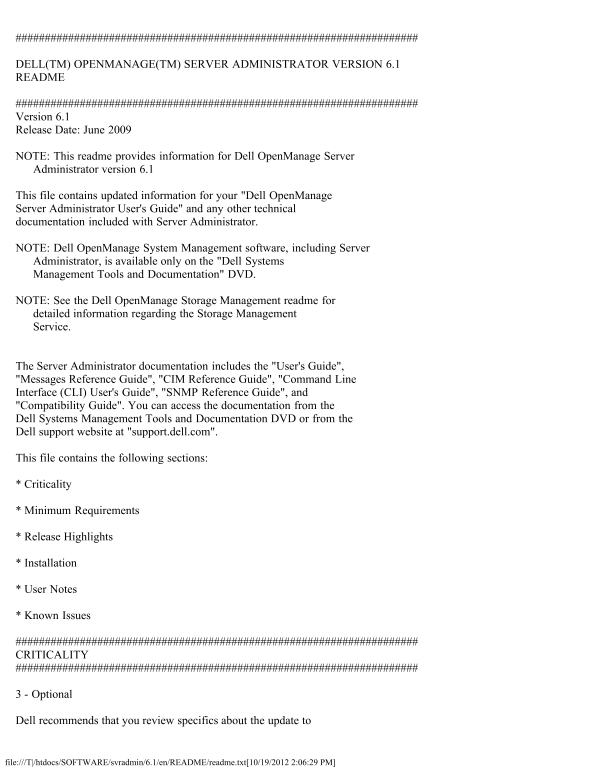
DELL(TM) OPENMANAGE(TM) SERVER ADMINISTRATOR VERSION 6.1 README

Version 6.1 Release Date: June 2009

NOTE: This readme provides information for Dell Open Manage Server Administrator version 6.1

This file contains updated information for your "Dell Open Manage Server Administrator User's Guide" and any other technical documentation included with Server Administrator.

NOTE: Dell Open Manage System Management software, including Server Administrator, is available only on the "Dell Systems Management Tools and Documentation" DVD.

NOTE: See the Dell Open Manage Storage Management readme for detailed information regarding the Storage Management Service.

The Server Administrator documentation includes the "User's Guide", "Messages Reference Guide", "CIM Reference Guide", "Command Line Interface (CLI) User's Guide", "SNMP Reference Guide", and "Compatibility Guide". You can access the documentation from the Dell Systems Management Tools and Documentation DVD or from the Dell support website at "support.dell.com".

This file contains the following sections:

* Criticality

* Minimum Requirements

* Release Highlights

* Installation

* User Notes

* Known Issues

CRITICALITY

3 - Optional

Dell recommends that you review specifics about the update to

file:///T|/htdocs/SOFTWARE/svradmin/6.1/en/README/readme.txt[10/19/2012 2:06:29 PM]

Page Summary Contents For Dell OpenManage Server Administrator Version 6.1 Readme

Page 1 DELL(TM) OPENMANAGE(TM) SERVER ADMINISTRATOR VERSION 6.1 README Version 6.1 Release Date: June 2009 NOTE: This readme provides information for Dell Open Manage Server Administrator version 6.1 This fi...
Page 2 determine if it applies to your system. The update contains changes that impact only certain configurations and provides new features that may or may not apply to your environment. MINIMUM REQUIREMENT...
Page 3 * i DRAC firmware version 1.1 or greater is required for systems installed with i DRAC. RELEASE HIGHLIGHTS * For a detailed table of supported servers and operating systems, refer to the Dell Systems ...
Page 4 button. - Under "Active Scripting", select the "Enable" radio button. 7. For Windows 2003, perform the following steps, - Under "Miscellaneous", select the "Allow Me...
Page 5 false positive. * "The Web server on 1311 might be susceptible to a 'WWW Infinite Request' attack." Dell has determined that this warning is a false positive. * "It is possible to make ...
Page 6 The amount of time varies by hardware system and operating system. [188345] NOTES FOR THE INSTRUMENTATION SERVICE * On certain systems, user-defined thresholds set under Server Administrator become th...
Page 7 Administrator loads one or both of these drivers if required. These drivers have been released as open source under the GNU General Public License v2.0. They are available in Linux kernels from kernel...
Page 8 * i DRAC also has its own CLI that is accessed through the "racadm" command. You can add racadm commands to a batch or script file to automate various user tasks. To limit the stress load on...
Page 9 4. Launch Internet Explorer, open the "Help" menu, and select "About Internet Explorer". Verify that "Q818060" appears in the "Update Versions" field. KNOWN ISS...
Page 10 configuration operation.[136599] * While browsing through IT Assistant, if the SNMP protocol is disabled and the CIM protocol is enabled, the redundancy status is shown as "lost" even though...
Page 11 Certificate" and try to log in to Server Administrator after restarting the Web server, you will see a blank page. To correct this issue, restore your original "keystore.db" file before...
Page 12 on the "File" menu. * If Internet Explorer prompts you to "Work Offline", "Connect", or "Try Again", always select "Connect" or "Try Again"....
Page 13 reboot system) to recover a hung system. Since the Auto Recovery timer is now an application level timer instead of a kernel level timer, heavy resource stress on the system makes it more likely that ...
Page 14 * Persistence of Configuration File Changes in VMware(R) ESXi In VMware(R) ESXi, the filesystem is a ramdisk. Modifications made to the files within the filesystem are generally not persisted across r...
Page 15 ISSUES FOR SERVER ADMINISTRATOR RUNNING ON ALL MICROSOFT WINDOWS OPERATING SYSTEMS * Execute all Server Administrator CLI commands from a 32-bit Windows command prompt. Acceptable ways to access the 3...
Page 16 corrupted") will be displayed when you perform the following actions in Server Administrator on Windows 2003 for x64 systems with Internet Explorer 6 Service Pack 1: 1. Go to System -> Logs 2....
Page 17 OPERATING SYSTEMS * If Server Administrator is launched using the desktop icon, Single Sign-on may not work if in the Internet Explorer, under "Tools" -> "Internet Options" -&gt...
Page 18 desktop. To allow interaction with the desktop, right-click on the DSM SA Data Manager service in the Services control panel and select Properties. In the Log On tab, enable "Allow service to int...
Page 19 2. Restart "syslog" by executing "/etc/init.d/syslog restart". * When using the Mozilla browser on Red Hat Enterprise Linux operating systems, the font and type size on the Server ...
Page 20 window causes the vertical scrollbar to be redrawn correctly. * Using the GUI, if a virtual disk is renamed to a name containing multiple blank and consecutive spaces, the name is truncated to a singl...
Page 21 * Due to fluctuations in the watchdog timer, the "Last Crash Screen" may not be captured when the Automatic System Recovery is set to a value of less than 30 seconds. To ensure correct funct...
Page 22 * RAC firmware 2.0 and higher does not support passwords with special characters (non-alphanumeric) only for RAC user IDs logging in using the Web-based interface (with Local RAC Authentication). If y...
Page 23 6. Enter the RAC IP address in the "No Proxy for:" field. 7. Click "OK" and then close the browser. * If the out-of-band RAC user interface was spawned off from the Server Administ...

Manual Details

Brand Server
Pages 23
File Size 61.91 KB
Published June 01, 2026
83 views

Enter the captcha to get the download link:

captcha

Frequently Asked Questions

What is the minimum required iDRAC firmware version?

A minimum of iDRAC firmware version 1.1 or greater is required for systems installed with iDRAC.

How must cookies be configured when using Mozilla 1.6 to access the Web interface?

You must configure your cookie settings by going to Edit -> Preferences -> Privacy & Security -> Cookies, and selecting "Enable all cookies".

What SSL version is supported by Server Administrator?

Server Administrator supports SSL 3.0 exclusively.