Dell Inspiron One 20 2020 AIO Quick User Guide - Windows 8
Summary
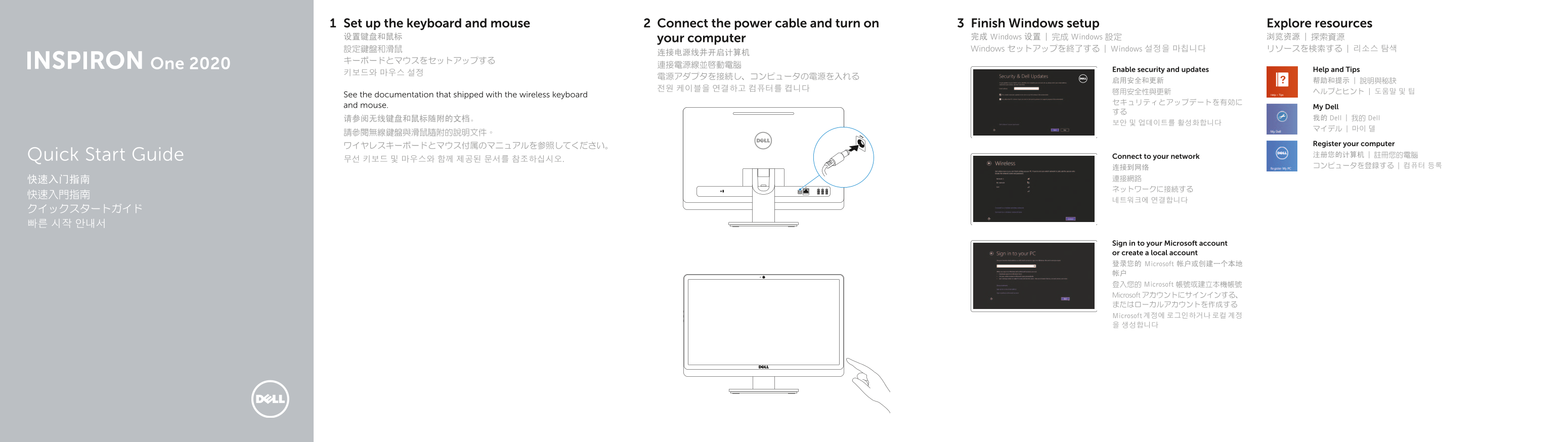
Dell One 2020 all-in-one Quick Start Guide with multilingual setup covering wireless keyboard/mouse setup, power cable connection, Windows setup, security updates, My Dell, network connection, and features including camera, optical drive, media-card reader, display off/on button, and USB 3.0/2.0 ports.
Page 1 Text Content
Set up the keyboard and mouse Connect the power cable and turn on Finish Windows setup Explore resources 设置键盘和鼠标 your computer 完成 Windows 设置 | 完成 Windows 設定 浏览资源 | 探索資源 設定鍵盤和滑鼠 Windows セットアップを終了する | Windows 설정을 마칩니다 リソースを検索する | 리소스 탐색
One 2020 連接電源線並啟動電腦
Enable security and updates Help and Tips
See the documentation that shipped with the wireless keyboard
and mouse. My Dell
请参阅无线键盘和鼠标随附的文档。 我的 Dell | 我的 Dell
Register your computer
Connect to your network 注册您的计算机 | 註冊您的電腦
무선 키보드 및 마우스와 함께 제공된 문서를 참조하십시오.Quick Start Guide
Sign in to your Microsoft account or create a local account 登录您的 Microsoft 帐户或创建一个本地 帐户 登入您的 Microsoft 帳號或建立本機帳號 Microsoft アカウントにサインインする、 またはローカルアカウントを作成する Microsoft 계정에 로그인하거나 로컬 계정 을 생성합니다
Page Summary Contents For Dell Inspiron One 20 2020 AIO Quick User Guide - Windows 8
Manual Details
| Brand | Dell |
|---|---|
| Pages | 2 |
| File Size | 213.09 KB |
| Published | July 03, 2026 |
Enter the captcha to get the download link:

Frequently Asked Questions
How do I reset the computer or perform initial setup?
When setting up, ensure you connect power, set up both keyboard and mouse wirelessly, and then proceed through Windows setup.
What ports are available for connectivity?
The device includes multiple USB 2.0 ports (up to three), a network port, microphone/headphone ports, and an optical drive button/port.
Where can I find official manuals or support documentation?
Product support and manuals are available on the Dell website at dell.com/support.