ASUS Server Workstation Universal Server RS720A-E11-RS12 Tool-less Friction Rail Kit Installation Guide
Summary
Effortlessly mount your server chassis using this professional tool-free friction rail kit. The comprehensive manual provides detailed instructions for system integrators and IT technicians, guiding you through the entire installation process—from mounting brackets onto the server to securing stable rails within a standard equipment rack post. Designed for ease of use and maximum stability, this guide ensures proper alignment and safe assembly, allowing for quick, professional racking of critical computing hardware without requiring specialized tools.
Page 1 Text Content
ae E21630
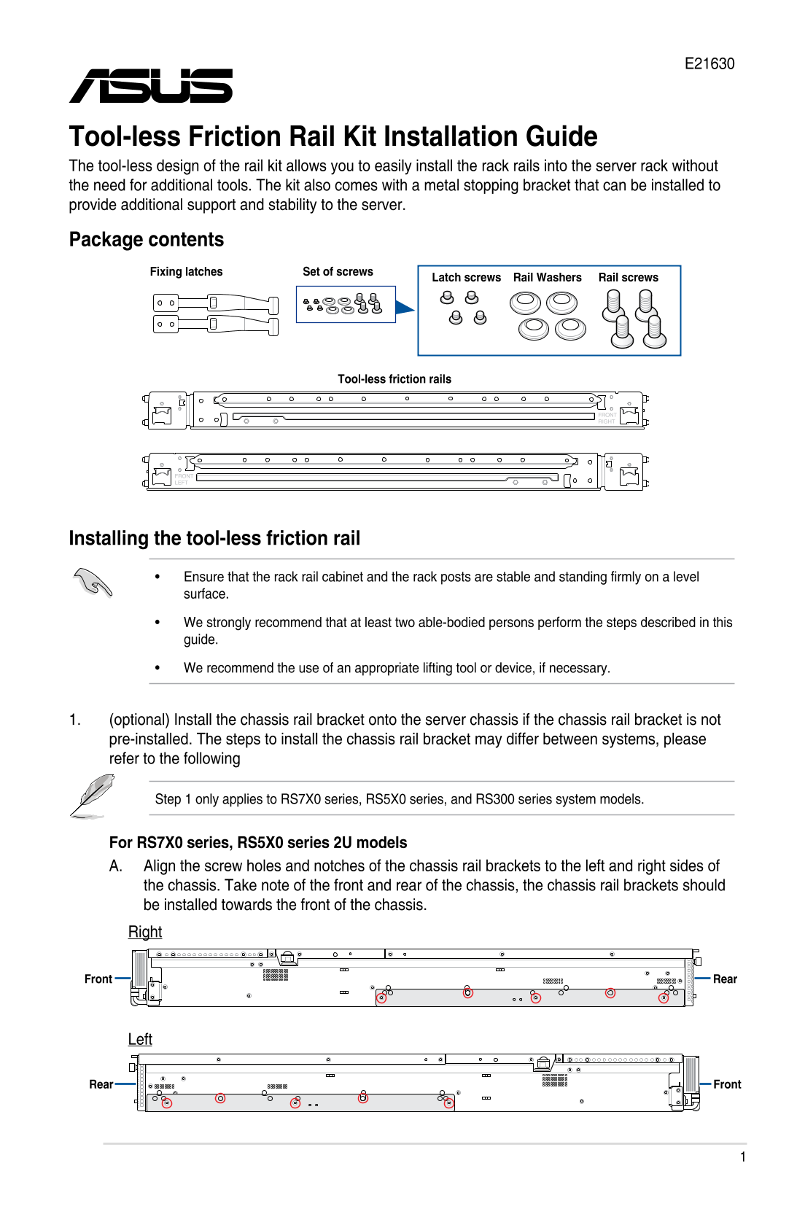
Tool-less Friction Rail Kit Installation Guide The tcol-less design ofthe rail kit allows you to easily install the rack rails into the server rack without the need for additional tools. The kit also comes with a metal stopping bracket that can be installed to provide additional support and stability to the server-.
Package contents
Fixing latches Setof screws Latch screws Rail Washers 。 Rail screws
EEC [was | 95 2Q 84 Toolless ffiction rails 间距 9 6 5 IE 豆 上
招亲 IC 5 ER 二 品
Installing the tool-less friction rail
ASN * Ensure that the rack rail cabinet and the rack posts are stable and standing frmly on alevel
surface.
*, We strongly recommend that at least two able-bodied persons perform the steps described in this
guide.
*, We recommend the use of an appropriate lifting tool or device, if necessary-
1 (optional) Install the chassis rail bracket onto the Server chassis ifthe chassis rail bracket is not pre-installed. The steps to install the chassis rail bracket may differ between systems, please refer to the following
5 Step 1 only applies to RS7X0 series, RS5X0 series, and RS300 series System models. For RS7X0 series, RS5X0 series 2U models AAAlign the screw holes and notches of the chassis rail brackets to the left and right sides of
the chassis. Take note of the front and rear of the chassis, the chassis rail brackets should
be installed towards the front of the chassis.
Page Summary Contents For ASUS Server Workstation Universal Server RS720A-E11-RS12 Tool-less Friction Rail Kit Installation Guide
Manual Details
| Brand | Server |
|---|---|
| Pages | 6 |
| File Size | 598.61 KB |
| Published | June 05, 2026 |
Enter the captcha to get the download link:

Frequently Asked Questions
What preparations are needed before installing the friction rails?
Ensure the rack cabinet and posts are stable and placed on an even surface. Two able-bodied persons and appropriate lifting equipment are recommended.
How should I install the chassis rail brackets for different models (e.g., RS7X0, RS5X0)?
Alignment and securing procedures vary by model (2U vs 1U). Generally, align holes on the left/right sides toward the front of the chassis and use three screws per side.
Can I add extra support to the server after installation?
Yes, the kit includes a metal stopping bracket that can be installed to provide additional stability and support to the server.
What are the key considerations when mountingthe rack rails?
The two rack rails must be placed in opposite positions on the rack. Ensure they are aligned, secured, and stable before inserting the chassis.