ASUS Server Workstation Universal RS100-E8-PI2P9 C22X Auto-Install Manual
Summary
This essential companion guide details the ASUS Server AUTO INSTALL DVD, a powerful solution designed to streamline complex server setups and operating system deployments. The manual provides step-by-step instructions for automatically configuring RAID arrays using compatible PIKE cards, partitioning volumes, and installing Microsoft Windows Server (2008/2012). Ideal for system administrators and IT professionals, this tool ensures streamlined, repeatable, and reliable deployment of high-performance operating systems on ASUS server hardware.
Page 1 Text Content
ASUS Server AUTO INSTALL DVD The ASUS Server AUTO INSTALL DVD provides you the following solutions that allow you to accelerate the installation for the Microsoft® Windows® Server operating system:
RAID configuration and automatic OS installation while an optional PIKE RAID card is installed. • Automatic OS installation in one hard disk drive while an optional PIKE RAID card is not installed.
1. RAID configuration and partitioning volumes
The ASUS Server AUTO INSTALL DVD supports the PIKE RAID cards (PIKE 2008, PIKE 2108, PIKE 2208) only. Visit the ASUS website at www. asus.com for the latest support lists.
Before using the ASUS Server AUTO INSTALL DVD, set the optical drive as the primary boot device in the BIOS setup utility.
The system information shown on the setup screens varies by models.
1.1 ����� ������������� ��� ���� ����� ����� ���� After installing the PIKE RAID card, power on your system and place the ASUS Server AUTO INSTALL DVD into the optical drive. The sytem boots from the optical drive and enters the Main menu.
En gl is
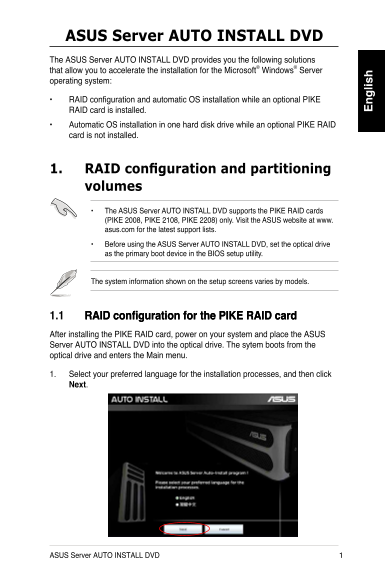
1. Select your preferred language for the installation processes, and then click N��x�.
ASUS Server AUTO INSTALL DVD
Page Summary Contents For ASUS Server Workstation Universal RS100-E8-PI2P9 C22X Auto-Install Manual
Manual Details
| Brand | Server |
|---|---|
| Pages | 10 |
| File Size | 717.65 KB |
| Published | May 31, 2026 |
Enter the captcha to get the download link:

Frequently Asked Questions
Which PIKE RAID cards are compatible with this auto install DVD?
It only supports specific model PIKE RAID cards: PIKE 2008, PIKE 2108, and PIKE 2208.
What is the necessary first step before using the auto install DVD?
You must set the optical drive as the primary boot device within the BIOS setup utility.
Does OS installation format the hard disk drive?
Yes. A warning message appears reminding you that the hard disk drive will be formatted during the process.
What versions of Windows Server can this DVD install?
It supports both Microsoft Windows Server 2008 Editions and Windows Server 2012 Editions.