User's Guide for Lexmark X6170
Summary
The X6170 is a premium, all-in-one professional center designed for demanding office environments. This powerful device combines high-speed printing, advanced scanning up to 4800 dpi, fast copying capabilities, and dependable faxing functions. Featuring a 50-page Auto Document Feeder (ADF) and robust performance rates, it provides ultimate versatility for modern workflows. The accompanying guides assist professionals with setup, operation, and maximizing all features, ensuring seamless integration into any busy office setting.
Page 1 Text Content
All-In-One Professional Centre
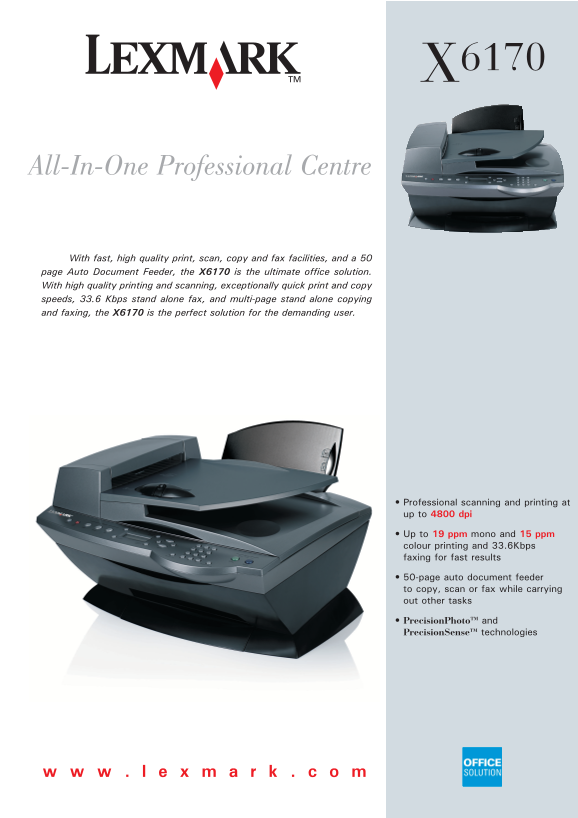
With fast, high quality print, scan, copy and fax facilities, and a 50 page Auto Document Feeder, the X6170 is the ultimate office solution. With high quality printing and scanning, exceptionally quick print and copy speeds, 33.6 Kbps stand alone fax, and multi-page stand alone copying and faxing, the X6170 is the perfect solution for the demanding user.
Professional scanning and printing at up to 4800 dpi
Up to 19 ppm mono and 15 ppm colour printing and 33.6Kbps faxing for fast results
50-page auto document feeder to copy, scan or fax while carrying out other tasks
Precision Photo TM and
Precision Sense TM technologies
Page Summary Contents For User's Guide for Lexmark X6170
Manual Details
| Brand | Lexmark |
|---|---|
| Pages | 2 |
| File Size | 993.97 KB |
| Published | May 25, 2026 |
Enter the captcha to get the download link:

Frequently Asked Questions
What is the maximum paper weight for the Automatic Document Feeder (ADF)?
The max paper weight for the ADF is up to 120 gsm.
What are the print specifications for black and color printing?
It prints a maximum of 19 ppm in monochrome and 15 ppm in colour at best mode.
Can I set up faxing with this machine?
Yes, it includes built-in stand-alone Mono and Colour Fax and supports speeds up to 33.6 Kbps.
What does the included installation media contain?
The installation CD includes drivers for Lexmark All-In-One Center, Photo Editor, OCR software, Fax software, and a User Guide.