Lexmark S515 User's Guide
Summary
This versatile color multifunction printer serves homes and small businesses needing seamless document management. It efficiently handles professional printing, copying, scanning, and faxing with advanced features like automatic 35-page duplex feeding and wireless connectivity. The accompanying guide provides comprehensive instructions on maximizing every function—from setting up customizable shortcuts to utilizing high-yield cartridges and connecting through both wired and mobile networks.
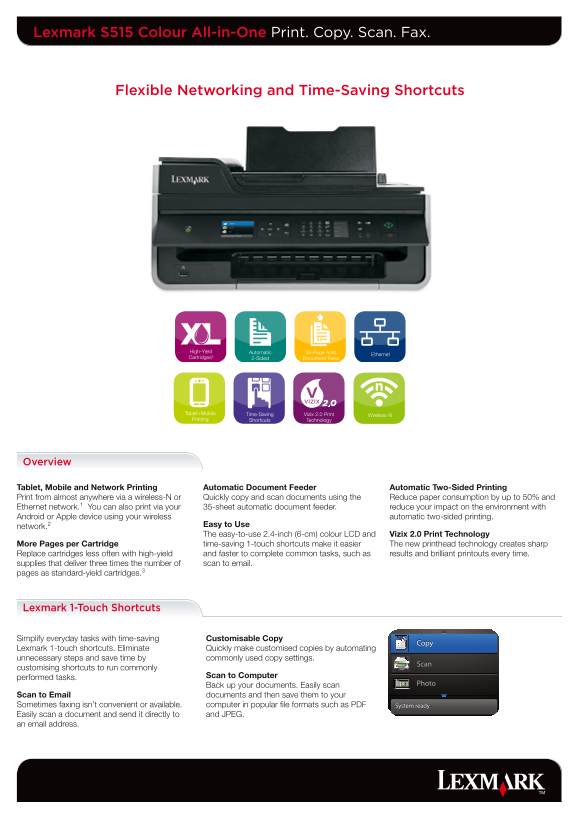
Page 1 Text Content
Lexmark S515 Colour All-in-One Print. Copy. Scan. Fax.
Flexible Networking and Time-Saving Shortcuts
High-Yield Automatic 35-Page Auto
Ethernet
Cartridges³ 2-Sided Document Feed
Tablet+Mobile Vizix 2.0 Print Wireless-NTime-Saving Printing Shortcuts Technology
Overview
Tablet, Mobile and Network Printing Automatic Document Feeder Automatic Two-Sided Printing Print from almost anywhere via a wireless-N or Quickly copy and scan documents using the Reduce paper consumption by up to 50% and Ethernet network.1 You can also print via your 35-sheet automatic document feeder. reduce your impact on the environment with Android or Apple device using your wireless automatic two-sided printing.
Easy to Use
network.2
The easy-to-use 2.4-inch (6-cm) colour LCD and Vizix 2.0 Print Technology
More Pages per Cartridge time-saving 1-touch shortcuts make it easier The new printhead technology creates sharp Replace cartridges less often with high-yield and faster to complete common tasks, such as results and brilliant printouts every time. supplies that deliver three times the number of scan to email. pages as standard-yield cartridges.3
Lexmark 1-Touch Shortcuts
Simplify everyday tasks with time-saving Customisable Copy Lexmark 1-touch shortcuts. Eliminate Quickly make customised copies by automating unnecessary steps and save time by commonly used copy settings. customising shortcuts to run commonly
Scan to Computer
performed tasks.
Back up your documents. Easily scan
Scan to Email documents and then save them to your Sometimes faxing isn’t convenient or available. computer in popular file formats such as PDF Easily scan a document and send it directly to and JPEG. an email address.
Page Summary Contents For Lexmark S515 User's Guide
Manual Details
| Brand | Lexmark |
|---|---|
| Pages | 2 |
| File Size | 867.42 KB |
| Published | May 29, 2026 |
Enter the captcha to get the download link:

Frequently Asked Questions
What printing speeds can I expect?
The maximum print speed is up to Black, Draft: 35 ppm / Colour Inkjet, Draft: 30 ppm.
Can this device handle two-sided printing?
Yes, it features integrated duplexing for automatic two-sided printing.
What software/OS versions are supported?
It supports Mac OS X (10.4 to 10.7), Windows XP through Windows 7 x64, and Server 2008 R2.
How large of a mobile device can I use for wireless printing?
The device is compatible with Android 2.1 and higher and Apple iOS 4.2 and higher.