# A B C D E F G H I J K L M N O P Q R S T U V W X Y Z

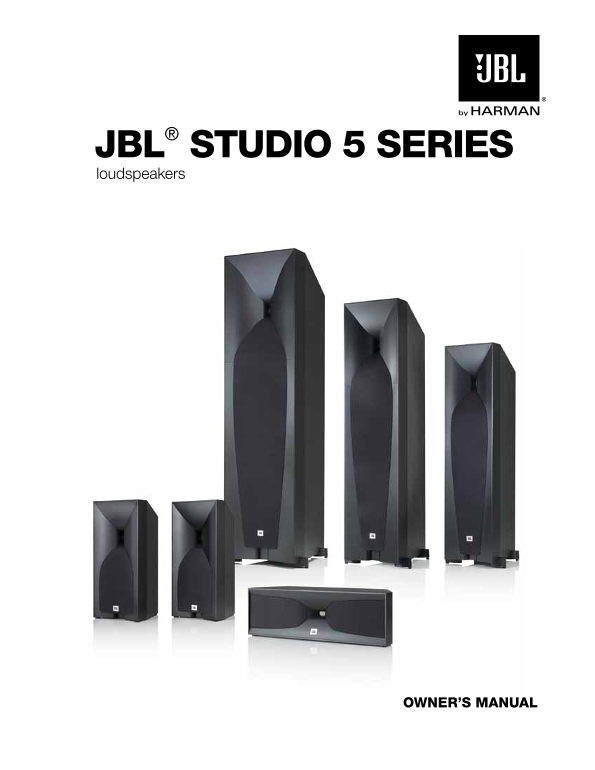
Studio 570 Dual 5-1 4-Inch (130mm) Floor-Standing Speaker with Two JBL Classic Woofers and One Horn-Loaded High-Frequency Compression Driver User Manual

Summary

Elevate your listening experience with this comprehensive guide for the JBL Studio Series loudspeakers. Perfect for audiophiles and home theater enthusiasts, this manual ensures optimal performance whether you are building a stereo setup or an advanced 5.1/7.1 surround system. It provides detailed instructions on ideal speaker placement, achieving perfect stereo imaging angles, and properly installing components like rubber feet and acoustic spikes. Achieve crystal-clear, professional audio in your home, office, or car.
📄 Preview PAGE OF 15

Page 1 Text Content

JBl® studi O 5 series loudspeakers

Owner’s Manual

Page Summary Contents For Studio 570 Dual 5-1 4-Inch (130mm) Floor-Standing Speaker with Two JBL Classic Woofers and One Horn-Loaded High-Frequency Compression Driver User Manual

Page 1 JBl® studi O 5 series loudspeakers Owner’s Manual
Page 2 thank YOu FOr Ch OOsing this JBl® Pr Odu Ct For more than 60 years, JBL® engineers have been involved in every aspect of music and film recording and reproduction, from live performances to the record...
Page 3 Pla Ce Ment Studio 590/Studio 580/Studio 570/Studio 530 – LEFt ANd Ri GHt CHANNELS For the best results, place the speakers 6 – 10 feet (1.8m – 3m) apart. Angling the speakers toward the listening pos...
Page 4 u Si NG t HE Supp Li Ed Spik ES (Studio 590/Studio 580/Studio 570) Four metal spikes are supplied for use when you place the speaker on a carpeted surface. Using the spikes decouples the speaker from ...
Page 5 Studio 530 – Su RRou Nd CHANNELS (5.1-CHANNEL Sy St Em) When you use Studio 530 speakers as surround-channel speakers in a 5.1-channel system, place them slightly behind the listening position, facing...
Page 6 Studio 530 – Su RRou Nd CHANNELS (7.1-CHANNEL Sy St Em) When you use Studio 530 speakers as surround-channel speakers in a 7.1-channel system, place the surround side speakers directly to the sides of...
Page 7 REmovi NG Studio 520C GRi LLES To remove the Studio 520C grilles, use the provided grille removal tool to pull the grilles away from the enclosure as shown, then remove them the rest of the way by han...
Page 8 The Studio 5 series speakers’ gold-plated speaker connectors can accept a variety of wire connector types: bare wire, pin connectors, spade connectors and banana connectors. u Si NG BARE Wi RE o R pi ...
Page 9 BASi C Si NGLE-Wi RE Co NNECtio N To connect the speakers using a single wire, connect the amplifier to each speaker as shown in the illustration below. You can use either set of connectors on the con...
Page 10 Bi-Wi RE Co NNECtio N All Studio 5 series speaker connector panels have two sets of input connectors that are joined by metal jumper bars. The upper set of connectors is for the compression-driver/hor...
Page 11 using the POrt tu Be inserts (all MOdels ex Ce Pt studi O 520C) If, due to speaker placement or your room's acoustics, you feel that the speakers produce a bit too much bass output for your taste, you...
Page 12 s Pe Ci Fi Cati Ons Studio 590 FLoo RSt ANdi NG Sp EAk ER Speaker type: 2-1/2-way dual-woofer, floorstanding Two 8" (200mm) Poly Plas™ cones with Symmetrical Field Geometry™ Low-frequency transdu...
Page 13 Studio 570 FLoo RSt ANdi NG Sp EAk ER Speaker type: 2-way dual-woofer, floorstanding Two 5-1/4" (130mm) Poly Plas cones with Symmetrical Field Geometry™ Low-frequency transducer: magnet structure...
Page 14 Studio 520C CENt ER-CHANNEL Sp EAk ER Speaker type: 2-way dual-woofer, center-channel Two 4" (100mm) Poly Plas cones with Symmetrical Field Geometry™ Low-frequency transducer: magnet structures, ...
Page 15 ng lis HARMAN Consumer, Inc. 8500 Balboa Boulevard, Northridge, CA 91329 USA www.jbl.com © 2011 HARMAN International Industries, Incorporated. All rights reserved. JBL and Bi-Radial are trademarks of ...

Manual Details

Brand Classic
Pages 15
File Size 3.05 MB
Published June 05, 2026
41 views

Enter the captcha to get the download link:

captcha

Frequently Asked Questions

What is the recommended distance between main stereo speakers?

For best results, place the speakers 6 – 10 feet (1.8m – 3m) apart.

Where should I position the center speaker relative to my TV?

Place it directly above or below the center of your TV screen; the horn should be no more than 2 feet (61cm) from front left and right speakers' horns.

How do I install metal spikes on the base for stability?

Gently lay the speaker on its side, unscrew the rubber bumpers, and screw each spike into the threaded insert in the foot.

What warning should I follow when repositioning the speakers?

NEVER drag the speaker to move it; always lift the speaker and carry it to its new location.