Siemens Industrial SIMATIC Ident RFID System SIMATIC RF600 SIMATIC Ident RFID System SIMATIC RF600 User Manual
Summary
This comprehensive guide provides technical professionals with expert instructions for installing, commissioning, and operating the SIMATIC RF600 series of RFID UHF transponder readers. The manual details every critical step, including network setup, assigning IP addresses, optimizing antenna tuning, and verifying optimal reading performance. Whether you are integrating the system into a new application or performing maintenance on existing equipment, this resource ensures safe, efficient, and reliable operation of your RFID identification solution.
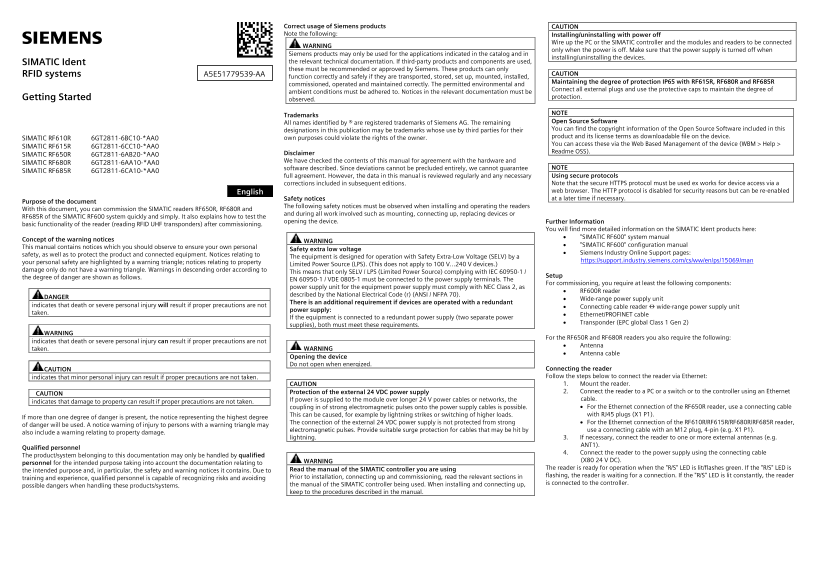
Page 1 Text Content
Correct usage of Siemens products CAUTION Note the following: Installing/uninstalling with power off WARNING Wire up the PC or the SIMATIC controller and the modules and readers to be connected
only when the power is off. Make sure that the power supply is turned off when
Siemens products may only be used for the applications indicated in the catalog and in
installing/uninstalling the devices.
SIMATIC Ident the relevant technical documentation. If third-party products and components are used, these must be recommended or approved by Siemens. These products can only
RFID systems A5E51779539-AA CAUTION
function correctly and safely if they are transported, stored, set up, mounted, installed,
Maintaining the degree of protection IP65 with RF615R, RF680R and RF685R
commissioned, operated and maintained correctly. The permitted environmental and
Connect all external plugs and use the protective caps to maintain the degree of
ambient conditions must be adhered to. Notices in the relevant documentation must be
Getting Started protection.
observed.
Trademarks
All names identified by ® are registered trademarks of Siemens AG. The remaining Open Source Software designations in this publication may be trademarks whose use by third parties for their You can find the copyright information of the Open Source Software included in this own purposes could violate the rights of the owner. product and its license terms as downloadable file on the device.
SIMATIC RF610R 6GT2811-6BC10-*AA0
You can access these via the Web Based Management of the device (WBM > Help >
SIMATIC RF615R 6GT2811-6CC10-*AA0
Disclaimer Readme OSS).
SIMATIC RF650R 6GT2811-6AB20-*AA0
We have checked the contents of this manual for agreement with the hardware and
SIMATIC RF680R 6GT2811-6AA10-*AA0
software described. Since deviations cannot be precluded entirely, we cannot guarantee NOTE
SIMATIC RF685R 6GT2811-6CA10-*AA0
full agreement. However, the data in this manual is reviewed regularly and any necessary Using secure protocols corrections included in subsequent editions. Note that the secure HTTPS protocol must be used ex works for device access via a English web browser. The HTTP protocol is disabled for security reasons but can be re-enabled Safety notices at a later time if necessary.
Purpose of the document
The following safety notices must be observed when installing and operating the readers
With this document, you can commission the SIMATIC readers RF650R, RF680R and
and during all work involved such as mounting, connecting up, replacing devices or
RF685R of the SIMATIC RF600 system quickly and simply. It also explains how to test the
opening the device. Further Information
basic functionality of the reader (reading RFID UHF transponders) after commissioning.
You will find more detailed information on the SIMATIC Ident products here:
WARNING • "SIMATIC RF600" system manual
Concept of the warning notices
• "SIMATIC RF600" configuration manual
This manual contains notices which you should observe to ensure your own personal
Safety extra low voltage
safety, as well as to protect the product and connected equipment. Notices relating to • Siemens Industry Online Support pages:
The equipment is designed for operation with Safety Extra-Low Voltage (SELV) by a
your personal safety are highlighted by a warning triangle; notices relating to property https://support.industry.siemens.com/cs/ww/en/ps/15069/man
Limited Power Source (LPS). (This does not apply to 100 V...240 V devices.)
damage only do not have a warning triangle. Warnings in descending order according to
This means that only SELV / LPS (Limited Power Source) complying with IEC 60950-1 /
the degree of danger are shown as follows. Setup
EN 60950-1 / VDE 0805-1 must be connected to the power supply terminals. The
For commissioning, you require at least the following components:
power supply unit for the equipment power supply must comply with NEC Class 2, as
• RF600R reader
described by the National Electrical Code (r) (ANSI / NFPA 70).
DANGER • Wide-range power supply unit
There is an additional requirement if devices are operated with a redundant
indicates that death or severe personal injury will result if proper precautions are not • Connecting cable reader ↔ wide-range power supply unit
power supply:
taken. • Ethernet/PROFINET cable
If the equipment is connected to a redundant power supply (two separate power
• Transponder (EPC global Class 1 Gen 2)
supplies), both must meet these requirements.
WARNING
For the RF650R and RF680R readers you also require the following:
indicates that death or severe personal injury can result if proper precautions are not
WARNING • Antenna
taken.
• Antenna cable
Opening the device Do not open when energized.
CAUTION Connecting the reader indicates that minor personal injury can result if proper precautions are not taken. Follow the steps below to connect the reader via Ethernet: CAUTION 1. Mount the reader. Protection of the external 24 VDC power supply 2. Connect the reader to a PC or a switch or to the controller using an Ethernet
CAUTION
If power is supplied to the module over longer 24 V power cables or networks, the cable.
indicates that damage to property can result if proper precautions are not taken.
coupling in of strong electromagnetic pulses onto the power supply cables is possible. • For the Ethernet connection of the RF650R reader, use a connecting cable This can be caused, for example by lightning strikes or switching of higher loads. with RJ45 plugs (X1 P1).
If more than one degree of danger is present, the notice representing the highest degree
The connection of the external 24 VDC power supply is not protected from strong • For the Ethernet connection of the RF610R/RF615R/RF680R/RF685R reader,
of danger will be used. A notice warning of injury to persons with a warning triangle may
electromagnetic pulses. Provide suitable surge protection for cables that may be hit by use a connecting cable with an M12 plug, 4-pin (e.g. X1 P1).
also include a warning relating to property damage.
lightning. 3. If necessary, connect the reader to one or more external antennas (e.g. ANT1).
Qualified personnel
4. Connect the reader to the power supply using the connecting cable
The product/system belonging to this documentation may only be handled by qualified WARNING
(X80 24 V DC).
personnel for the intended purpose taking into account the documentation relating to
Read the manual of the SIMATIC controller you are using The reader is ready for operation when the "R/S" LED is lit/flashes green. If the "R/S" LED is
the intended purpose and, in particular, the safety and warning notices it contains. Due to
Prior to installation, connecting up and commissioning, read the relevant sections in flashing, the reader is waiting for a connection. If the "R/S" LED is lit constantly, the reader
training and experience, qualified personnel is capable of recognizing risks and avoiding
the manual of the SIMATIC controller being used. When installing and connecting up, is connected to the controller.
possible dangers when handling these products/systems.
keep to the procedures described in the manual.
Page Summary Contents For Siemens Industrial SIMATIC Ident RFID System SIMATIC RF600 SIMATIC Ident RFID System SIMATIC RF600 User Manual
Manual Details
| Brand | Siemens |
|---|---|
| Pages | 8 |
| File Size | 633.83 KB |
| Published | May 28, 2026 |
Enter the captcha to get the download link:

Frequently Asked Questions
What power standard is required for the equipment?
The equipment must be designed for operation with Safety Extra-Low Voltage (SELV) or Limited Power Source (LPS).
How do I connect a reader via Ethernet?
Follow the steps: launch SINEC PNI, allocate a unique IP address, and use the 'Connect' symbol to send configuration to the reader.
What security protocol should be used for device access?
You must use the secure HTTPS protocol for device access via a web browser; HTTP is disabled for security reasons.
What precautions are needed when setting up or maintaining the RFID system?
Ensure that all external plugs are connected and use protective caps to maintain the designated degree of protection.