# A B C D E F G H I J K L M N O P Q R S T U V W X Y Z

SHARP XG- E690UB Operation Manual

Summary

This comprehensive guide is essential reading for new owners of the SHARP Color LCD Projector. It provides detailed instructions on maximizing performance and adjusting picture settings to your specific viewing preferences. The manual covers mandatory safety guidelines, operational best practices, wiring details, setup procedures, and important information regarding warranty registration and product care, ensuring reliable use in professional or home environments.
📄 Preview PAGE OF 27

Page 1 Text Content

XG-E690UB (E) /pp. 01-04 1998/5/21 G. K. Associates, Tokyo

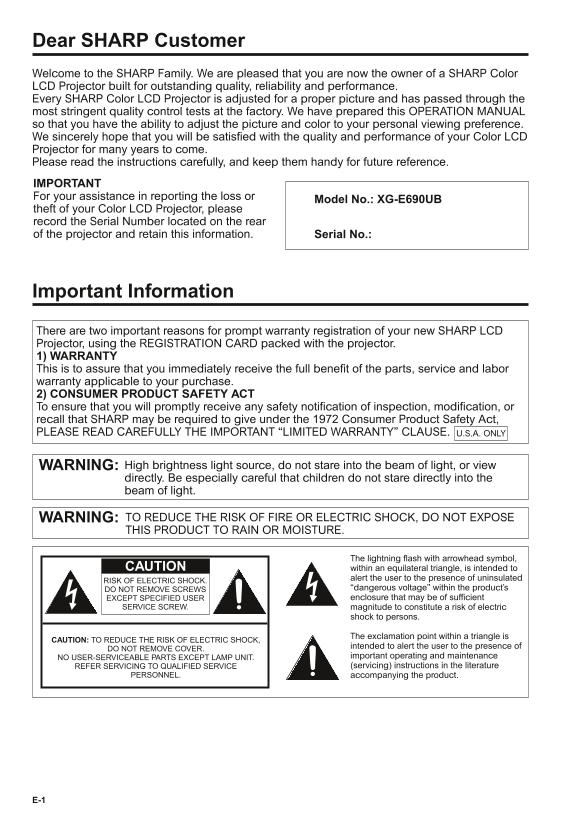
Dear SHARP Customer Welcome to the SHARP Family. We are pleased that you are now the owner of a SHARP Color LCD Projector built for outstanding quality, reliability and performance. Every SHARP Color LCD Projector is adjusted for a proper picture and has passed through the most stringent quality control tests at the factory. We have prepared this OPERATION MANUAL so that you have the ability to adjust the picture and color to your personal viewing preference. We sincerely hope that you will be satisfied with the quality and performance of your Color LCD Projector for many years to come. Please read the instructions carefully, and keep them handy for future reference. IMPORTANT For your assistance in reporting the loss or

Model No.: XG-E690UB

theft of your Color LCD Projector, please record the Serial Number located on the rear of the projector and retain this information. Serial No.:

Important Information There are two important reasons for prompt warranty registration of your new SHARP LCD Projector, using the REGISTRATION CARD packed with the projector. 1) WARRANTY This is to assure that you immediately receive the full benefit of the parts, service and labor warranty applicable to your purchase. 2) CONSUMER PRODUCT SAFETY ACT To ensure that you will promptly receive any safety notification of inspection, modification, or recall that SHARP may be required to give under the 1972 Consumer Product Safety Act, PLEASE READ CAREFULLY THE IMPORTANT “LIMITED WARRANTY” CLAUSE. U.S.A. ONLY

WARNING: High brightness light source, do not stare into the beam of light, or view directly. Be especially careful that children do not stare directly into the beam of light.

WARNING: TO REDUCE THE RISK OF FIRE OR ELECTRIC SHOCK, DO NOT EXPOSE THIS PRODUCT TO RAIN OR MOISTURE.

The lightning flash with arrowhead symbol,

CAUTION within an equilateral triangle, is intended to

alert the user to the presence of uninsulated

RISK OF ELECTRIC SHOCK.

DO NOT REMOVE SCREWS “dangerous voltage” within the product’s EXCEPT SPECIFIED USER enclosure that may be of sufficient

SERVICE SCREW. magnitude to constitute a risk of electric

shock to persons.

The exclamation point within a triangle is

CAUTION: TO REDUCE THE RISK OF ELECTRIC SHOCK,

intended to alert the user to the presence of

DO NOT REMOVE COVER.

NO USER-SERVICEABLE PARTS EXCEPT LAMP UNIT. important operating and maintenance REFER SERVICING TO QUALIFIED SERVICE (servicing) instructions in the literature

PERSONNEL. accompanying the product.

Page Summary Contents For SHARP XG- E690UB Operation Manual

Page 1 XG-E690UB (E) /pp. 01-04 1998/5/21 G. K. Associates, Tokyo Dear SHARP Customer Welcome to the SHARP Family. We are pleased that you are now the owner of a SHARP Color LCD Projector built for outstandi...
Page 2 XG-E690UB (E) /pp. 01-04 G. K. Associates, Tokyo1998/5/21 WARNING: FCC Regulations state that any unauthorized changes or modifications to this equipment not expressly approved by the manufacturer cou...
Page 3 XG-E690UB (E) /pp. 01-04 1998/5/21 G. K. Associates, Tokyo 15)Overloading — Do not overload wall outlets, extension cords, or integral convenience receptacles as this can result in a risk of fire or e...
Page 4 XG-E690UB (E) /pp. 01-04 G. K. Associates, Tokyo1998/5/21 Location of Controls Remote control signal receiver window FRONT VIEW Focusing ring Cooling fan (exhaust vent) Carrying handle OPERATION PANEL...
Page 5 XG-E690UB (E) /pp. 05-08 1998/5/21 G. K. Associates, Tokyo Remote Control Operation REMOTE CONTROL REMOTE CONTROL SIGNAL TRANSMITTER VOLUME UP-DOWN buttons ADJUSTMENT (ƒ/∂) buttons (Can be used as ADJ...
Page 6 XG-E690UB (E) /pp. 05-08 1998/5/21 G. K. Associates, Tokyo Setting Up the Projector Projector Distance and Picture Size Relationship Picture size Projection distance (L) (diag.) This projector has a f...
Page 7 XG-E690UB (E) /pp. 05-08 1998/5/21 G. K. Associates, Tokyo Example of a standard setup The projector If the projector TOP VIEW SIDE VIEW lens should be and screen are centered in the not centered midd...
Page 8 XG-E690UB (E) /pp. 05-08 1998/5/21 G. K. Associates, Tokyo Adjusting the Height of the Picture Use the adjuster release to adjust the angle of the projector and height of the picture. Minor adjustment...
Page 9 XG-E690UB (E) /pp. 09-10 G. K. Associates, Tokyo1998/5/21 Connecting the Projector Rear terminals To watch video playback with the projector connected to audio/video output equipment, such Used when t...
Page 10 XG-E690UB (E) /pp. 09-10 1998/5/21 G. K. Associates, Tokyo Connecting the Projector (RGB: Computer) You can connect your projector to a computer for easy projection of full-color computer images, or a...
Page 11 XG-E690UB (E) /pp. 11-12 1998/5/21 G. K. Associates, Tokyo 3. Connecting to other compatible computers When connecting the projector to a compatible computer other than an IBM-PC (VGA/SVGA) or Macinto...
Page 12 XG-E690UB (E) /pp. 11-12 G. K. Associates, Tokyo1998/5/21 Input Signals (Recommended Timing) For IBM and Compatibles For Apple Macintosh Series VIDEO SIGNAL Input signals: The video output signal timi...
Page 13 XG-E690UB (E) /pp. 13-16 1998/5/21 G. K. Associates, Tokyo RGB Adjustment Controls When displaying computer patterns which repeat every other dot (tiling, vertical stripes, etc.), interference may occ...
Page 14 XG-E690UB (E) /pp. 13-16 G. K. Associates, Tokyo1998/5/21 Basic Operation of the Projector 1. Connecting the AC cord Connect the supplied AC cord to the socket. MAIN POWER button AC cord 2. Turn ON th...
Page 15 XG-E690UB (E) /pp. 13-16 1998/5/21 G. K. Associates, Tokyo On-Screen Display 6. Changing the system mode The video input system mode is set to AUTO at the factory, but it can be changed to a different...
Page 16 XG-E690UB (E) /pp. 13-16 G. K. Associates, Tokyo1998/5/21 Adjusting the Picture This projector’s picture is factory preset to standard settings. However, you can adjust it to suit your own preferences...
Page 17 XG-E690UB (E) /pp. 17-21 1998/5/21 G. K. Associates, Tokyo Computer Mode Memory Adjustments The projector has been preset with different modes for use with VGA and other compatible computers. However,...
Page 18 XG-E690UB (E) /pp. 17-21 1998/5/21 G. K. Associates, Tokyo Adjusting the Audio The projector’s audio is factory preset to the standard setting. However, you can adjust it to suit your own preference w...
Page 19 XG-E690UB (E) /pp. 17-21 G. K. Associates, Tokyo1998/5/21 E-ZOOM Functions E-ZOOM/PANNING Function This projector has an E-ZOOM (640 x 480 dot, NTSC, etc.) mode which enlarges the display when inputti...
Page 20 XG-E690UB (E) /pp. 17-21 1998/5/21 G. K. Associates, Tokyo Functions on the Projector Background level The Background Level adjustment can be used to adjust the picture white balance for the selected ...
Page 21 XG-E690UB (E) /pp. 17-21 1998/5/21 G. K. Associates, Tokyo Using the Image Reverse Function This projector is equipped with an image reverse function. The projected image can be reversed by using the ...
Page 22 XG-E690UB (E) /pp. 22-27 1998/5/21 G. K. Associates, Tokyo Using the Blue Screen Function This projector is equipped with a Blue Screen function that will turn the screen blue when the video input ter...
Page 23 XG-E690UB (E) /pp. 22-27 1998/5/21 G. K. Associates, Tokyo Air Filter Maintenance The air filter should be cleaned every 100 hours of use. Clean the filter more often when the projector is used in a d...
Page 24 XG-E690UB (E) /pp. 22-27 G. K. Associates, Tokyo1998/5/21 Lamp/Maintenance Indicators Lamp The Lamp has a finite operating life. 1. When the lamp is nearly burned out, the picture and color quality de...
Page 25 XG-E690UB (E) /pp. 22-27 1998/5/21 G. K. Associates, Tokyo Lamp Replacement The lamp in the projector has a finite service life. Replace the lamp when the picture starts becoming dark and color contra...
Page 26 XG-E690UB (E) /pp. 22-27 1998/5/21 G. K. Associates, Tokyo Specifications Product type LCD Projector Model XG-E690UB Video system PAL/SECAM/NTSC 3.58/NTSC 4.43 Display method LCD panel 2 1, RGB optica...
Page 27 XG-E690UB (E) /pp. 22-27 G. K. Associates, Tokyo1998/5/21 Dimensions Top View Front View Side View Bottom View [Units: inches (mm)]

Manual Details

Brand Sharp
Pages 27
File Size 405.64 KB
Published June 01, 2026
77 views

Enter the captcha to get the download link:

captcha

Frequently Asked Questions

What do I do if the projector needs cleaning?

Unplug the unit first, then use a damp cloth for cleaning. Never use liquid or aerosol cleaners.

Are there any physical limitations regarding dot display on the panel?

It is acceptable to have certain illuminated or inactive dots, as these are part of the sophisticated TFT panel tolerances.

What type of signal cables must I use with this projector for compliance?

The enclosed VGA signal cable and Mac/VGA adaptor must be utilized to ensure FCC Class A compliance.

How should I handle electrical safety when operating the unit?

Do not expose it to rain or moisture. Never remove screws unless specified, as electric shock risks exist.