Page 1
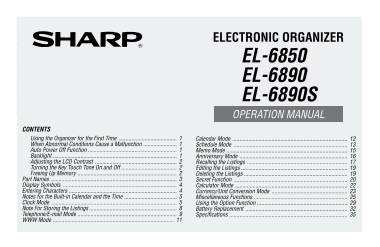
ELECTRONIC ORGANIZER EL-6850 EL-6890 EL-6890S OPERATION MANUAL CONTENTS Using the Organizer for the First Time Calendar Mode When Abnormal Conditions Cause a Malfunction Schedule Mode Auto Power Off F...
Page 2
NOTICE SHARP strongly recommends that separate permanent written records be kept of all important data. Data may be lost or altered in virtually any electronic memory product under certain circumstanc...
Page 3
Using the Organizer for the First Time When Abnormal Conditions Cause a Malfunction Be sure to perform the following operations before using the If the Organizer is subjected to strong, extraneous ele...
Page 4
To turn the Backlight off, press again. Adjusting the LCD Contrast The Backlight may remain on for less than the set interval 1. Press 2nd MENU <LCD CONTRAST> or it may not function if the batte...
Page 5
Part Names Power ON key Power OFF key Cursor movement keys Mode keys Search keys MENU key Computer link OPTION key RESET switch In this manual the keys are represented by symbols, To access the symbol...
Page 6
Display Symbols Entering Characters :A “beep” will sound when a key is pressed. 1. Moving the Cursor :The schedule alarm will sound. The cursor ( _ or ) can be moved by pressing (or holding CAPS :Capi...
Page 7
3. Making Corrections Clock Mode (1) Inserting characters The Organizer has both Home and World clocks. The display Press INS to change the cursor from “■” (replace) to “ switches between Home and Wor...
Page 8
Zone numbers are based on the distance of the zones from Zone numbers 0, 14, and 15 have no city name display. the international date line (zone number zero). For example, Zone Zone there is a 13-hour...
Page 9
(2) Setting the Clock 2. Using the World Clock <Example> Set the date and time to February 8, 2001, 10:05 (1) Changing the city for the World clock 1. Press CLOCK once or twice to display the Wo...
Page 10
5. Press ENTER to store the new name. (2) World clock To register a city name for the Home clock, first display 1. Press CLOCK once or twice to display the World clock. the Home clock then 2nd EDIT fo...
Page 11
Telephone/E-mail Mode In Telephone/E-mail mode, a listing consists of 4 entries: name, number, postal address, and E-mail address. The maximum number of characters that can be entered for each listing...
Page 12
You can skip changing an each file name by pressing 6. Press ENTER , then enter [email protected] ENTER the E-mail address. For fg.com– example, To cancel entering the filenames, press C•CE twice. 3. Per...
Page 13
WWW Mode 5. Press ENTER The REMARK entry prompt is displayed. WWW mode is used exclusively for storing URL (Uniform 6. Enter the Remark. For ELECTRONICS– Resource Locator) and its remark which reminds...
Page 14
Calendar Mode 1. Press SCHEDULE once or 4 5 6 7 8 9 10 twice to display the Calendar 11 12 13 14 15 16 17 mode. CAPS 18 19 20 21 22 23 24 Calendar mode is selected by pressing SCHEDULE once or 25 26 2...
Page 15
Schedule Mode 2. Press , , , or to move the cursor to February 24, 2001. Schedule mode is selected by pressing SCHEDULE once or 3. Press SCHEDULE to SAT FEB 24 '01 twice. Each time you press this key,...
Page 16
The time can be set using either the 12-hour or 24-hour (2) Entering the desired date with NEXT (or PREV format. When you move the cursor to the next entering, This way is convenient for entering a ne...
Page 17
2. Enter the date. Memo Mode Memo mode is selected by pressing MEMO/ANN once or 3. Press ENTER . Time entry prompt (or Calendar) for twice. November 26, 2001 is displayed. Enter the time and detail fo...
Page 18
Anniversary Mode If an attempt is made to store an invalid date, you cannot move to the label entry prompt. Enter the correct date and follow the next procedure. Anniversary mode is selected by pressi...
Page 19
Recalling the Listings Press 2nd NEXT (or 2nd PREV ) in Schedule mode repeatedly to recall listings skipping empty dates. Press C•CE C•CE , then press 2nd NEXT (or 2nd 1. Notes for Recalling the Listi...
Page 20
4. Keyword Search Calendar or Schedule listings <Example> Recall the calendar for December 25, 2001. Recalls listings by a word contained in the desired listing in Telephone/E-mail, WWW, Schedul...
Page 21
Editing the Listings Deleting the Listings 1. Editing Listings 1. Deleting One Listing 1. Recall the listing to be edited. 1. Recall the listing to be deleted. 2. Press 2nd EDIT to enter the edit mode...
Page 22
Secret Function 3. Press C•CE to display the entry prompt. A “ ” indicates the Secret function is in effect. The Secret function allows you to protect confidential listings with a password, so that no...
Page 23
(2) Turning the Secret function on 1. Recall the listing. Edwards Bob 1. Press 2nd SECRET 1:HIDE SECRET CAPS 2:DELETE THE 2. Press 2nd EDIT Supervisor CAPS PASSWORD 2. Press 1 to select “1: HIDE SECRE...
Page 24
(1) Recalling only the secret listings Calculator Mode 1. Turn the Secret function off. (Refer to page 20.) 2. Press the desired mode key (other than that for Calendar, Press CALC/CONV once or twice t...
Page 25
*1 (minus) can only be used when entering a negative Example Operation Display number as the first number. Use +/– for following (–24+2) 4=–5.5 24 + 2 4 = *1 –5.5 negative numbers during calculation. ...
Page 26
The rates in the above table show the value of B when A 2. Converting Currency/Unit equals 1. Conversion from B to A (for example, from £ to To convert unit A to unit B, press . $) is also possible. T...
Page 27
1. Press NEXT (or PREV ) to select the unit. (In this Miscellaneous Functions example, select No. 6. For No. 6, the rate is not displayed.) 2. Enter the value to be converted. By pressing 2nd MENU , y...
Page 28
1. Setting the Daily Alarm Even after you have designated an each file name for TEL/ MAIL1, TEL/MAIL2, or URL, “T/M1”, “T/M2”, or “URL” When the time clock reaches the alarm time, it beeps for does no...
Page 29
<Example> Delete all listings in the TEL/MAIL1 file. 1. Press 2nd MENU NEXT 1. Press 2nd MENU NEXT 2. Press NEXT 2. Press 1 to select TEL/MAIL1. “ALL SECRET DATA DELETE ? Y/N” is displayed. “DEL...
Page 30
8. Freeing Up Memory The indication “Replace the OPERATING batteries !” shown at the time of freeing up memory means that the Deleting or modifying data during operation can produce operating batterie...
Page 31
Using the Option Function The Backlight is nullified during data transfer. (When the Backlight is turned on, it is automatically turned off at the beginning of data transfer.) You can share the specif...
Page 32
The indication “WORKING...” shown on the side of the When an error occurs, “I/O DEVICE ERROR!” is displayed receiving Organizer at the beginning or end of the data on the receiving or transferring Org...
Page 33
5. Data transfer is started. Transferring data between Telephone/E-mail mode and To interrupt data transfer, press ON WWW mode Transferring data is possible between Telephone/E-mail mode Messages are ...
Page 34
4. Press Y to the confirma- <UNIT TO UNIT> Battery Replacement tion on the transferring Organizer. CAPS –SENDING– Batteries used Backup data transfer is Type Model Quantity Use <UNIT TO UNIT&...
Page 35
When batteries become weak, remove them from the 1. Press OFF to turn the power off. Organizer immediately to avoid battery leakage and 2. Loosen the screw (counter clockwise) and corrosion inside the...
Page 36
When you start to use the Organizer, write down the date on 3. Remove the memory backup battery seal. the label of the Organizer, so that you know when to replace the battery the next time. For exampl...
Page 37
Specifications WWW mode: Entry and recall of names, URL, and remarks Calendar mode: From Jan., 1901 to Dec., 2099, Schedule Models: EL-6850, EL-6890, EL-6890S mark function distinguishing between morn...
Page 38
Battery life: Operating batteries (at 25°C/77°F) Approx. 1200 hours; When data is continuously displayed without Backlight. Approx. 300 hours; When data is continuously displayed with Backlight for 2 ...
Page 39
In U.S.A: In Europe: Declaration of Conformity This equipment complies with the requirements of Directive 89/336/EEC Electronic Organizer : EL-6850/EL-6890/EL-6890S as amended by 93/68/EEC. This devic...
Page 40
SHARP CORPORATION PRINTED IN CHINA 01CTO (TINSE0481EHZZ)