Page 1
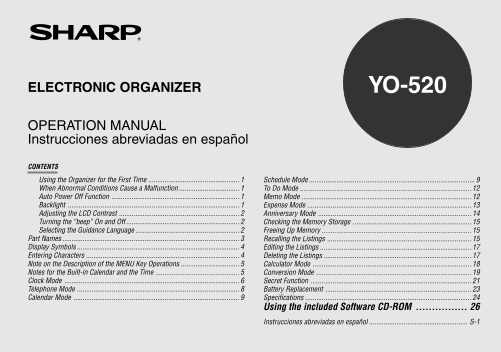
ELECTRONIC ORGANIZER YO-520 OPERATION MANUAL Instrucciones abreviadas en español CONTENTS Using the Organizer for the First Time Schedule Mode When Abnormal Conditions Cause a Malfunction To Do Mode A...
Page 2
NOTICE SHARP strongly recommends that separate permanent written records be kept of all important data. Data may be lost or altered in virtually any electronic memory product under certain circumstanc...
Page 3
Using the Organizer for the First Time 2. Press to initialize the memory of the Organizer. Be sure to perform the following operations before using the Organizer for 3. Select the desired language. Pr...
Page 4
The Backlight may remain on for less than 15 seconds or it may not Turning the “beep” On and Off function if the battery level is very low. While “ ” is displayed, a “beep” will sound when a key is pr...
Page 5
Part Names q Display w MENU key e Power ON/OFF key r PC-LINK key (PC SYNC) t RESET switch y Clear/Clear entry key u MODE keys i Cursor movement keys o SEARCH keys !0 Option port (COMPUTER LINK) In thi...
Page 6
Display Symbols Entering Characters :A “beep” will sound when a key is pressed. 1.Moving the Cursor :The schedule alarm will sound. The cursor ( _ , or ) can be moved by pressing (or holding down) :Ca...
Page 7
(3) Entering non-English characters Note on the Description of the MENU Key Operations Press 2nd followed by the corresponding keys. Enter “Ä”, “ü’, “é” and “ô” in MEMO mode, for example. This Organiz...
Page 8
4. Press ENTER to set the Home city. Clock Mode Zone numbers 0, 14, and 15 have no city name on the display. The Organizer has both Home and World clocks. The display switches Zone Zone between Home a...
Page 9
5. Enter the month, day, and year. 4.Setting Daylight Saving Time/Summer Time If DST (daylight saving time/summer time) is used, the local time is advanced one hour during the summer. Both the Home cl...
Page 10
5. Selecting the Date Format 2.Storing the Telephone Listings The date format can be switched between MONTH/DAY/YEAR and 1. Press TEL to display the TEL1 entry TEL 1 DAY.MONTH.YEAR. prompt. NAME? 1. P...
Page 11
To enter the next telephone listing, continue to enter in the same manner. 2.Selecting the Weekly Format The Telephone listings are stored in alphabetical order. The weekly format can be switched betw...
Page 12
(1) Enter the desired date in Calendar mode 5. Enter the schedule detail. SUN JUN 24,2001 <Example> Enter the following data. 11:30AM~ 1:00PM Lunch with Tom Lunch with Tom– “Lunch with Tom” from...
Page 13
(3) Enter the desired date directly You can set an alarm while you are entering or editing the schedule item. When the date is not close to the currently displayed date, the following When you press 2...
Page 14
To restore the checked off item, recall the listing to be restored, press To Do Mode 2nd EDIT to enter the edit mode, and then enter the priority. 1.Storing the Listings 1. Press TO DO to display the ...
Page 15
Expense Mode 2.Expense Summaries Expense summaries are a collection of records stored in Expense mode. You can recall them for a specific day or a certain period. 1.Creating the Expense Records <Ex...
Page 16
5. Press ENTER 3. Enter the date and press ENTER (or –PERIOD– FEB 12 FROM :APR 1,2001 –ANN– Press ENTER to return to the date TO :APR 30,2001 DESCRIPTION? entry prompt. ENTER If the integer section in...
Page 17
Checking the Memory Storage Recalling the Listings 1. Press MENU to select “1 CHECK 0% 100% 1.Notes for Recalling the Listings MEMORY”. TEL 1 : 76 Perform searching the listings in each mode other tha...
Page 18
3.Direct Search <Example> Display the Index in the Telephone mode. Recalls the listings by the first character(s) of the name (or the contents) in 1. Press TEL to display the Telephone TEL 1 Tel...
Page 19
4. Press ENTER This operation is useful when you enter a new listing whose contents are the same as or similar to the previously stored listing. The specified calendar or schedule will be displayed. (...
Page 20
TO DO (ALL): NEXT Calculator Mode TO DO (DONE): NEXT When the Secret function is on, “SECRET ON MODE” is displayed and The Organizer’s built-in calculator can perform the 4 arithmetic calculations the...
Page 21
Example Operation Display Conversion Mode 25 – 9 = 25 – 4. Each time you press CALC/CONV , the display switches between (43)2 = 4 = 4,096. Calculator and Conversion modes. This mode has 2 types of con...
Page 22
2.Setting the Rate 3. Press to convert it. CONVERSION 1 The conversion result is displayed. $ £ <Example> Set the following rate: $1 = £0.6 CALC/CONV Once you have set each rate, you can 1. Pres...
Page 23
(1) Turning the Secret function off Secret Function 1. Press 2nd SECRET ALLOW ACCESS TO SECRET DATA The Secret function allows you to protect confidential listings with a 2. Enter the password and pre...
Page 24
(2) Designating a stored listing as secret 4. Press 2nd NEXT (or 2nd PREV <Example> Designate the listing for “Xmas presents list” as secret. The secret listings only are sequentially recalled. ...
Page 25
3. Slide off the operating batteries cover. Battery Replacement General guidelines The Organizer uses the following type of battery: Use Type Size/Model Qty. General operation Alkaline batteries LR03 ...
Page 26
The following are the settings and contents that may change after Specifications replacing the batteries. The alarm sound on and off Model: YO-520 The key touch tone on and off Display: 120 × 40 dot m...
Page 27
Clock mode: Weight: Approx. 175 g (0.39 lb.) (including batteries) Accuracy: ±30 seconds/month (at 25°C/77°F) Dimensions: Display: Year, month, day, day of the week, hour, minute, AM/ Open: 139 mm (W)...
Page 28
Microsoft® Mouse or compatible Pointing Device Using the included Software CD-ROM An Internet Service Provider is required for Internet and Web access on The CD-ROM supplied in this package includes t...
Page 29
4. Turn on your PC and Organizer. 5. Press PC SYNC on your Organizer. PC SYNC/LINK READY! Your Organizer is now ready to exchange data. Press [ON] to quit. Press ON at any time to exit the PC-Link mod...
Page 30
YO-520 p20~28,E.E65 5/31/2000, 12:03 PM28 YO-520 (E0365E)
Page 31
ESPAÑOL Empleo del Organizador por primera vez Instrucciones abreviadas en español (1) Instalación de las pilas ÍNDICE 1. Ajuste el interruptor de recambio de las pilas en la parte inferior del Organi...
Page 32
Luz de fondo 6. Introduzca el mes, el día y el año. Por ejemplo, Pulsando Back Light una vez la pantalla permanece encendida mientras continúa usando el Organizador, hasta que deje de accionar las tec...
Page 33
2. Introduzca el nombre, los números de 201–265–5600 Almacenamiento de los listines del programa de teléfono y de facsímil, la dirección de johns–[email protected] Box G, Sharp Plaza, actividades correo ...
Page 34
Verificación de los ítems realizados Almacenando listines de aniversarios 1. Pulse ENTER para ingresar el modo de índice. En el modo de aniversario, podrá especificar el mes y el día (como los 2. Puls...
Page 35
Cuando no hayan más listines (existentes o pertinentes) que se puedan Borrado de los listines llamar o buscar, aparecerá “NOT FOUND!” (¡NO ESTÁ!) por unos (1) Borrado de un listín. instantes y volverá...
Page 36
(2) Conversión de monedas/unidades Monitor VGA o superior Para convertir la unidad A en la unidad B, pulse . Unidad de CD-ROM de velocidad doble o superior Para convertir la unidad B en la unidad A, p...
Page 37
EL ajuste de la alarma será ignorado. La alarma no sonará durante la transferencia de datos. La función de desactivado automático se inhabilita en el modo de enlace de PC. Si aparece un mensaje de err...
Page 38
PRODUCT SUPPORT Declaration of Conformity Electronic Organizer : YO-520 This device complies with Part 15 of the FCC Rules. Operation is If you have read the ORGANIZER operation manual, but you still ...
Page 39
LIMITED WARRANTY SHARP ELECTRONICS CORPORATION warrants to the first consumer be liable, or in any way responsible, for any damages or defects in the purchaser that this Sharp brand product (the “Prod...
Page 40
SHARP ELECTRONICS CORPORATION Sharp Plaza, Mahwah, New Jersey 07430-2135 PRINTED IN CHINA/IMPRESO EN CHINA 00CTO (TINSE0365EHZZ) YO-520 Hyoshi,E.E65 5/31/2000, 11:43 AM2 YO-520 (E0365E)