Samsung YP- P3AS Quick User Guide
Summary
This comprehensive user guide for the portable MP4 player provides everything you need to master your device. Learn how to fully charge the unit, connect it effortlessly to a PC using proprietary software, and transfer files via easy-to-use steps. The manual details advanced playback controls, system setup, safe disconnection procedures, and video viewing tips. Ideal for media enthusiasts who want reliable performance and simple operation when playing MP4 and other digital videos on the go.
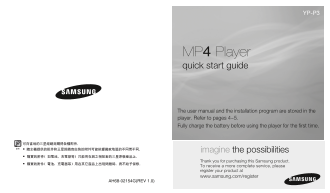
Page 1 Text Content
YP-P3
MP4 Player quick start guide
The user manual and the installation program are stored in the player. Refer to pages 4~5. Fully charge the battery before using the player for the fi rst time.
imagine the possibilities Thank you for purchasing this Samsung product. To receive a more complete service, please register your product at www.samsung.com/register
AH68-02154G(REV 1.0)
Page Summary Contents For Samsung YP- P3AS Quick User Guide
Manual Details
| Brand | Samsung |
|---|---|
| Pages | 12 |
| File Size | 1.56 MB |
| Published | May 29, 2026 |
Enter the captcha to get the download link:

Frequently Asked Questions
What should I do if the MP4 player malfunctions?
Use a pointed object to press into the reset hole on the mini-player touch area to re-initialize the system.
How long does it take to fully charge the device?
The full charging time is about 3 hours when connected to a PC using the USB cable.
What software must I use for file transfer from my PC?
You must use the EmoDio application installed on your PC to organize and transfer files safely.
How do I ensure safe disconnection from my computer?
Click the 'Safely Remove USB Mass Storage Device' button within the EmoDio program before disconnecting the cable.