Samsung GT-E1170 Cell Phone User Guide
Summary
The GT-E1170 is a reliable mobile phone designed for everyday communication needs. This comprehensive manual provides essential guidance for safe operation, helping new users maximize performance while minimizing risk. It covers crucial safety precautions regarding battery handling, charging, and avoiding dangerous situations (like near chemicals or during driving). Learn how to set up emergency SOS alerts, manage messaging features, activate the torch light, and ensure your device is used safely at all times. This guide is essential reading for every owner seeking peak performance and peace of mind with their Samsung mobile phone.
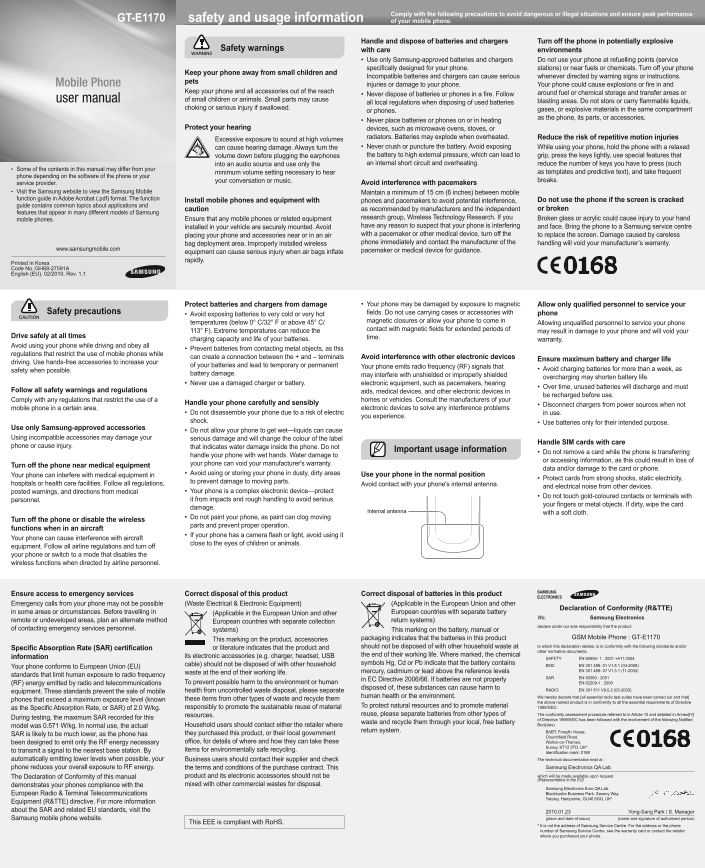
Page 1 Text Content
Comply with the following precautions to avoid dangerous or illegal situations and ensure peak performance
GT-E1170 safety and usage information of your mobile phone.
Handle and dispose of batteries and chargers Turn off the phone in potentially explosive
Safety warnings with care environments
Use only Samsung-approved batteries and chargers Do not use your phone at refuelling points (service specifi cally designed for your phone. stations) or near fuels or chemicals. Turn off your phone
Keep your phone away from small children and
Incompatible batteries and chargers can cause serious whenever directed by warning signs or instructions.
Mobile Phone pets
injuries or damage to your phone. Your phone could cause explosions or fi re in and
Keep your phone and all accessories out of the reach around fuel or chemical storage and transfer areas or
Never dispose of batteries or phones in a fi re. Follow
user manual of small children or animals. Small parts may cause blasting areas. Do not store or carry fl ammable liquids,
all local regulations when disposing of used batteries
choking or serious injury if swallowed. gases, or explosive materials in the same compartment
or phones.
as the phone, its parts, or accessories.
Never place batteries or phones on or in heating
Protect your hearing devices, such as microwave ovens, stoves, or
radiators. Batteries may explode when overheated. Reduce the risk of repetitive motion injuries
Excessive exposure to sound at high volumes
can cause hearing damage. Always turn the Never crush or puncture the battery. Avoid exposing While using your phone, hold the phone with a relaxed volume down before plugging the earphones the battery to high external pressure, which can lead to grip, press the keys lightly, use special features that into an audio source and use only the an internal short circuit and overheating. reduce the number of keys you have to press (such
Some of the contents in this manual may differ from your
minimum volume setting necessary to hear as templates and predictive text), and take frequent
phone depending on the software of the phone or your
your conversation or music. breaks.
service provider. Avoid interference with pacemakers
Visit the Samsung website to view the Samsung Mobile Maintain a minimum of 15 cm (6 inches) between mobile function guide in Adobe Acrobat (.pdf) format. The function Do not use the phone if the screen is cracked
Install mobile phones and equipment with phones and pacemakers to avoid potential interference,
guide contains common topics about applications and
caution as recommended by manufacturers and the independent or broken
features that appear in many different models of Samsung
Ensure that any mobile phones or related equipment research group, Wireless Technology Research. If you Broken glass or acrylic could cause injury to your hand
mobile phones.
installed in your vehicle are securely mounted. Avoid have any reason to suspect that your phone is interfering and face. Bring the phone to a Samsung service centre placing your phone and accessories near or in an air with a pacemaker or other medical device, turn off the to replace the screen. Damage caused by careless bag deployment area. Improperly installed wireless phone immediately and contact the manufacturer of the handling will void your manufacturer’s warranty.
www.samsungmobile.com pacemaker or medical device for guidance.
equipment can cause serious injury when air bags infl ate rapidly.
Printed in Korea Code No.:GH68-27591A English (EU). 02/2010. Rev. 1.1
Protect batteries and chargers from damage Your phone may be damaged by exposure to magnetic Allow only qualifi ed personnel to service your
Safety precautions fi elds. Do not use carrying cases or accessories with phone
Avoid exposing batteries to very cold or very hot
temperatures (below 0° C/32° F or above 45° C/ magnetic closures or allow your phone to come in
Allowing unqualifi ed personnel to service your phone
113° F). Extreme temperatures can reduce the contact with magnetic fi elds for extended periods of
may result in damage to your phone and will void your
Drive safely at all times time.
charging capacity and life of your batteries. warranty.
Avoid using your phone while driving and obey all
Prevent batteries from contacting metal objects, as this
regulations that restrict the use of mobile phones while
can create a connection between the + and – terminals Avoid interference with other electronic devices
Ensure maximum battery and charger life
driving. Use hands-free accessories to increase your
of your batteries and lead to temporary or permanent Your phone emits radio frequency (RF) signals that
safety when possible. Avoid charging batteries for more than a week, as
battery damage. may interfere with unshielded or improperly shielded
overcharging may shorten battery life.
Never use a damaged charger or battery. electronic equipment, such as pacemakers, hearing
Over time, unused batteries will discharge and must
Follow all safety warnings and regulations aids, medical devices, and other electronic devices in
be recharged before use.
Comply with any regulations that restrict the use of a homes or vehicles. Consult the manufacturers of your
Handle your phone carefully and sensibly Disconnect chargers from power sources when not
mobile phone in a certain area. electronic devices to solve any interference problems
Do not disassemble your phone due to a risk of electric in use.
you experience.
shock. Use batteries only for their intended purpose.
Use only Samsung-approved accessories
Do not allow your phone to get wet—liquids can cause
Using incompatible accessories may damage your serious damage and will change the colour of the label
Handle SIM cards with care
phone or cause injury. that indicates water damage inside the phone. Do not
Important usage information
Do not remove a card while the phone is transferring
handle your phone with wet hands. Water damage to
or accessing information, as this could result in loss of
your phone can void your manufacturer's warranty.
Turn off the phone near medical equipment
data and/or damage to the card or phone.
Avoid using or storing your phone in dusty, dirty areas Use your phone in the normal position
Your phone can interfere with medical equipment in
Protect cards from strong shocks, static electricity,
to prevent damage to moving parts.
hospitals or health care facilities. Follow all regulations, Avoid contact with your phone's internal antenna.
and electrical noise from other devices.
posted warnings, and directions from medical Your phone is a complex electronic device—protect
Do not touch gold-coloured contacts or terminals with
personnel. it from impacts and rough handling to avoid serious
your fi ngers or metal objects. If dirty, wipe the card
damage.
Internal antenna with a soft cloth.
Do not paint your phone, as paint can clog moving
Turn off the phone or disable the wireless
parts and prevent proper operation.
functions when in an aircraft
If your phone has a camera fl ash or light, avoid using it
Your phone can cause interference with aircraft
close to the eyes of children or animals.
equipment. Follow all airline regulations and turn off your phone or switch to a mode that disables the wireless functions when directed by airline personnel.
Ensure access to emergency services Correct disposal of this product Correct disposal of batteries in this product Emergency calls from your phone may not be possible (Waste Electrical & Electronic Equipment) (Applicable in the European Union and other
Declaration of Conformity (R&TTE)
in some areas or circumstances. Before travelling in (Applicable in the European Union and other European countries with separate battery
We, Samsung Electronics
remote or undeveloped areas, plan an alternate method European countries with separate collection return systems)
declare under our sole responsibility that the product
of contacting emergency services personnel. systems) This marking on the battery, manual or
packaging indicates that the batteries in this product GSM Mobile Phone : GT-E1170
This marking on the product, accessories
should not be disposed of with other household waste at to which this declaration relates, is in conformity with the following standards and/or
Specifi c Absorption Rate (SAR) certifi cation or literature indicates that the product and
other normative documents.
its electronic accessories (e.g. charger, headset, USB the end of their working life. Where marked, the chemical
information SAFETY EN 60950- 1 : 2001 +A11:2004
cable) should not be disposed of with other household symbols Hg, Cd or Pb indicate that the battery contains
Your phone conforms to European Union (EU) EMC EN 301 489- 01 V1.8.1 (04-2008)
mercury, cadmium or lead above the reference levels EN 301 489- 07 V1.3.1 (11-2005)
waste at the end of their working life.
standards that limit human exposure to radio frequency
SAR EN 50360 : 2001
in EC Directive 2006/66. If batteries are not properly
(RF) energy emitted by radio and telecommunications To prevent possible harm to the environment or human EN 62209-1 : 2006
disposed of, these substances can cause harm to RADIO EN 301 511 V9.0.2 (03-2003)
equipment. These standards prevent the sale of mobile health from uncontrolled waste disposal, please separate
human health or the environment. We hereby declare that [all essential radio test suites have been carried out and that]
phones that exceed a maximum exposure level (known these items from other types of waste and recycle them
the above named product is in conformity to all the essential requirements of Directive
responsibly to promote the sustainable reuse of material To protect natural resources and to promote material 1999/5/EC.
as the Specifi c Absorption Rate, or SAR) of 2.0 W/kg.
resources. reuse, please separate batteries from other types of The conformity assessment procedure referred to in Article 10 and detailed in Annex[IV]
During testing, the maximum SAR recorded for this of Directive 1999/5/EC has been followed with the involvement of the following Notifi ed
waste and recycle them through your local, free battery
model was 0.571 W/kg. In normal use, the actual Household users should contact either the retailer where Body(ies):
return system. BABT, Forsyth House,
SAR is likely to be much lower, as the phone has they purchased this product, or their local government
Churchfi eld Road,
been designed to emit only the RF energy necessary offi ce, for details of where and how they can take these Walton-on-Thames,
Surrey, KT12 2TD, UK*
to transmit a signal to the nearest base station. By items for environmentally safe recycling.
Identifi cation mark: 0168
automatically emitting lower levels when possible, your Business users should contact their supplier and check The technical documentation kept at :
phone reduces your overall exposure to RF energy. the terms and conditions of the purchase contract. This Samsung Electronics QA Lab. The Declaration of Conformity of this manual product and its electronic accessories should not be which will be made available upon request. (Representative in the EU)
demonstrates your phones compliance with the mixed with other commercial wastes for disposal.
Samsung Electronics Euro QA Lab. European Radio & Terminal Telecommunications Blackbushe Business Park, Saxony Way, Yateley, Hampshire, GU46 6GG, UK*
Equipment (R&TTE) directive. For more information about the SAR and related EU standards, visit the 2010.01.23 Yong-Sang Park / S. Manager
Samsung mobile phone website. (place and date of issue) (name and signature of authorised person)
This EEE is compliant with Ro HS.
* It is not the address of Samsung Service Centre. For the address or the phone number of Samsung Service Centre, see the warranty card or contact the retailer where you purchased your phone.
Page Summary Contents For Samsung GT-E1170 Cell Phone User Guide
Manual Details
| Brand | Samsung |
|---|---|
| Pages | 2 |
| File Size | 836.38 KB |
| Published | June 17, 2026 |
Enter the captcha to get the download link:

Frequently Asked Questions
How do I avoid battery damage when charging?
Do not charge batteries for more than a week to prevent excessive discharge and potential damage.
What precautions should be taken regarding heat exposure?
Never place batteries or phones on or in heating devices like microwave ovens, stoves, or radiators, as overheating can cause explosions.
Can I use any charger or battery I want?
Only use Samsung-approved batteries and chargers. Incompatible ones can cause serious injury or damage to the device.
How should I avoid interference with medical devices?
Maintain a minimum of 15 cm (6 inches) between your mobile phone and pacemakers or other medical devices, and turn off the phone when necessary.