Samsung 3D Active Glasses SSG-3100GB User Guide
Summary
Enhance your home entertainment with these professional 3D Active Glasses, engineered for optimal viewing of three-dimensional content. This comprehensive guide provides users with everything needed to successfully operate the device, covering step-by-step pairing instructions and troubleshooting processes. Learn tips on proper handling, necessary maintenance like battery replacement, and critical safety guidelines to ensure a safe and immersive 3D viewing experience with your compatible Samsung 3D TV.
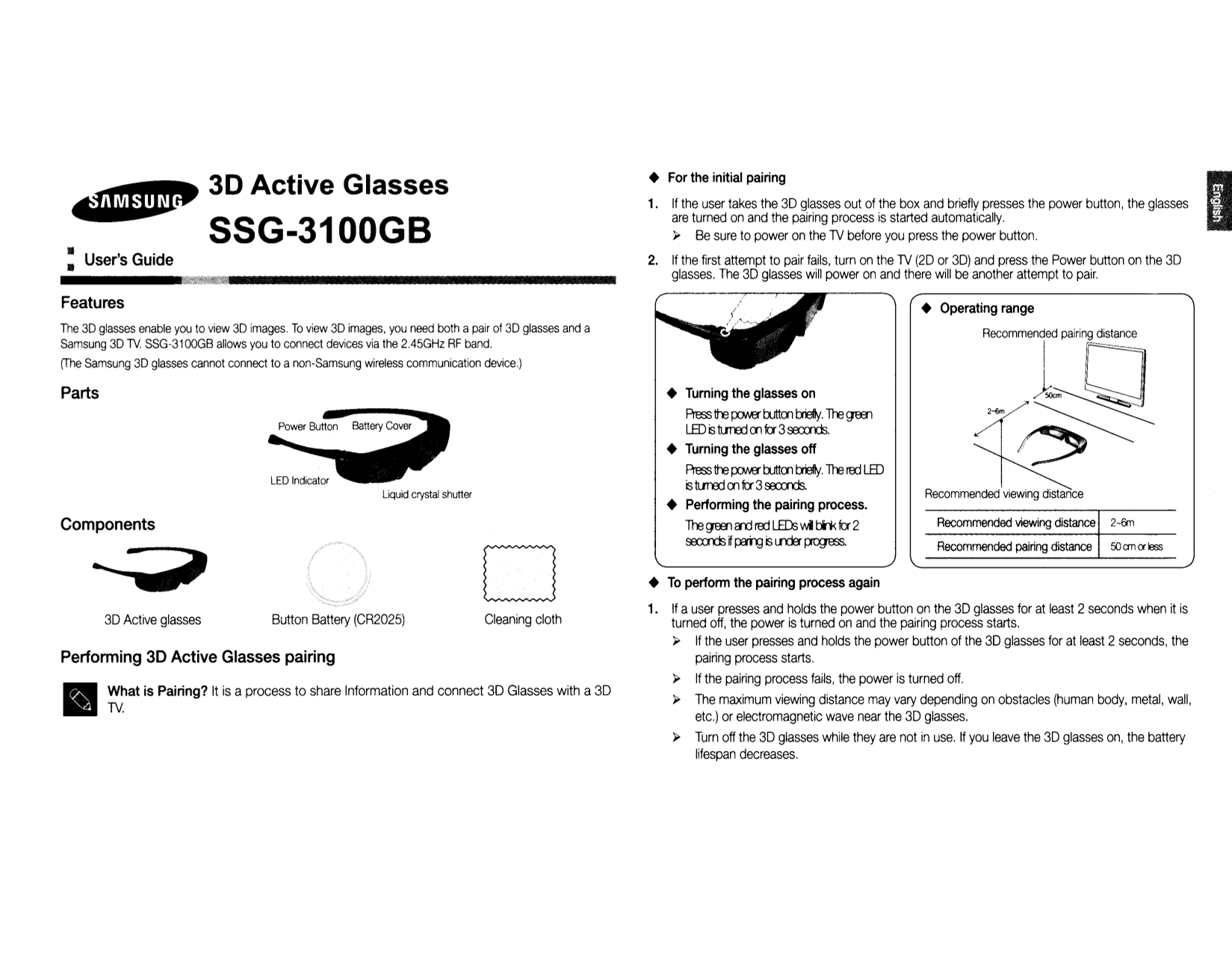
Page 1 Text Content
For the initial pairing
3D Active Glasses
1. If the user takes the 3D glasses out of the box and briefly presses the power button, the glasses are turned on and the pairing process is started automatically. SSG-3100GB Be sure to power on the TV before you press the power button. User's Guide 2. If the first attempt to pair fails, turn on the TV (20 or 3D) and press the Power button on the 3D glasses. The 3D glasses will power on and there will be another attempt to pair.
,0Zlt'f!:tftrh'iil/!!fpt Wf!t'
Features
Operating range
The 3D glasses enable you to view 3D images. To view 3D images, you need both pair of 3D glasses and 5amsung 3D TV. 55G-31 00G8 allows you to connect devices via the 2.45GHz RF band. [The 5amsung 3D glasses cannot connect to non-5amsung wireless communication device.)
R~~~IJ:l
Parts Turning the glasses on
Pr ES'3 th3 f.XJMT b Jtton tro Iy. Tre gffi1 LID is t I..rr OO mfa' 3ooxrds. Turning the glasses off Pr ES'3 tte f.XJMT b Jtton tro Iy Tre rro LID is t I..rr OO fa' 3ooxrds.
Liquid crystal shutter Recommended viewing distance
Perfonming the pairing process.
Components Recommended viewing distance 2-6m
Tre gffi1 and rro LIDs 'hi I::ii< fa' ooxrds r ID1l is I..I"£H~.
Recommended pairing distance an or less
To perfonm the pairing process again
1. If user presses and holds the power button on the 3D glasses for at least seconds when it is
Active glasses Button Battery (CR2025)3D Cleaning cloth
turned off, the power is turned on and the pairing process starts. If the user presses and holds the power button of the 3D glasses for at least seconds, the
Performing 3D Active Glasses pairing pairing process starts.
If the pairing process fails, the power is turned off.
What is Pairing? It is process to share Information and connect 3D Glasses with 3D
The maximum viewing distance may vary depending on obstacles (human body, metal, wall,
etc.) or electromagnetic wave near the 3D glasses. Turn off the 3D glasses while they are not in use. If you leave the 3D glasses on, the battery lifespan decreases.
Page Summary Contents For Samsung 3D Active Glasses SSG-3100GB User Guide
Manual Details
| Brand | Samsung |
|---|---|
| Pages | 11 |
| File Size | 1.34 MB |
| Published | July 16, 2026 |
Enter the captcha to get the download link:

Frequently Asked Questions
How do I start the pairing process?
Press and hold the power button on the 3D glasses for at least 2 seconds while they are turned off.
What should I do if the initial pairing attempt fails?
Turn on the TV (20 or 3D) and press the Power button on the 3D glasses again to attempt pairing.
Are there any compatibility restrictions for the 3D glasses?
The 3D glasses can only connect to a Samsung wireless communication device operating in the 2.45GHz RF band.
When is re-pairing required for the 3D glasses?
Re-pairing is needed after removal of batteries, prolonged inactivity, or if interference occurs from other electronic devices.
What precautions should I take when watching 3D images?
Adults should monitor children's viewing, and viewers experiencing symptoms like dizziness or headaches must stop immediately.