Roland MV-8800 Recording Studio Product Addendum User's Manual
Summary
This technical guide is essential for maximizing your MV-8800 synthesizer's creative potential. It details the contents and operational use of two dedicated CD-ROMs—one containing diverse "DEMO PROJECT DATA" and the other providing extensive "PATCH DATA." Whether you are a working musician, producer, or hobbyist looking to restore sample projects or access comprehensive sound libraries (including drums, horns, and vintage synthesis patches), this manual walks you through every step. Learn how to migrate studio-quality demos from CD-ROM to your internal hard disk for immediate composition and performance.
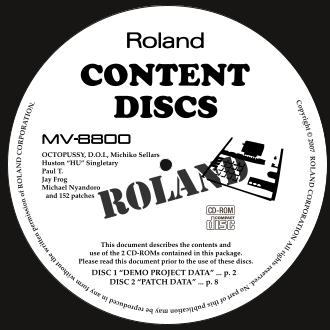
Page 1 Text Content
MV-8800_b_e.fm 1ページ 2007年2月26日 月曜日 午後4時48分
of PO si on
is IO
opyright rm IO pe tte llrightsreserved.Nopartofthispublicationmaybereproducedinanyform ri
ew with outth
OCTOPUSSY, D.O.I., Michiko Sellars Huston “HU” Singletary Paul T. Jay Frog Michael Nyandoro and 152 patches
This document describes the contents and use of the 2 CD-ROMs contained in this package. Please read this document prior to the use of these discs. DISC 1 “DEMO PROJECT DATA” ... p. 2 DISC 2 “PATCH DATA” ... p. 8
Page Summary Contents For Roland MV-8800 Recording Studio Product Addendum User's Manual
Manual Details
| Brand | Roland |
|---|---|
| Pages | 16 |
| File Size | 328.09 KB |
| Published | June 02, 2026 |
Enter the captcha to get the download link:

Frequently Asked Questions
How do I restore demo projects to the hard disk?
Insert DISC 1 (DEMO PROJECT DATA CD-ROM) and follow these steps: Press [DISK /USB] > [F1](File Utility) > [F1](Select Drive), choose 'CD-ROM' > Navigate/Select project folder > Use [F5](Command) to select 'Copy,' then specify the PROJECTS folder as destination, and press [F5](Execute).
Can I use projects directly from the CD-ROM?
No. To use a project on the MV-8800, you must first copy the project onto the hard disk; direct usage is prohibited.
What should I do if I want to restore demo projects using my computer?
Connect your personal computer to the CD-ROM drive and perform the copy via USB. Refer to the owner’s manual for connection details.