Panasonic SC-EN38 User's Manual
Summary
Discover comprehensive operating instructions for the Panasonic SC-EN38 CD Stereo System. This manual is designed for new owners, providing detailed guidance to ensure safe setup and reliable performance. It thoroughly covers all essential operations, including proper installation of speakers and external units, step-by-step guides for disc and radio functions, critical safety warnings, maintenance tips, troubleshooting steps, and warranty details. Keep this valuable guide handy for lifetime use of your stereo system.
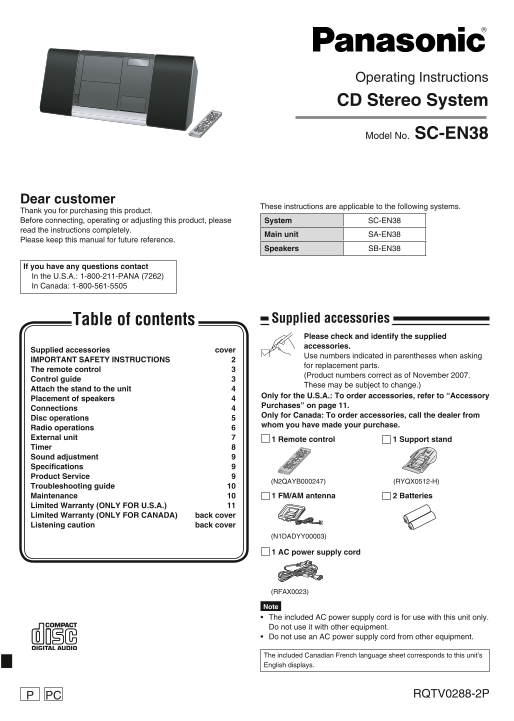
Page 1 Text Content
Operating Instructions CD Stereo System
Model No. SC-EN38
Dear customer
These instructions are applicable to the following systems.
Thank you for purchasing this product. Before connecting, operating or adjusting this product, please System SC-EN38 read the instructions completely.
Main unit SA-EN38
Please keep this manual for future reference.
Speakers SB-EN38
If you have any questions contact In the U.S.A.: 1-800-211-PANA (7262) In Canada: 1-800-561-5505
Table of contents Supplied accessories Please check and identify the supplied accessories.
Supplied accessories cover
Use numbers indicated in parentheses when asking
IMPORTANT SAFETY INSTRUCTIONS 2
for replacement parts.
The remote control 3
(Product numbers correct as of November 2007.
Control guide 3
These may be subject to change.)
Attach the stand to the unit 4
Only for the U.S.A.: To order accessories, refer to “Accessory
Placement of speakers 4
Purchases” on page 11.
Connections 4
Only for Canada: To order accessories, call the dealer from
Disc operations 5
whom you have made your purchase.
Radio operations 6 External unit 7 1 Remote control 1 Support stand Timer 8 Sound adjustment 9 Specifications 9 Product Service 9
(N2QAYB000247) (RYQX0512-H)
Troubleshooting guide 10
Maintenance 10 1 FM/AM antenna 2 Batteries
Limited Warranty (ONLY FOR U.S.A.) 11 Limited Warranty (ONLY FOR CANADA) back cover Listening caution back cover
(N1DADYY00003)
1 AC power supply cord
(RFAX0023)
Note The included AC power supply cord is for use with this unit only. Do not use it with other equipment. Do not use an AC power supply cord from other equipment.
The included Canadian French language sheet corresponds to this unit’s English displays.
RQTV0288-2PPCP
SC-EN38_P,PC (RQTV0288)_running change1.indd 1 2/20/2008 9:54:30 AM
Page Summary Contents For Panasonic SC-EN38 User's Manual
Manual Details
| Brand | Panasonic |
|---|---|
| Pages | 12 |
| File Size | 4.17 MB |
| Published | June 02, 2026 |
Enter the captcha to get the download link:

Frequently Asked Questions
What should I do before operating the unit?
Read these operating instructions completely and heed all warnings.
How must I power the system after a lightning storm?
Unplug the apparatus and keep it unplugged during any lightning storms or when unused.
Can I use non-standard accessories?
No, only use attachments/accessories specified by the manufacturer.
Who should handle repairs?
Refer all servicing to qualified service personnel.