Page 1
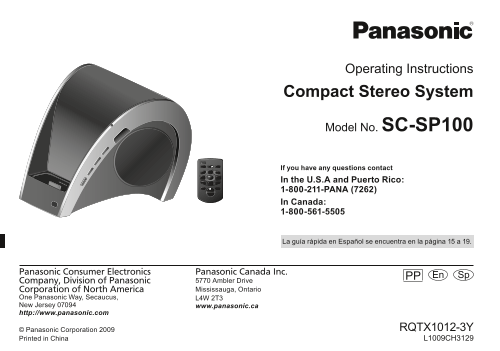
Operating Instructions Compact Stereo System Model No. SC-SP100 If you have any questions contact In the U.S.A and Puerto Rico: 1-800-211-PANA (7262) In Canada: 1-800-561-5505 La guía rápida en Españo...
Page 2
Dear Customer IS PA IS Thank you for purchasing this product. For optimum performance and safety, please read these instructions carefully. Before connecting, operating or adjusting this product, plea...
Page 3
IMPORTANT SAFETY INSTRUCTIONS Read these operating instructions carefully before using the unit. Follow the safety instructions on the unit and the applicable safety instructions listed below. Keep th...
Page 4
IS PA Table of contents IS User memo: IMPORTANT SAFETY INSTRUCTIONS .............. DATE OF PURCHASE Table of contents ................................................. DEALER NAME Supplied accessories...
Page 5
Supplied accessories Compatible i Pod and i Phone Please check and identify the supplied accessories. • i Phone 3GS (16GB, 32GB) Use numbers indicated in parentheses when asking • i Phone 3G (8GB, 16G...
Page 6
Preparing the remote control IS PA IS Before using the remote control for the fi rst time, remove the insulation sheet. Warning Keep the Button-Type battery out of reach of children to prevent Replace...
Page 7
Connecting the i Pod or i Phone 1 Connect the AC power. 2 Insert the dock adapter into the main unit. i Pod Use the adapter supplied with your i Pod or refer to Apple Inc. for Rear view AC power suppl...
Page 8
Listening to the i Pod or i Phone IS PA IS You can navigate the i Pod or i Phone using the buttons described. Main unit The power indicator blinks each time a button on the remote control is pressed. ...
Page 9
Connecting to the PC Using other equipment While the i Pod or i Phone is connected to the main unit, you can Preparation transfer data from the PC using the USB connectivity. • Ensure that the i Pod o...
Page 10
Troubleshooting guide IS PA Specifi cations IS Before requesting service, make the following checks. If you are in AMPLIFIER SECTION doubt about some of the check points, or if the solutions indicated...
Page 11
Listening caution Product Service 1. Damage requiring service – The unit should be serviced by qualifi ed service personnel if: (a) The AC power supply cord or AC adapter has been damaged; or (b) Obje...
Page 12
Limited Warranty (ONLY FOR U.S.A. AND PUERTO RICO) IS PA IS Panasonic Consumer Electronics Company, Division of Panasonic Corporation of North America One Panasonic Way, Secaucus, New Jersey 07094 Pan...
Page 13
Limited Warranty (ONLY FOR U.S.A. AND PUERTO RICO) (continued) ALL EXPRESS AND IMPLIED WARRANTIES, INCLUDING THE WARRANTY OF MERCHANTABILITY, ARE LIMITED TO THE PERIOD OF THE LIMITED WARRANTY. Some st...
Page 14
Limited Warranty (ONLY FOR CANADA) IS PA IS Panasonic Canada Inc. 5770 Ambler Drive, Mississauga, Ontario L4W 2T3 PANASONIC PRODUCT – LIMITED WARRANTY EXCHANGE PROGRAM Panasonic Canada Inc. warrants t...
Page 15
Estimado cliente Muchísimas gracias por haber adquirido este aparato. Lea con atención estas instrucciones para obtener las máximas prestaciones y seguridad. Antes de conectar, operar o ajustar este p...
Page 16
Cómo preparar el control remoto PA PA IS Antes de usar el control por primera vez, retire la hoja de aislamiento. Reemplace la pila de control remoto cuando deje de funcionar, o si el rango de alcance...
Page 17
Cómo conectar el i Pod o i Phone 1 Conecte la fuente de alimentación de CA. Vista posterior Cable de alimentación de CA (suministrado) Adaptador de CA (fuente de alimentación conmutada) (suministrado)...
Page 18
Cómo escuchar el i Pod o i Phone PA PA IS Usted puede navegar en el i Pod o i Phone usando los botones descritos. Aparato principal El indicador de encendido parpadeará cada vez que se pulse un botón ...
Page 19
Atención al Cliente Directorio de Atención al Cliente Obtenga información de productos y asistencia operativa; localice el distribuidor o Centro de Servicio más cercano; compre repuestos y accesorios ...
Page 20
PA PA IS RQTX1012-3Y_us_le.indd 20 12/28/09 12:01:58 PM
Page 21
Certifi cat de garantie limitée IS Panasonic Canada Inc. 5770 Ambler Drive, Mississauga, Ontario L4W 2T3 PRODUIT PANASONIC – GARANTIE LIMITÉE PROGRAMME DE REMPLACEMENT Panasonic Canada Inc. garantit q...
Page 22
Protection de l’ouïe Service après-vente 1. En cas de dommage − Confi er l’appareil à un technicien qualifi é dans les cas suivants: (a) lorsque le cordon d’alimentation ou l’adaptateur secteur a été ...
Page 23
Guide de dépannage IS Spécifi cations Avant d’appeler un centre de service, faire les vérifi cations décrites SECTION AMPLIFICATEUR ci-dessous. En cas de doute sur certains des points de vérifi cation...
Page 24
Connexion à un PC Utilisation d’appareils auxiliaires Lorsque l’i Pod ou l’i Phone est branché à l’appareil principal, il est Préparatifs possible de transférer des données à l’aide d’une connexion US...
Page 25
Lecture de l’i Pod ou de l’i Phone IS Il est possible de piloter l’i Pod ou l’i Phone à l’aide des touches qui sont décrites. Appareil principal L’indicateur de mise en marche/hors marche clignote cha...
Page 26
Raccordement de l’i Pod ou de l’i Phone 1 Brancher le cordon d’alimentation. 2 Insérer l’adaptateur de station d’accueil. i Pod Vue arrière Cordon d’alimentation Utiliser l’adaptateur fourni avec l’i ...
Page 27
Préparatifs pour la télécommande IS Avant d’utiliser la télécommande pour la première fois, retirer sa couverture protectrice. Attention Garder la pile de type bouton hors de la portée des enfants pou...
Page 28
Accessoires fournis i Pod et i Phone compatibles Vérifi er les accessoires en les cochant. • i Phone 3GS (16 Go, 32 Go) Utiliser les numéros indiqués entre parenthèses lors • i Phone 3G (8 Go, 16 Go) ...
Page 29
IS Table des matières – Si ce symbole apparaît – IMPORTANTES MISES EN GARDE ..................... Information sur la mise au rebut dans les pays n’appartenant Accessoires fournis ........................
Page 30
IMPORTANTES MISES EN GARDE Avant d’utiliser l’appareil, lire attentivement les instructions qui suivent. Se conformer tout particulièrement aux avertissements inscrits sur l’appareil et aux consignes ...
Page 31
Cher client IS Nous vous remercions d’avoir arrêté votre choix sur cet appareil. Pour en tirer un rendement optimal, lire attentivement le présent manuel. Avant de raccorder, régler ou utiliser l’appa...
Page 32
Manuel d’utilisation Chaîne stéréo compacte Modèle SC-SP100 Pour toute demande de renseignements, appeler au 1-800-561-5505 Panasonic Canada Inc. PP Cf 5770 Ambler Drive Mississauga, Ontario L4W 2T3 w...