Panasonic SC-GT07 User Guide
Summary
This comprehensive manual is designed for owners of this advanced Panasonic Home Audio/Stereo System. It provides clear instructions on setting up, operating, and maintaining your audio setup, ensuring optimal performance year after year. The guide details connectivity options, including seamless pairing with portable devices like iPods and iPhones via AUX input. Furthermore, it covers crucial safety guidelines, warranty information, and troubleshooting tips to ensure a worry-free listening experience for all users.
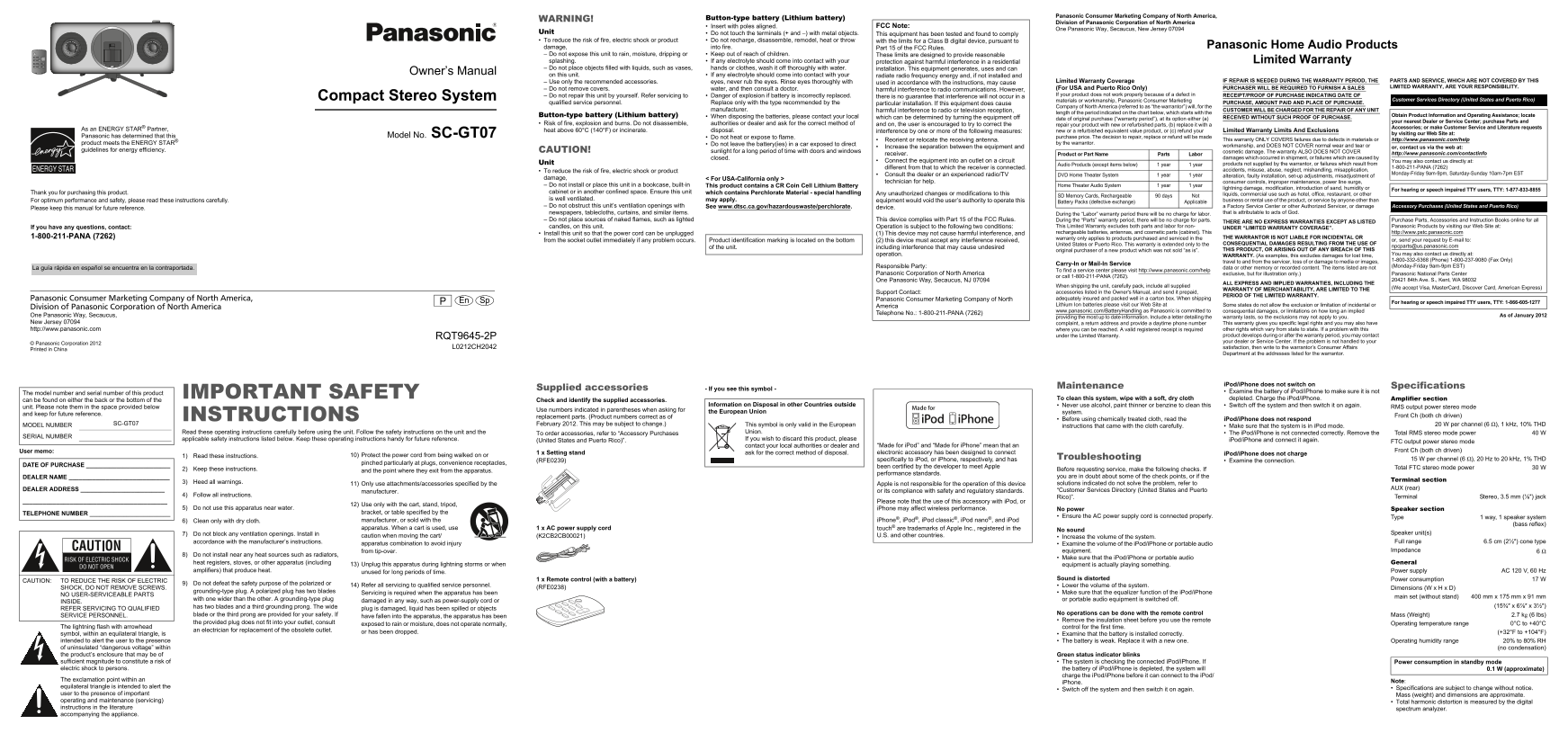
Page 1 Text Content
Panasonic Consumer Marketing Company of North America,
WARNING! Button-type battery (Lithium battery)
Division of Panasonic Corporation of North America
Insert with poles aligned. FCC Note:
One Panasonic Way, Secaucus, New Jersey 07094
Unit Do not touch the terminals (+ and –) with metal objects.
This equipment has been tested and found to comply
To reduce the risk of fire, electric shock or product Do not recharge, disassemble, remodel, heat or throw with the limits for a Class B digital device, pursuant to
damage, into fire. Part 15 of the FCC Rules. Panasonic Home Audio Products
Do not expose this unit to rain, moisture, dripping or Keep out of reach of children. These limits are designed to provide reasonable splashing. If any electrolyte should come into contact with your protection against harmful interference in a residential Limited Warranty Do not place objects filled with liquids, such as vases, hands or clothes, wash it off thoroughly with water. installation. This equipment generates, uses and can
Owner’s Manual
on this unit. If any electrolyte should come into contact with your radiate radio frequency energy and, if not installed and
Use only the recommended accessories. eyes, never rub the eyes. Rinse eyes thoroughly with Limited Warranty Coverage IF REPAIR IS NEEDED DURING THE WARRANTY PERIOD, THE PARTS AND SERVICE, WHICH ARE NOT COVERED BY THIS
used in accordance with the instructions, may cause
(For USA and Puerto Rico Only) PURCHASER WILL BE REQUIRED TO FURNISH A SALES LIMITED WARRANTY, ARE YOUR RESPONSIBILITY.
Do not remove covers. water, and then consult a doctor. harmful interference to radio communications. However,
Do not repair this unit by yourself. Refer servicing to Danger of explosion if battery is incorrectly replaced. If your product does not work properly because of a defect in RECEIPT/PROOF OF PURCHASE INDICATING DATE OF
Compact Stereo System there is no guarantee that interference will not occur in a
materials or workmanship, Panasonic Consumer Marketing Customer Services Directory (United States and Puerto Rico)
qualified service personnel. Replace only with the type recommended by the particular installation. If this equipment does cause PURCHASE, AMOUNT PAID AND PLACE OF PURCHASE.
Company of North America (referred to as “the warrantor”) will, for the
manufacturer. harmful interference to radio or television reception, CUSTOMER WILL BE CHARGED FOR THE REPAIR OF ANY UNIT
length of the period indicated on the chart below, which starts with the
Button-type battery (Lithium battery) When disposing the batteries, please contact your local Obtain Product Information and Operating Assistance; locate
which can be determined by turning the equipment off date of original purchase (“warranty period”), at its option either (a) RECEIVED WITHOUT SUCH PROOF OF PURCHASE.
your nearest Dealer or Service Center; purchase Parts and
Risk of fire, explosion and burns. Do not disassemble, authorities or dealer and ask for the correct method of and on, the user is encouraged to try to correct the repair your product with new or refurbished parts, (b) replace it with a
Accessories; or make Customer Service and Literature requests
As an ENERGY STAR® Partner, heat above 60°C (140°F) or incinerate. disposal. new or a refurbished equivalent value product, or (c) refund your Limited Warranty Limits And Exclusions
interference by one or more of the following measures:
by visiting our Web Site at:
Panasonic has determined that this Model No. SC-GT07 Do not heat or expose to flame. purchase price. The decision to repair, replace or refund will be made
Reorient or relocate the receiving antenna. This warranty ONLY COVERS failures due to defects in materials or http://www.panasonic.com/help
product meets the ENERGY STAR® Do not leave the battery(ies) in a car exposed to direct by the warrantor.
Increase the separation between the equipment and workmanship, and DOES NOT COVER normal wear and tear or
or, contact us via the web at:
guidelines for energy efficiency. CAUTION! sunlight for a long period of time with doors and windows cosmetic damage. The warranty ALSO DOES NOT COVER
receiver. Product or Part Name Parts Labor http://www.panasonic.com/contactinfo
closed. damages which occurred in shipment, or failures which are caused by
Connect the equipment into an outlet on a circuit You may also contact us directly at:
Unit Audio Products (except items below) 1 year 1 year products not supplied by the warrantor, or failures which result from
different from that to which the receiver is connected. 1-800-211-PANA (7262)
To reduce the risk of fire, electric shock or product accidents, misuse, abuse, neglect, mishandling, misapplication,
Consult the dealer or an experienced radio/TV DVD Home Theater System 1 year 1 year Monday-Friday 9am-9pm, Saturday-Sunday 10am-7pm EST
alteration, faulty installation, set-up adjustments, misadjustment of
damage, < For USA-California only >
technician for help. consumer controls, improper maintenance, power line surge,
Do not install or place this unit in a bookcase, built-in This product contains a CR Coin Cell Lithium Battery Home Theater Audio System 1 year 1 year
lightning damage, modification, introduction of sand, humidity or For hearing or speech impaired TTY users, TTY: 1-877-833-8855
Thank you for purchasing this product. cabinet or in another confined space. Ensure this unit which contains Perchlorate Material - special handling Any unauthorized changes or modifications to this
SD Memory Cards, Rechargeable 90 days Not liquids, commercial use such as hotel, office, restaurant, or other
For optimum performance and safety, please read these instructions carefully. is well ventilated. may apply. business or rental use of the product, or service by anyone other than
equipment would void the user’s authority to operate this Battery Packs (defective exchange) Applicable
Do not obstruct this unit’s ventilation openings with See www.dtsc.ca.gov/hazardouswaste/perchlorate. device. a Factory Service Center or other Authorized Servicer, or damage Accessory Purchases (United States and Puerto Rico)
Please keep this manual for future reference.
newspapers, tablecloths, curtains, and similar items. During the “Labor” warranty period there will be no charge for labor. that is attributable to acts of God.
Do not place sources of naked flames, such as lighted This device complies with Part 15 of the FCC Rules. During the “Parts” warranty period, there will be no charge for parts. Purchase Parts, Accessories and Instruction Books online for all
THERE ARE NO EXPRESS WARRANTIES EXCEPT AS LISTED
If you have any questions, contact: candles, on this unit. Operation is subject to the following two conditions: This Limited Warranty excludes both parts and labor for non- Panasonic Products by visiting our Web Site at:
UNDER “LIMITED WARRANTY COVERAGE”.
Install this unit so that the power cord can be unplugged (1) This device may not cause harmful interference, and rechargeable batteries, antennas, and cosmetic parts (cabinet). This http://www.pstc.panasonic.com
1-800-211-PANA (7262) warranty only applies to products purchased and serviced in the THE WARRANTOR IS NOT LIABLE FOR INCIDENTAL OR
from the socket outlet immediately if any problem occurs. Product identification marking is located on the bottom (2) this device must accept any interference received, or, send your request by E-mail to:
United States or Puerto Rico. This warranty is extended only to the CONSEQUENTIAL DAMAGES RESULTING FROM THE USE OF
of the unit. including interference that may cause undesired [email protected]
original purchaser of a new product which was not sold “as is”. THIS PRODUCT, OR ARISING OUT OF ANY BREACH OF THIS
operation. WARRANTY. (As examples, this excludes damages for lost time, You may also contact us directly at: 1-800-332-5368 (Phone) 1-800-237-9080 (Fax Only)
travel to and from the servicer, loss of or damage to media or images,
Carry-In or Mail-In Service
Responsible Party: data or other memory or recorded content. The items listed are not (Monday-Friday 9am-9pm EST)
La guía rápida en español se encuentra en la contraportada.
To find a service center please visit http://www.panasonic.com/help
Panasonic Corporation of North America exclusive, but for illustration only.) Panasonic National Parts Center
or call 1-800-211-PANA (7262).
One Panasonic Way, Secaucus, NJ 07094 20421 84th Ave. S., Kent, WA 98032
ALL EXPRESS AND IMPLIED WARRANTIES, INCLUDING THE
When shipping the unit, carefully pack, include all supplied
WARRANTY OF MERCHANTABILITY, ARE LIMITED TO THE (We accept Visa, Master Card, Discover Card, American Express)
Support Contact: accessories listed in the Owner's Manual, and send it prepaid,
PERIOD OF THE LIMITED WARRANTY.
Panasonic Consumer Marketing Company of North America, Panasonic Consumer Marketing Company of North adequately insured and packed well in a carton box. When shipping
En Sp For hearing or speech impaired TTY users, TTY: 1-866-605-1277
America Lithium Ion batteries please visit our Web Site at Some states do not allow the exclusion or limitation of incidental or
Division of Panasonic Corporation of North America
www.panasonic.com/Battery Handling as Panasonic is committed to consequential damages, or limitations on how long an implied
Telephone No.: 1-800-211-PANA (7262)
One Panasonic Way, Secaucus, providing the most up to date information. Include a letter detailing the warranty lasts, so the exclusions may not apply to you. As of January 2012 New Jersey 07094 complaint, a return address and provide a daytime phone number This warranty gives you specific legal rights and you may also have http://www.panasonic.com where you can be reached. A valid registered receipt is required other rights which vary from state to state. If a problem with this
RQT9645-2P under the Limited Warranty. product develops during or after the warranty period, you may contact your dealer or Service Center. If the problem is not handled to your
© Panasonic Corporation 2012
L0212CH2042 satisfaction, then write to the warrantor’s Consumer Affairs
Printed in China
Department at the addresses listed for the warrantor.
i Pod/i Phone does not switch on
Supplied accessories Maintenance Specifications
- If you see this symbol -
Examine the battery of i Pod/i Phone to make sure it is not
The model number and serial number of this product IMPORTANT SAFETY
To clean this system, wipe with a soft, dry cloth depleted. Charge the i Pod/i Phone. Amplifier section
can be found on either the back or the bottom of the Check and identify the supplied accessories.
Information on Disposal in other Countries outside Never use alcohol, paint thinner or benzine to clean this Switch off the system and then switch it on again.
unit. Please note them in the space provided below RMS output power stereo mode
Use numbers indicated in parentheses when asking for the European Union
system.
and keep for future reference. Front Ch (both ch driven)
INSTRUCTIONS replacement parts. (Product numbers correct as of
Before using chemically treated cloth, read the i Pod/i Phone does not respond
MODEL NUMBER SC-GT07 February 2012. This may be subject to change.) This symbol is only valid in the European 20 W per channel (6 ), 1 k Hz, 10% THD
instructions that came with the cloth carefully. Make sure that the system is in i Pod mode.
Read these operating instructions carefully before using the unit. Follow the safety instructions on the unit and the To order accessories, refer to “Accessory Purchases Union. The i Pod/i Phone is not connected correctly. Remove the Total RMS stereo mode power 40 W
SERIAL NUMBER
applicable safety instructions listed below. Keep these operating instructions handy for future reference. (United States and Puerto Rico)”. If you wish to discard this product, please i Pod/i Phone and connect it again.
FTC output power stereo mode
contact your local authorities or dealer and “Made for i Pod” and “Made for i Phone” mean that an
User memo: Front Ch (both ch driven)
1 x Setting stand ask for the correct method of disposal. electronic accessory has been designed to connect i Pod/i Phone does not charge
1) Read these instructions. 10) Protect the power cord from being walked on or
specifically to i Pod, or i Phone, respectively, and has Troubleshooting 15 W per channel (6 ), 20 Hz to 20 k Hz, 1% THD
(RFE0239) Examine the connection.
pinched particularly at plugs, convenience receptacles,
DATE OF PURCHASE _________________________ been certified by the developer to meet Apple
2) Keep these instructions. Before requesting service, make the following checks. If Total FTC stereo mode power 30 W
and the point where they exit from the apparatus.
performance standards.
DEALER NAME ______________________________ you are in doubt about some of the check points, or if the
Terminal section
3) Heed all warnings. solutions indicated do not solve the problem, refer to
11) Only use attachments/accessories specified by the Apple is not responsible for the operation of this device
DEALER ADDRESS _________________________ AUX (rear)
manufacturer. or its compliance with safety and regulatory standards. “Customer Services Directory (United States and Puerto
4) Follow all instructions.
Rico)”. Terminal Stereo, 3.5 mm ( ) jack
Please note that the use of this accessory with i Pod, or
12) Use only with the cart, stand, tripod,
5) Do not use this apparatus near water. i Phone may affect wireless performance. No power Speaker section
TELEPHONE NUMBER ________________________ bracket, or table specified by the
Ensure the AC power supply cord is connected properly. Type 1 way, 1 speaker system
6) Clean only with dry cloth. manufacturer, or sold with the i Phone®, i Pod®, i Pod classic®, i Pod nano®, and i Pod
(bass reflex)
apparatus. When a cart is used, use 1 x AC power supply cord touch® are trademarks of Apple Inc., registered in the
No sound
7) Do not block any ventilation openings. Install in Speaker unit(s)
caution when moving the cart/ (K2CB2CB00021) U.S. and other countries. Increase the volume of the system.
accordance with the manufacturer’s instructions. Full range 6.5 cm (2½ ) cone type
apparatus combination to avoid injury Examine the volume of the i Pod/i Phone or portable audio
from tip-over. equipment. Impedance
8) Do not install near any heat sources such as radiators,
Make sure that the i Pod/i Phone or portable audio
heat registers, stoves, or other apparatus (including General
13) Unplug this apparatus during lightning storms or when equipment is actually playing something.
amplifiers) that produce heat. Power supply AC 120 V, 60 Hz
unused for long periods of time.
1 x Remote control (with a battery) Sound is distorted Power consumption 17 W
CAUTION: TO REDUCE THE RISK OF ELECTRIC
9) Do not defeat the safety purpose of the polarized or
14) Refer all servicing to qualified service personnel. Lower the volume of the system.
SHOCK, DO NOT REMOVE SCREWS. (RFE0238) Dimensions (W x H x D)
grounding-type plug. A polarized plug has two blades Make sure that the equalizer function of the i Pod/i Phone
Servicing is required when the apparatus has been
NO USER-SERVICEABLE PARTS
main set (without stand) 400 mm x 175 mm x 91 mm
with one wider than the other. A grounding-type plug or portable audio equipment is switched off.
INSIDE. damaged in any way, such as power-supply cord or
has two blades and a third grounding prong. The wide (15¾ x 6 x 3½
REFER SERVICING TO QUALIFIED plug is damaged, liquid has been spilled or objects
blade or the third prong are provided for your safety. If No operations can be done with the remote control
SERVICE PERSONNEL. have fallen into the apparatus, the apparatus has been Mass (Weight) 2.7 kg (6 lbs)
Remove the insulation sheet before you use the remote
the provided plug does not fit into your outlet, consult Operating temperature range 0°C to +40°C
exposed to rain or moisture, does not operate normally,
The lightning flash with arrowhead control for the first time.
an electrician for replacement of the obsolete outlet.
or has been dropped. (+32°F to +104°F)
symbol, within an equilateral triangle, is Examine that the battery is installed correctly. intended to alert the user to the presence The battery is weak. Replace it with a new one. Operating humidity range 20% to 80% RH of uninsulated “dangerous voltage” within (no condensation) the product’s enclosure that may be of Green status indicator blinks sufficient magnitude to constitute a risk of The system is checking the connected i Pod/i Phone. If Power consumption in standby mode electric shock to persons. the battery of i Pod/i Phone is depleted, the system will 0.1 W (approximate)
charge the i Pod/i Phone before it can connect to the i Pod/
The exclamation point within an Note:
i Phone.
equilateral triangle is intended to alert the Specifications are subject to change without notice.
Switch off the system and then switch it on again.
user to the presence of important Mass (weight) and dimensions are approximate. operating and maintenance (servicing) Total harmonic distortion is measured by the digital instructions in the literature spectrum analyzer. accompanying the appliance.
Page Summary Contents For Panasonic SC-GT07 User Guide
Manual Details
| Brand | Panasonic |
|---|---|
| Pages | 2 |
| File Size | 2.09 MB |
| Published | June 01, 2026 |
Enter the captcha to get the download link:

Frequently Asked Questions
How do I power the unit on and adjust it?
Press [INPUT LEVEL] to adjust the audio input level. The system is typically powered on by default.
What happens if my product does not work properly?
Contact your local authorized dealer or service center using a valid receipt/proof of purchase for service assistance.
Can I recharge the lithium battery myself if it's damaged?
No. Do not disassemble, remodel, heat or throw damage into fire; recharging is not recommended.
What are the compatibility requirements for connecting an iPod/iPhone?
Align the iPod/iPhone with the connector and ensure you remove it from its case before inserting it.