Panasonic SC-EN35 User Guide
Summary
This comprehensive manual is designed for owners of the CD Stereo System, providing essential operating instructions and setup guidance. It thoroughly covers everything from basic connections to advanced troubleshooting, helping you resolve common issues related to discs, sound quality, MP3 playback, and antenna signals. Furthermore, the guide includes vital safety information regarding setting appropriate listening levels, ensuring you enjoy clear audio while protecting your hearing for years to come.
Page 1 Text Content
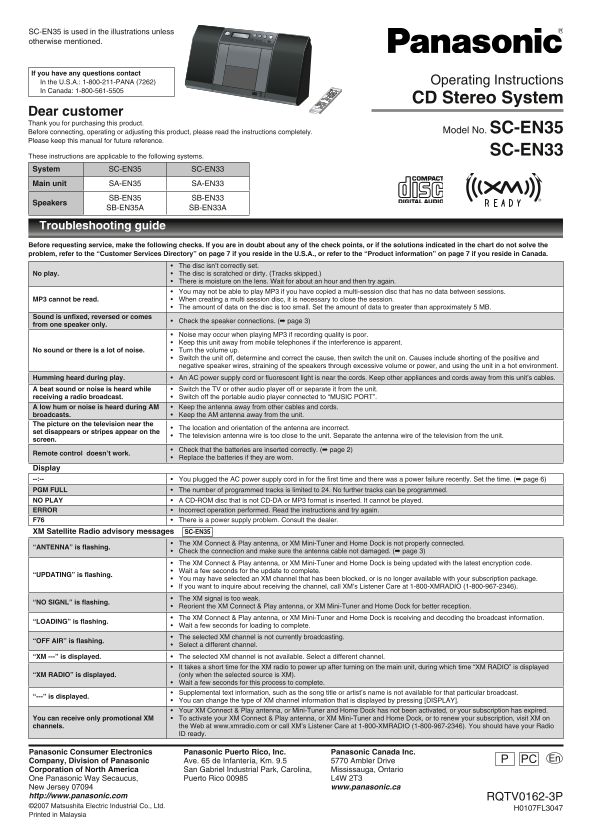
SC-EN35 is used in the illustrations unless otherwise mentioned.
If you have any questions contact In the U.S.A.: 1-800-211-PANA (7262) Operating Instructions In Canada: 1-800-561-5505
CD Stereo System
Dear customer Thank you for purchasing this product.
Before connecting, operating or adjusting this product, please read the instructions completely. Model No. SC-EN35
Please keep this manual for future reference.
SC-EN33
These instructions are applicable to the following systems. System SC-EN35 SC-EN33 Main unit SA-EN35 SA-EN33
SB-EN35 SB-EN33
Speakers
SB-EN35A SB-EN33A
Troubleshooting guide Before requesting service, make the following checks. If you are in doubt about any of the check points, or if the solutions indicated in the chart do not solve the problem, refer to the “Customer Services Directory” on page 7 if you reside in the U.S.A., or refer to the “Product information” on page 7 if you reside in Canada.
The disc isn’t correctly set.
No play. The disc is scratched or dirty. (Tracks skipped.)
There is moisture on the lens. Wait for about an hour and then try again. You may not be able to play MP3 if you have copied a multi-session disc that has no data between sessions.
MP3 cannot be read. When creating a multi session disc, it is necessary to close the session.
The amount of data on the disc is too small. Set the amount of data to greater than approximately 5 MB.
Sound is unfixed, reversed or comes
Check the speaker connections. (➡ page 3)•
from one speaker only.
Noise may occur when playing MP3 if recording quality is poor. Keep this unit away from mobile telephones if the interference is apparent.
No sound or there is a lot of noise. Turn the volume up.
Switch the unit off, determine and correct the cause, then switch the unit on. Causes include shorting of the positive and negative speaker wires, straining of the speakers through excessive volume or power, and using the unit in a hot environment.
Humming heard during play. An AC power supply cord or fluorescent light is near the cords. Keep other appliances and cords away from this unit’s cables.• A beat sound or noise is heard while Switch the TV or other audio player off or separate it from the unit. receiving a radio broadcast. Switch off the portable audio player connected to “MUSIC PORT”. A low hum or noise is heard during AM Keep the antenna away from other cables and cords. broadcasts. Keep the AM antenna away from the unit. The picture on the television near the
The location and orientation of the antenna are incorrect.
set disappears or stripes appear on the
The television antenna wire is too close to the unit. Separate the antenna wire of the television from the unit.
screen.
Check that the batteries are inserted correctly. (➡ page 2)
Remote control doesn’t work.
Replace the batteries if they are worn.
Display
You plugged the AC power supply cord in for the first time and there was a power failure recently. Set the time. (➡ page 6)•
PGM FULL The number of programmed tracks is limited to 24. No further tracks can be programmed.• NO PLAY A CD-ROM disc that is not CD-DA or MP3 format is inserted. It cannot be played.• ERROR Incorrect operation performed. Read the instructions and try again.• F76 There is a power supply problem. Consult the dealer.• XM Satellite Radio advisory messages SC-EN35
The XM Connect & Play antenna, or XM Mini-Tuner and Home Dock is not properly connected.
“ANTENNA” is flashing.
Check the connection and make sure the antenna cable not damaged. (➡ page 3) The XM Connect & Play antenna, or XM Mini-Tuner and Home Dock is being updated with the latest encryption code. Wait a few seconds for the update to complete.
“UPDATING” is flashing.
You may have selected an XM channel that has been blocked, or is no longer available with your subscription package. If you want to inquire about receiving the channel, call XM’s Listener Care at 1-800-XMRADIO (1-800-967-2346). The XM signal is too weak.
“NO SIGNL” is flashing.
Reorient the XM Connect & Play antenna, or XM Mini-Tuner and Home Dock for better reception. The XM Connect & Play antenna, or XM Mini-Tuner and Home Dock is receiving and decoding the broadcast information.
“LOADING” is flashing.
Wait a few seconds for loading to complete. The selected XM channel is not currently broadcasting.
“OFF AIR” is flashing.
Select a different channel.
“XM ---” is displayed. The selected XM channel is not available. Select a different channel.•
It takes a short time for the XM radio to power up after turning on the main unit, during which time “XM RADIO” is displayed
“XM RADIO” is displayed. (only when the selected source is XM).
Wait a few seconds for this process to complete. Supplemental text information, such as the song title or artist’s name is not available for that particular broadcast.
“---” is displayed.
You can change the type of XM channel information that is displayed by pressing [DISPLAY]. Your XM Connect & Play antenna, or Mini-Tuner and Home Dock has not been activated, or your subscription has expired.
You can receive only promotional XM To activate your XM Connect & Play antenna, or XM Mini-Tuner and Home Dock, or to renew your subscription, visit XM on channels. the Web at www.xmradio.com or call XM’s Listener Care at 1-800-XMRADIO (1-800-967-2346). You should have your Radio
ID ready.
Panasonic Consumer Electronics Panasonic Puerto Rico, Inc. Panasonic Canada Inc.
Company, Division of Panasonic Ave. 65 de Infantería, Km. 9.5 5770 Ambler Drive PC En P
Corporation of North America San Gabriel Industrial Park, Carolina, Mississauga, Ontario One Panasonic Way Secaucus, Puerto Rico 00985 L4W 2T3 New Jersey 07094 www.panasonic.ca http://www.panasonic.com RQTV0162-3P ©2007 Matsushita Electric Industrial Co., Ltd.
H0107FL3047
Printed in Malaysia
SC-EN35_3P.indd 1 22/03/2007 17:23:14
Page Summary Contents For Panasonic SC-EN35 User Guide
Manual Details
| Brand | Panasonic |
|---|---|
| Pages | 8 |
| File Size | 3.84 MB |
| Published | June 21, 2026 |
Enter the captcha to get the download link:

Frequently Asked Questions
Why is I getting humming or crackling noise when playing discs?
Keep other appliances and cords away from the unit’s cables, and keep the AM antenna away from the unit.
What should I do if my remote control stops working?
Check that batteries are inserted correctly; otherwise, replace them if they are worn.
How is the device recommended for safe listening levels?
Start at a low volume and slowly increase until it is comfortable and clear without distortion. Set this level permanently.
What limitations apply to multi-session MP3 discs?
When creating multiple sessions, you must close the session, and the amount of data should be greater than approximately 5 MB.