# A B C D E F G H I J K L M N O P Q R S T U V W X Y Z

Panasonic SA-XR70 User Guide

Summary

This operating manual covers the Panasonic SA-XR70 AV Control Receiver. The manual details home theater connections including DVD players, TVs, speakers, HDMI configurations, and antenna setups. It covers sound modes, radio operations, audio settings, and recording functions. Includes on-screen display customization and multi-control features. Designed for home theater enthusiasts and consumers seeking integrated audio control for entertainment systems.
📄 Preview 📖 Table of Contents Contents PAGE OF 28

Page 1 Text Content

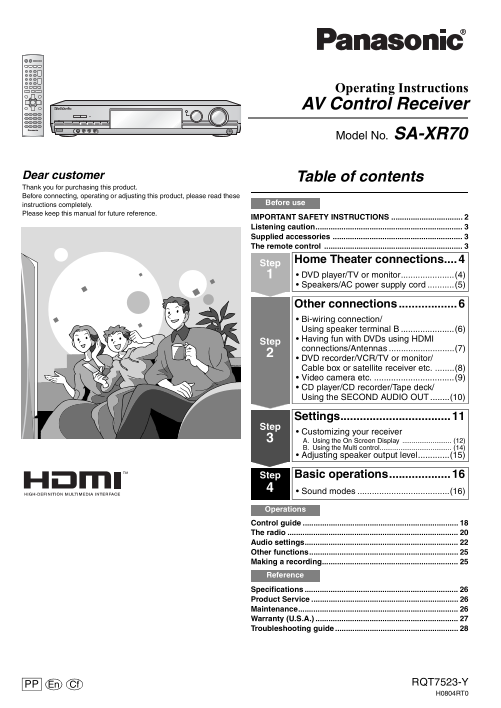
Operating Instructions AV Control Receiver Model No. SA-XR70

Dear customer Table of contents Thank you for purchasing this product. Before connecting, operating or adjusting this product, please read these

instructions completely. Before use

Please keep this manual for future reference.

IMPORTANT SAFETY INSTRUCTIONS Listening caution.................................................................... Supplied accessories ............................................................ The remote control ................................................................

Home Theater connections....4 Step DVD player/TV or monitor......................(4) Speakers/AC power supply cord ...........(5)

Other connections..................6 Bi-wiring connection/ Using speaker terminal B ......................(6) Having fun with DVDs using HDMI

connections/Antennas ...........................(7) DVD recorder/VCR/TV or monitor/ Cable box or satellite receiver etc. ........(8) Video camera etc. .................................(9) CD player/CD recorder/Tape deck/ Using the SECOND AUDIO OUT ........(10)

Settings..................................11 Step Customizing your receiver A. Using the On Screen Display .......................... (12) B. Using the Multi control...................................... (14) Adjusting speaker output level.............(15)

Step Basic operations...................16 Sound modes ......................................(16) Operations

Control guide The radio Audio settings....................................................................... Other functions..................................................................... Making a recording............................................................... Reference

Specifications Product Service Maintenance.......................................................................... Warranty (U.S.A.) Troubleshooting guide

PP En Cf RQT7523-Y H0804RT0

Page Summary Contents For Panasonic SA-XR70 User Guide

Page 1 Operating Instructions AV Control Receiver Model No. SA-XR70 Dear customer Table of contents Thank you for purchasing this product. Before connecting, operating or adjusting this product, please read ...
Page 2 ef re se IMPORTANT SAFETY INSTRUCTIONS Read these operating instructions carefully before using the unit. Follow the safety instructions on the unit and the applicable safety instructions listed below...
Page 3 Listening caution Supplied accessories Please check and identify the supplied accessories. EST. 1924 1 AC power supply cord 1 FM indoor antenna Selecting fine audio equipment such as the unit you’ve j...
Page 4 DVD player/ Step 1 Home Theater connections TV or monitor Before connecting Placement of speakers Coaxial cable 1Stereo connection cable White (L) Red (R) Video connection cable Speaker cable Turn off...
Page 5 Speakers/ Peripheral equipment and cables sold separately unless otherwise indicated. AC power supply cord To connect equipment, refer to the appropriate operating instructions. Connecting speakers Fr...
Page 6 Step 2 Other connections Speaker cable HDMI cable Turn off all components before making any connections. Cable Speaker terminals Note Twist Do not short-circuit. Bi-wiring connection the wire. You can...
Page 7 Peripheral equipment and cables sold separately unless otherwise indicated. LOOP To connect equipment, refer to the appropriate operating instructions. Path of HDMI signal DVD player Having fun with D...
Page 8 Step 2 Other connections Stereo connection cable Video connection cable Optical fiber cable White (L) Red (R) S-video connection cable Coaxial cable Turn off all components before making any connectio...
Page 9 Peripheral equipment and cables sold separately unless otherwise indicated. To connect equipment, refer to the appropriate operating instructions. Enjoy even higher picture quality S VIDEO COMPONENT V...
Page 10 Step 2 Other connections Peripheral equipment and cables sold separately unless otherwise indicated. Turn off all components before making any connections. To connect equipment, refer to the appropria...
Page 11 Step 3 Settings Change the settings to tailor your equipment to the environment in which you are using it. Before making any changes, read the following descriptions of the settings and refer to the i...
Page 12 Settings Step 3 Speakers A. Using the On Screen Display (Customizing your receiver) L: Front left Make sure the television’s VIDEO IN terminal and this unit’s VIDEO TV MONITOR OUT terminal are C: Cent...
Page 13 1. Select the speakers. SPEAKERS ENTER 6 [L-C-R-LS-RS-SB]: All speakers connected 5 [L---R-LS-RS-SB No center speaker 5 [L-C-R-LS-RS ]: No surround back speaker ENTER L-C-R-LS-RS-SB[ L- -R-LS-RS-SB 4 ...
Page 14 Step 3 Settings B. Using the Multi control (Customizing your receiver) SPEAKERS For details on the Multi control menus and factory settings, refer to page 28. SUBW: Subwoofer Note the factory settings...
Page 15 Adjusting speaker output level 1. Select. 2. Change the setting. INPUT SELECTOR INPUT SELECTOR C (center), RS (right surround), SB (surround back) and LS (left surround) can be adjusted SUBW YES LCR S...
Page 16 Step 4 Basic operations SPEAKERS 6.1CH DECODINGPOWER 8 BI-WIRE INPUT SELECTOR VOLUME MULTI CONTROL INPUT SELECTOR VOLUME SPEAKERS BI-AMP PUSH ENTER BI-WIRE POWER 8 6.1CH DECODING DOWN UP VCR 2 PHONES ...
Page 17 DIRECT PLAY NAVIGATOR LIST ENTER DISPLAY RETURN TV VOL – TV VOL + HQ SOUND DVD RECORDER HELP MODE TV/VIDEO DVD/HDD -TEST SUBWOOFER -SETUP +– LEVEL EFFECT CENTER MULTI FOCUS REAR LEVEL EFFECT STEREO/ D...
Page 18 er at io Control guide Main unit Standby indicator [^] [SPEAKERS, A, B, [% DIGITAL, % EX/PL Ⅱx, % PL Ⅱ [MULTI CONTROL] When the unit is connected to the BI-WIRE] DTS 96/24, DTS-ES, DTS, DTS NEO:6] Pre...
Page 19 Remote control Buttons not explained on this page are used only to operate other equipment. Refer to the separate booklet, “Remote Control Operation Guide”, for remote control operation details. RECEI...
Page 20 er at io The radio Manual tuning RECEIVER AV SYSTEM DVD TV MULTI CONTROL INPUT SELECTOR -ANALOG 6CH CD TAPE DVD RECORDER VCR -MONITOR TUNE 2 TUNE 1 PUSH ENTER VOLUME ENTERDIRECT TUNING DIRECT TUNING M...
Page 21 Preset tuning RECEIVER AV SYSTEM INPUT SELECTOR DVD TV MULTI CONTROL -ANALOG 6CH CD TAPE DVD RECORDER VCR -MONITOR TUNE 2 TUNE 1 PUSH ENTER CH CH VOLUME ENTERDIRECT TUNING ENTER MULTI CONTROL INPUT SE...
Page 22 er at io Audio settings SPEAKERS BI-AMP BASS MULTI-SOURCE TUNE 16.1CH DECODING SYNTHESIZER RE-MASTER BI-WIRE MULTI CONTROL INPUT SELECTOR VOLUME SPEAKERS BI-AMP PUSH ENTER BI-WIRE POWER 8 6.1CH DECODI...
Page 23 NAVIGATOR LIST ENTER DISPLAY RETURN SUBWOOFER TV VOL – TV VOL + HQ SOUND HQ SOUND DVD RECORDER MODE HELP MODE TV/VIDEO DVD/HDD -TEST CENTER MULTI SUBWOOFER -SETUP +– FOCUS REAR qw CENTER MULTI FOCUS R...
Page 24 er at io Audio settings MULTI CONTROL INPUT SELECTOR MULTI CONTROL INPUT SELECTOR VOLUME SPEAKERS BI-AMP PUSH ENTER BI-WIRE POWER 8 6.1CH DECODING DOWN UP PUSH ENTER VCR 2 PHONES S-VIDEO IN VIDEO IN A...
Page 25 Other functions MULTI CONTROL INPUT SELECTOR MULTI CONTROL INPUT SELECTOR VOLUME SPEAKERS BI-AMP PUSH ENTER BI-WIRE POWER 8 6.1CH DECODING DOWN UP VCR 2 PUSH ENTER PHONES S-VIDEO IN VIDEO IN AUDIO INL...
Page 26 ef er en ce Specifications (IHF’78) AMPLIFIER SECTION Total harmonic distortion Rated minimum sine wave RMS power output MONO 0.2 % 20 Hz-20 k Hz both channels driven STEREO 0.3 % 0.09 % total harmoni...
Page 27 Warranty (U.S.A.) ef er en ce
Page 28 ef er en ce Troubleshooting guide Before requesting service, make the following checks. If you are in doubt about some of the check points, or if the remedies indicated in the chart do not solve the p...

Manual Details

Brand Panasonic
Pages 28
File Size 2.32 MB
Published June 16, 2026
5 views

Enter the captcha to get the download link:

captcha

Frequently Asked Questions

What safety precautions should I take when setting up the receiver?

Do not install near heat sources, avoid water, and do not block ventilation openings.

How do I connect my DVD player to the receiver?

Use HDMI connections for DVDs as shown in the connection guide.

What should I do if there is no audio output from a DTS source?

Check the DVD player's digital output settings; there is no DTS output from PCM sources.

How do I reduce radio interference?

Adjust the antenna position, reduce treble, and turn off nearby electronic devices.