# A B C D E F G H I J K L M N O P Q R S T U V W X Y Z

Panasonic SA-HE75 User Guide

Summary

This operating manual covers the setup, safety precautions, and operation of the Panasonic SA-HE75 Audio Control Receiver. Designed for home entertainment systems, it provides detailed instructions for connecting audio and video equipment, tuning the radio, and utilizing sound modes. The guide serves users who want to maximize the performance of their TV, VCR, and DVD components through a centralized control receiver.
📄 Preview 📖 Table of Contents Contents PAGE OF 20

Page 1 Text Content

TV VCR DVD

AUDIO TUNER/BAND TAPE CD AV Control Receiver DIRECT TUNING/ DISC ENTER VOLUME

DIGITAL INPUT

>=10/ENTER54 INPUT SELECTOR

POWER SFC MODE

TOP MENU MENU

DIRECT NAVIGATOR ENTER PLAY LIST

DISPLAY SUBWOOFER SPEAKERS

DOWN UP

EFFECT LEVEL +– -HE LP Operating Instructions

DISC/ –RESET -BAND SOUND MODE DSP PRO LOGIC2 DOLBY DVD 6CH INPUT TAPE MONITOR+– SUB WOOFERBASS/TREBLE

DECK 1/2 SOUND MODE SFC TEST –FM MODE 2 TUNING 1 MEMORYPRESET

TV/VIDEO CH MUTING BALANCE

VOLUME +–

PHONES VCR 2

VIDEO IN L AUDIO IN R

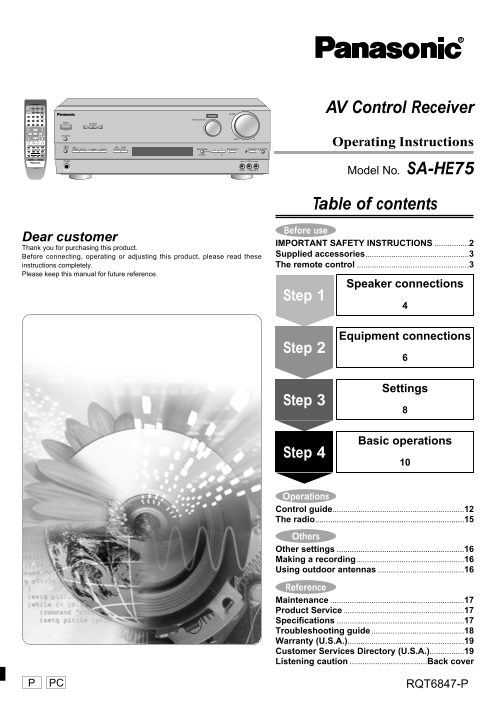
Model No. SA-HE75

Table of contents Before use

Dear customer

IMPORTANT SAFETY INSTRUCTIONS ................2

Thank you for purchasing this product.

Supplied accessories................................................3

Before connecting, operating or adjusting this product, please read these

instructions completely. The remote control ....................................................3

Please keep this manual for future reference.

Speaker connections

Step 1

Equipment connections

Step 2

Settings

Step 3

Basic operations

Step 4

Operations Control guide.............................................................12 The radio.....................................................................15 Others Other settings ...........................................................16 Making a recording..................................................16

Using outdoor antennas ........................................16

Reference Maintenance ..............................................................17

Product Service ........................................................17 Specifications ...........................................................17 Troubleshooting guide ...........................................18

Warranty (U.S.A.)......................................................19 Customer Services Directory (U.S.A.)................19

Listening caution ....................................Back cover

PC RQT6847-P

Page Summary Contents For Panasonic SA-HE75 User Guide

Page 1 TV VCR DVD AUDIO TUNER/BAND TAPE CD AV Control Receiver DIRECT TUNING/ DISC ENTER VOLUME DIGITAL INPUT >=10/ENTER54 INPUT SELECTOR POWER SFC MODE TOP MENU MENU DIRECT NAVIGATOR ENTER PLAY LIST DISP...
Page 2 ef re se IMPORTANT SAFETY INSTRUCTIONS Read these operating instructions carefully before using the unit. Follow the safety instructions on the unit and the safety precautions listed below. Keep these...
Page 3 WARNING: CAUTION TO REDUCE THE RISK OF FIRE, ELECTRIC RISK OF ELECTRIC SHOCK SHOCK OR PRODUCT DAMAGE, DO NOT DO NOT OPEN EXPOSE THIS APPARATUS TO RAIN, MOISTURE, DRIPPING OR SPLASHING AND CAUTION:TO R...
Page 4 Step 1 2 3 4 Speaker connections Placement of speakers The front, center, and surround speakers should be placed at approximately the same distance from the seating area. The angles in the diagram are...
Page 5 Peripheral equipment and cables sold separately unless otherwise indicated. Speaker cable Front speakers (A left B right) Place on the left and right of the TV at seated ear height so that there is Ca...
Page 6 Step 3 4 Equipment connections Stereo connection cable Video connection cable White (L) Red (R) To connect equipment, refer to the appropriate operating Changing the digital input settings instruction...
Page 7 Peripheral equipment and cables sold separately unless otherwise indicated. Optical fiber cable Coaxial cable CD, Tape deck and antennas Antennas Tape deck FM indoor antenna (included) Fix the other e...
Page 8 Step 1 2 Settings POWER SIZE DISTANCE INPUT SELECTOR SFC MODE DIGITAL INPUT VOLU INPUT SELECTOR POWER SFC MODE SPEAKERS Set the size to suit your -HE –RESET LP -BAND DSP DOLBY –FM MODE 2 TUNING 1 MEMO...
Page 9 Change the settings to suit your speakers and units to the environment in which you are using them. Before making any changes,read the descriptions of the settings, note the factory settings and range...
Page 10 Step 1 2 3 Basic operations STEREO mode Switch on.POWER SOUND MODE SPEAKERS STEREO Use this mode to play digital or analog stereo sources or to play SPEAKERS on.SPEAKERS surround sources through two s...
Page 11 DIRECT TUNING/ DISC ENTER VOLUME >=10/ENTER54 SFC MODE INPUT SELECTOR TOP MENU MENU DIRECT NAVIGATOR ENTER PLAY LIST DOWN UP DISPLAY SUBWOOFER EFFECT POWER VOLUME EFFECT LEVEL +– DIGITAL INPUT INPU...
Page 12 er at io Control guide [MEMORY] For presetting radio stations. [SFC MODE, <, >] For selecting the SFC modes. [-BAND, –FM MODE] For switching between AM and FM. If reception is poor in FM, press ...
Page 13 [DIGITAL INPUT] For switching between analog and digital input when you have selected CD, DVD or TV. The button lights when digital is selected. [INPUT SELECTOR] For selecting input. [VOLUME] Volume c...
Page 14 er at io Control guide Buttons not explained on this page are used only to operate other equipment. Refer to the separate Remote Control Operation Guide for details. TV VCR DVD [TV, VCR, DVD, TUNER/BA...
Page 15 The radio TUNER/BAND TAPE CDAUDIO TUNER/BAND DIRECT TUNING/ DISC ENTER DIRECT TUNING/ DISC ENTER INPUT SELECTOR >=10/ENTER54 10/ENTER DIGITAL INPUT VOLUME INPUT SELECTOR TOP MENU MENU POWER SFC MOD...
Page 16 th er Other settings Making a recording INPUT SELECTORSFC MODE INPUT SELECTOR VOLUME DIGITAL INPUT VOLUME DIGITAL INPUT INPUT SELECTOR INPUT SELECTOR POWER SFC MODE POWER SFC MODE SPEAKERS SPEAKERS DO...
Page 17 Maintenance Specifications (IHF’78) ■AMPLIFIER SECTION If the surfaces are dirty Rated minimum sine wave RMS power output 40 Hz–20 k Hz both channels driven To clean this unit, wipe with a soft, dry c...
Page 18 ef er en ce Troubleshooting guide Before requesting service, make the below checks. If you are in doubt about some of the check points, or if the remedies indicated in the chart do not solve the probl...
Page 19 Warranty (U.S.A.) Panasonic Consumer Electronics Company, Panasonic Sales Company, Division of Matsushita Electric Division of Matsushita Electric Corporation of America of Puerto Rico, Inc. One Panas...
Page 20 Listening caution THE FOLLOWING APPLIES ONLY IN THE U.S.A. CAUTION: EST. 1924 This equipment has been tested and found to comply with the limits for a Class B digital device, pursuant to Part 15 of th...

Manual Details

Brand Panasonic
Pages 20
File Size 770.99 KB
Published June 16, 2026
6 views

Enter the captcha to get the download link:

captcha

Frequently Asked Questions

How should I connect and ground an outdoor FM antenna?

Follow NEC Section 810. Ground the antenna mast, lead-in wire to an antenna discharge unit, and grounding conductors.

What are the safety placement guidelines to prevent overheating?

Do not place in a confined bookcase. Allow at least 10 cm (4 inches) clearance from the rear and ensure vents are unobstructed.

What should I do if the polarized power plug doesn't fit my outlet?

Do not defeat it. Try reversing the plug. If it still doesn't fit, contact an electrician to replace the obsolete outlet.

How do I clean the unit safely?

Unplug the unit from the household AC outlet before cleaning.