# A B C D E F G H I J K L M N O P Q R S T U V W X Y Z

Panasonic SA-XR45 XR25 User's Manual

Summary

Experience full home theater immersion with this versatile AV Control Receiver. Designed to unify your entertainment sources—connecting DVDs, TVs, stereo systems, and more—it features advanced audio processing like Dolby Surround and DTS NEO:6. The comprehensive manual provides step-by-step setup guides, detailed operating instructions for all functions (including volume, inputs, and tuning), critical troubleshooting advice, and essential safety warnings, ensuring seamless installation for any home theater enthusiast.
📄 Preview 📖 Table of Contents Contents PAGE OF 24

Page 1 Text Content

RECEIVER

AV SYSTEMRECEIVER DVD TV

TAPE 2CH / 6CH CD VCRTUNER/BAND

RECEIVER

VOLUME

DIRECT TUNING DISC ENTER

SKIP SLOW / SEARCH AV Control Receiver – TV VOL + TOP MENU MENU NAVIGATOR DIRECT PLAY LIST

ENTER

DISPLAY RETURN POWER 8 % PL2^ DTS 96/24 DTSDTS-ES NEO:6 FM MODE MEMORY PRESET TUNE 2 TUNE 1% DIGITAL% DIGITAL EX VOLUME Operating Instructions

DIMMER SUBWOOFER MUTINGTV/VIDEO INPUT SELECTOR MULTI-SOURCE ENHANCED

DIGITAL RE-MASTER SURROUND BAND

–SETUPINPUT MODE -TEST –/L +/R

SLEEP TONE/ BALANCE LEVEL EFFECT UP PHONESDOWN

STEREO/ 2CH MIX PRO LOGIC DOLBY NEO:6 SFC

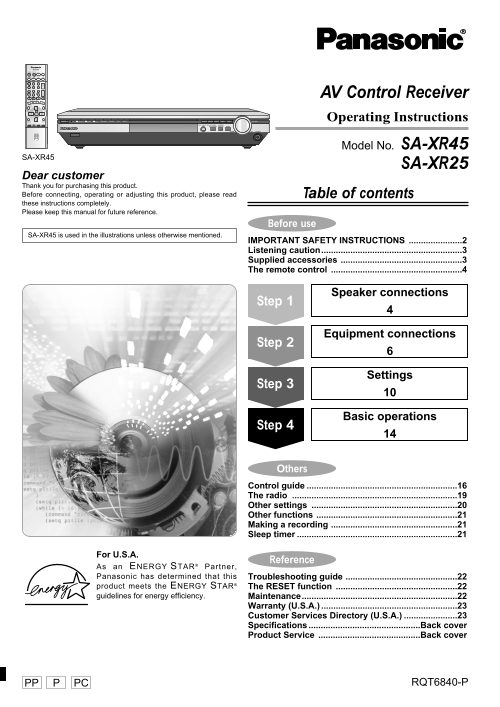
Model No. SA-XR45

SA-XR45

SA-XR25

Dear customer Thank you for purchasing this product. Before connecting, operating or adjusting this product, please read Table of contents these instructions completely. Please keep this manual for future reference.

Before use

SA-XR45 is used in the illustrations unless otherwise mentioned.

IMPORTANT SAFETY INSTRUCTIONS ......................2 Listening caution..........................................................3 Supplied accessories ..................................................3 The remote control ......................................................4

Speaker connections

Step 1

Equipment connections

Step 2

Settings

Step 3

Basic operations

Step 4

Others Control guide ..............................................................16 The radio ....................................................................19 Other settings ............................................................20 Other functions ..........................................................21 Making a recording ....................................................21 Sleep timer ..................................................................21

For U.S.A.

Reference

As an ENERGY STAR® Partner, Panasonic has determined that this Troubleshooting guide ..............................................22 product meets the ENERGY STAR® The RESET function ..................................................22 guidelines for energy efficiency. Maintenance................................................................22

Warranty (U.S.A.) ........................................................23 Customer Services Directory (U.S.A.) ......................23 Specifications ..............................................Back cover Product Service ..........................................Back cover

PP PC RQT6840-P

Page Summary Contents For Panasonic SA-XR45 XR25 User's Manual

Page 1 RECEIVER AV SYSTEMRECEIVER DVD TV TAPE 2CH / 6CH CD VCRTUNER/BAND RECEIVER VOLUME DIRECT TUNING DISC ENTER SKIP SLOW / SEARCH AV Control Receiver – TV VOL + TOP MENU MENU NAVIGATOR DIRECT PLAY LIST EN...
Page 2 ef re se IMPORTANT SAFETY INSTRUCTIONS Read these operating instructions carefully before using the unit. Follow the safety instructions on the unit and the applicable safety instructions listed below...
Page 3 Listening caution Supplied accessories Please check and identify the supplied accessories. EST. 1924 AC power supply cord (RJA0065-A) Selecting fine audio equipment such as the unit you’ve just purcha...
Page 4 ef re se The remote control Step 2 3 4 Batteries Placement of speakers The front, center, and (R6, AA, UM-3) surround speakers should be placed at approximately the same distance from the seating 30° ...
Page 5 Speaker connections Peripheral equipment and cables sold separately unless otherwise indicated. Connecting speakers Turn off the receiver before connecting the speakers. Other connections are possible...
Page 6 Equipment connections Step 1 3 4 Stereo connection cable Optical fiber cable White (L) Red (R) Video connection cable Coaxial cable Turn off all components before making any connections. To connect eq...
Page 7 Peripheral equipment and cables sold separately unless otherwise indicated. Other audio visual equipment SA-XR45 SA-XR25 DVD recorder/VCR VCR DIGITAL AUDIO OUT DIGITAL OUT (TV) IN (DVD) IN (DVR) IN IN...
Page 8 Equipment connections Antennas FM indoor antenna (included) FM outdoor antenna Fix the other end of the antenna Disconnect the FM indoor antenna. where reception is best. The antenna should be install...
Page 9 Other video connections COMPONENT VIDEO Video connection cable This connection provides high quality pictures by separating the color (PB and PR) and the luminance (Y) signals. S VIDEO S-video connect...
Page 10 Settings Step 1 2 SA-XR45 also has an On Screen Display Mode for settings 1 to 4 pages 12 and 13). POWER 8 TUNE 2 TUNE 1 SPEAKERS DISTANCE POWER 8 % PL2^ DTS 96/24 DTSDTS-ES NEO:6 FM MODE MEMORY PRESE...
Page 11 Change the settings to suit your equipment to the environment in which you are using it. Before making any changes, read the descriptions of the settings, note the factory settings and ranges, and ref...
Page 12 Settings On Screen Display mode SA-XR45 ¡Use the on screen display to change the settings to suit your equipment to the environment in which you are Speaker Size using it. Turn on the television and s...
Page 13 Filter Frequency Digital Input 3Speaker Distance Enter the distance of the front, Change the cut-off for bass Change these settings to suit the center and surround speakers output from the front conne...
Page 14 Basic operations Step 1 2 3 NAVIGATOR LIST INPUT SELECTOR ENHANCED ENTER SURROUND POWER 8 DISPLAY RETURN DIMMER SUBWOOFER MUTINGTV/VIDEO POWER 8 % PL2^ DTS 96/24 DTSDTS-ES NEO:6 FM MODE MEMORY PRESET ...
Page 15 You can adjust the effect of MUSIC and PANORAMA with the center width MOVIE and dimension controls. Use this mode when playing movie software, especially videotapes, recorded in Dolby Surround. Center...
Page 16 th er Control guide Main unit DIGITAL EX, % DIGITAL, % PL2, DTS 96/24, DTS-ES, DTS, NEO:6] ( SA-XR45 DIGITAL EX, % DIGITAL, % PL2, DTS-ES, DTS, NEO:6] ( SA-XR25 Light to indicate the source’s input si...
Page 17 [FM MODE] If reception is poor in FM, press so “MONO” appears to switch to monaural mode. [MEMORY] For presetting radio stations. [PRESET] Press to allow preset station selection with [TUNE, 2, 1]. [T...
Page 18 th er Control guide Remote control Buttons not explained on this page are used only to operate other equipment. Refer to the separate Remote Control Operation Guide for details. [DVD 2CH/6CH, TV, TUNE...
Page 19 The radio RECEIVER MEMORY PRESET TUNE 2 TUNE 1 SA-XR25SA-XR45FM MODE AV SYSTEMRECEIVER DVD TV TUNER/BAND TUNER/BAND 2CH / 6CH TAPE CD VCRTUNER/BAND RECEIVER RECEIVER CH CH POWER 8 % PL2^ DTS 96/24 DTS...
Page 20 th er Other settings – TV VOL + TUNE 2 TUNE 1 TOP MENU MENU DIRECT PLAY NAVIGATOR LIST ENTER ENTER POWER 8 % PL2^ DTS 96/24 DTSDTS-ES NEO:6 FM MODE MEMORY PRESET TUNE 2 TUNE 1% DIGITAL% DIGITAL EX VOL...
Page 21 Other functions Making a recording INPUT SELECTOR DISPLAY RETURN DIMMER SUBWOOFER MUTINGTV/VIDEO INPUT MODE FM MODE MEMORY PRESET TUNE 2 TUNE 1 VOLUME INPUT MODE -TEST/–SETUP –/L +/R INPUT SELECTOR MU...
Page 22 ef er en ce Troubleshooting guide Before requesting service, make the below checks. If you are in doubt about some of the check points, or if the remedies indicated in the chart do not solve the probl...
Page 23 Warranty (U.S.A.) Panasonic Consumer Electronics Company, Panasonic Sales Company, Division of Matsushita Electric Division of Matsushita Electric Corporation of America of Puerto Rico, Inc. One Panas...
Page 24 Specifications (IHF’78) ■AMPLIFIER SECTION ■FM TUNER SECTION Rated minimum sine wave RMS power output Frequency range 87.9–107.9 MHz 20 Hz–20 k Hz both channels driven Sensitivity 11.2 d Bf (2 µV, IHF...

Manual Details

Brand Panasonic
Pages 24
File Size 934.80 KB
Published June 18, 2026
5 views

Enter the captcha to get the download link:

captcha

Frequently Asked Questions

What are the most critical initial steps before operating the device?

You must read these operating instructions completely and keep the manual for future reference.

When should I contact qualified service personnel?

Service is required if the unit has been damaged, exposed to rain or moisture, does not operate normally, or has been dropped.

How do I safely handle and protect the power cord and plugs?

Protect the power cord from being walked on or pinched, particularly at the areas of the plugs or where they exit the apparatus.

What type of cloth should be used to clean the unit?

The manual specifies cleaning the unit only with a dry cloth.