# A B C D E F G H I J K L M N O P Q R S T U V W X Y Z

Panasonic SA-XR10 User's Manual

Summary

Panasonic SA-XR10 AV receiver operating instructions for audio/video system setup including speaker wiring, source connections for DVD/VCR/TV, surround sound configuration, radio tuning, sound field modes, timer/recording functions, and troubleshooting with factory reset. For home theater enthusiasts setting up multi-channel entertainment systems.
📄 Preview 📖 Table of Contents Contents PAGE OF 24

Page 1 Text Content

RECEIVER DVD TV VCR

TUNER/ BAND DIGITAL SELECTOR INPUT

TOP MENU RECEIVER MENU

ENTER

DISPLAY RETURN AV Control Receiver SLOW /SEARCHSKIP PAUSESTOP PLAY SOUND MODE CHANNEL VOLUME MUTING

SUBWOOFERSFC

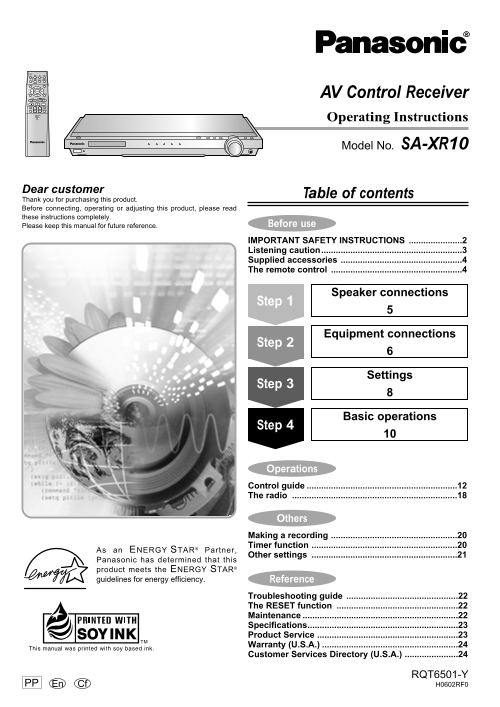
Operating Instructions

Model No. SA-XR10

Dear customer

Table of contents

Thank you for purchasing this product. Before connecting, operating or adjusting this product, please read these instructions completely.

Please keep this manual for future reference. Before use IMPORTANT SAFETY INSTRUCTIONS ......................2 Listening caution..........................................................3 Supplied accessories ..................................................4 The remote control ......................................................4

Speaker connections

Step 1

Equipment connections

Step 2

Settings

Step 3

Basic operations

Step 4

Operations Control guide ..............................................................12 The radio ....................................................................18

Others Making a recording ....................................................20 Timer function ............................................................20

As an ENERGY STAR® Partner,

Other settings ............................................................21

Panasonic has determined that this product meets the ENERGY STAR® guidelines for energy efficiency. Reference

Troubleshooting guide ..............................................22 The RESET function ..................................................22 Maintenance ................................................................22 Specifications..............................................................23 Product Service ..........................................................23 Warranty (U.S.A.) ........................................................24 Customer Services Directory (U.S.A.) ......................24

RQT6501-Y

PP Cf H0602RF0En

Page Summary Contents For Panasonic SA-XR10 User's Manual

Page 1 RECEIVER DVD TV VCR TUNER/ BAND DIGITAL SELECTOR INPUT TOP MENU RECEIVER MENU ENTER DISPLAY RETURN AV Control Receiver SLOW /SEARCHSKIP PAUSESTOP PLAY SOUND MODE CHANNEL VOLUME MUTING SUBWOOFERSFC Ope...
Page 2 ef re se IMPORTANT SAFETY INSTRUCTIONS Read these operating instructions carefully before using the unit. Follow the safety instructions on the unit and the applicable safety instructions listed below...
Page 3 Listening caution WARNING: TO REDUCE THE RISK OF FIRE, ELECTRIC EST. 1924 SHOCK OR PRODUCT DAMAGE, DO NOT EXPOSE THIS APPARATUS TO RAIN, MOISTURE, DRIPPING OR SPLASHING AND Selecting fine audio equipm...
Page 4 ef re se Supplied accessories The remote control Please check and identify the supplied Batteries accessories. AC power supply cord (REZ1499) (R6, AA, UM-3) FM indoor antenna (RSA0006-J) Insert so the...
Page 5 Speaker connections Step Peripheral equipment and cables sold separately unless otherwise indicated. Placement of speakers Front speakers (A left B right) Place on the left and right of the TV at seat...
Page 6 Equipment connections Step 1 3 4 Stereo connection cable Video connection cable White (L) Red (R) Optical fiber cable Coaxial cable To connect equipment, refer to the appropriate operating instruction...
Page 7 Peripheral equipment and cables sold separately unless otherwise indicated. Antennas FM indoor antenna (included) AM loop antenna FM outdoor antenna Fix the other end of the antenna (included) Disconn...
Page 8 Settings Step 1 2 Change the settings to suit your speakers and units to the environment in which you are using them. Before making any changes, read the Set the size to suit your speakers description...
Page 9 DISTANCE FILTER Adjusting speaker output level Enter the distance of the front, Change the cut-off for bass center and surround speakers output from the front speakers from the seating position Adjust...
Page 10 Basic operations Step 1 2 3 RECEIVER Switch on. Or press [POWER 8] on the main unit. RECEIVER DVD TV VCR TUNER/ INPUT BAND DIGITAL SELECTOR RECEIVER TOP MENU MENU TV VCRDVD Select input. ENTER Each ti...
Page 11 STEREO mode Use this mode to play digital or analog stereo sources or to play surround sources through two RL speakers. When surround sources are played in this mode, the sounds intended for the other...
Page 12 er at io Control guide Operating the receiver Reference pages are shown as black circled numbers !0. Remote control [RECEIVER ^]: RECEIVER Standby/on button !0 DVD TV VCR [SOUND MODE]: To select the s...
Page 13 VOLUME p · · · · · · · o DOWN UP SURROUND SFC SRSRCLLSLFE TUNED STEREO k Hz MONO MHz SLEEP Main unit Display section @00 Standby/on button [POWER 8] #33 [SURROUND, SFC]: Press to switch the unit from ...
Page 14 er at io Control guide This remote control is the key to your home theater experience. Actual operations depend on your equipment and software. Be sure to read the instructions for your other componen...
Page 15 [SUB TITLE]: !77 [RETURN]: To change subtitles To return through menus and clear them !00 [SETUP]: !88 [SLOW/SEARCH t, y]: To show set up menus To search through the disc !11 [REPEAT]: !99 [PLAY q]: T...
Page 16 er at io Control guide Operating a VCR RECEIVER To turn the VCR on/off DVD TV VCR TUNER/ INPUT BAND DIGITAL SELECTOR RECEIVER TOP MENU MENU [PAUSE h]: To pause play ENTER [STOP g]: To stop play DISPLA...
Page 17 This remote control can operate Panasonic and Technics audiovisual equipment that have remote control sensors. You may need to change the remote control code. It can also operate some other brands of ...
Page 18 er at io The radio RECEIVER DVD TV VCR TUNER/ BAND TUNER/ INPUT BAND DIGITAL SELECTOR RECEIVER RECEIVER TOP MENU MENU ENTER MEMORYINPUT SELECTOR TUNING1FM MODE DISPLAY RETURN SLOW /SEARCHSKIP PAUSESTO...
Page 19 RECEIVER DVD TV VCR TUNER/ INPUT BAND DIGITAL SELECTOR RECEIVER TOP MENU MENU ENTER TUNE MODE DISPLAY RETURN SLOW /SEARCHSKIP PAUSESTOP PLAY CHANNEL SOUND MODE CHANNEL VOLUME MUTING SUBWOOFERSFC DELAY...
Page 20 th er Making a recording Timer function INPUT SELECTOR DELAY DISC 0DIRECT TUNING/ 10/ENTER LEVEL L BALANCE R TIMER TV VOL TIMERTV/VIDEO SUB TITLESETUP AUDIO ANGLE A-B POSITION REPEAT REPEAT MARKER MEM...
Page 21 Other settings MEMORY TUNE MODE TUNING1 Changing the settings Setting descriptions DR COMP - Dynamic range compression 1. Press [MEMORY] and [TUNE MODE] at the same Change this setting to listen to so...
Page 22 ef er en ce Troubleshooting guide Before requesting service, make the below checks. If you are in doubt about some of the check points, or if the remedies indicated in the chart do not solve the probl...
Page 23 Specifications (IHF’78) ■AMPLIFIER SECTION ■FM TUNER SECTION Rated minimum sine wave RMS power output Frequency range 87.9–107.9 MHz 20 Hz–20 k Hz both channels driven Sensitivity 11.2 d Bf (2 µV, IHF...
Page 24 ef er en ce Warranty (U.S.A.) Panasonic Consumer Electronics Company, Panasonic Sales Company, Division of Matsushita Electric Division of Matsushita Electric Corporation of America of Puerto Rico, In...

Manual Details

Brand Panasonic
Pages 24
File Size 758.75 KB
Published June 16, 2026
5 views

Enter the captcha to get the download link:

captcha

Frequently Asked Questions

How do I clean the AV Control Receiver?

Clean the unit only with a dry cloth.

What should I do if the receiver is damaged?

Refer all servicing to qualified service personnel.

Where can I get product information for the SA-XR10?

Call 1-800-211-7262 or visit http://www.panasonic.com.

Can I use unapproved accessories with this receiver?

No, only use attachments and accessories specified by the manufacturer.