Panasonic PT-D9510U PT-D9610U User Manual
Summary
This demonstration board provides a complete development platform for utilizing the LPY410AL MEMS gyroscope. It features dual working modes—Analog (AWM) and Digital (DWM)—allowing users to easily interface with the sensor data. The board incorporates an ST7 microcontroller, which simplifies signal acquisition by acting as a bridge between the sensor and PC/external systems. This kit is ideal for engineers and hobbyists needing a ready-to-use solution for rapid prototyping and application testing in pitch and yaw measurement.
Page 1 Text Content
STEVAL-MKI103V1
MEMS demonstration board based on the LPY410AL (dual-axis
pitch and yaw ±100 dps analog gyroscope)
Data brief
Features Two different working modes: analog (AWM) digital (DWM) Ro HS compliant
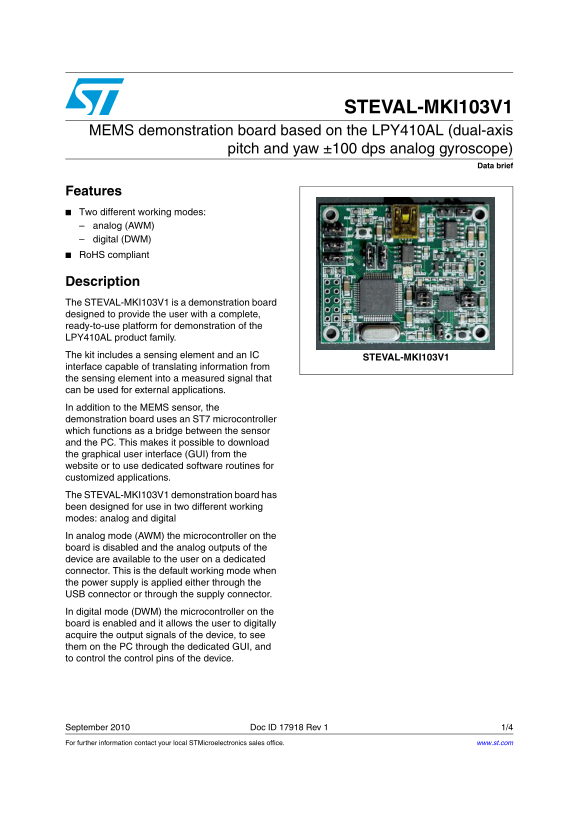
Description The STEVAL-MKI103V1 is a demonstration board designed to provide the user with a complete, ready-to-use platform for demonstration of the LPY410AL product family. The kit includes a sensing element and an IC
STEVAL-MKI103V1
interface capable of translating information from the sensing element into a measured signal that can be used for external applications. In addition to the MEMS sensor, the demonstration board uses an ST7 microcontroller which functions as a bridge between the sensor and the PC. This makes it possible to download the graphical user interface (GUI) from the website or to use dedicated software routines for customized applications. The STEVAL-MKI103V1 demonstration board has been designed for use in two different working modes: analog and digital In analog mode (AWM) the microcontroller on the board is disabled and the analog outputs of the device are available to the user on a dedicated connector. This is the default working mode when the power supply is applied either through the USB connector or through the supply connector. In digital mode (DWM) the microcontroller on the board is enabled and it allows the user to digitally acquire the output signals of the device, to see them on the PC through the dedicated GUI, and to control the control pins of the device.
September 2010 Doc ID 17918 Rev 1 1/4 For further information contact your local STMicroelectronics sales office. www.st.com
Page Summary Contents For Panasonic PT-D9510U PT-D9610U User Manual
Manual Details
| Brand | Panasonic |
|---|---|
| Pages | 4 |
| File Size | 122.13 KB |
| Published | June 05, 2026 |
Enter the captcha to get the download link:

Frequently Asked Questions
What is available sensor data?
The board uses the LPY410AL, which measures dual-axis pitch and yaw using an analog gyroscope.
How do I operate in Digital Working Mode (DWM)?
Enable the onboard microcontroller to digitally acquire output signals, view them on a PC GUI, and control device pins.
What is the default working mode?
Analog Working Mode (AWM), which is active when power is applied through the USB or supply connector.
How does data transfer to a PC occur?
An ST7 microcontroller functions as a bridge between the sensor and the PC, allowing dedicated GUI downloads or customized software routines.