# A B C D E F G H I J K L M N O P Q R S T U V W X Y Z

Panasonic MC-VC5037 User's Guide

Summary

This comprehensive guide provides essential operating instructions, safety warnings, and proper care guidelines for your Panasonic home vacuum cleaner. It is intended for household users who require safe and efficient cleaning. The manual details mandatory safety precautions to prevent electrical shock or accident. For reliable service, maintenance, or warranty repairs, always contact an authorized Panasonic Servicenter (PASC) or use the provided dedicated support numbers; never send the unit to general sales offices.
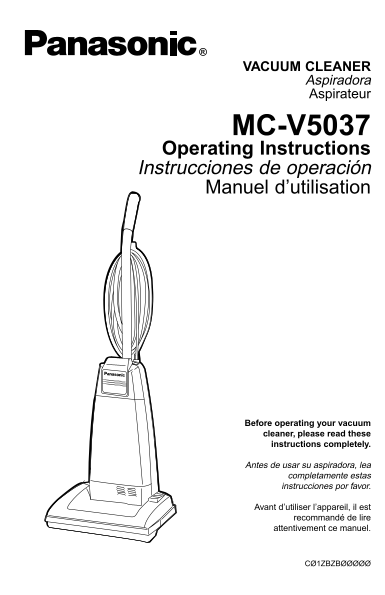
📄 Preview 📖 Table of Contents Contents PAGE OF 40

Page 1 Text Content

WHAT TO DO WHEN SERVICE IS NEEDED

If your Panasonic Vacuum Cleaner needs service, look in the yellow pages of the telephone book under HOME APPLIANCE SERVICE for your nearest Panasonic Services Company (“PASC”) Factory Servicenter, VACUUM CLEANER or PASC authorized Servicenter, or call, 1-800-211-PANA (7262) toll free to find a convenient servicenter. DO

NOT send the product to the Executive or Regional Sales offices.They are NOT equipped to make repairs. Aspiradora

If you ship the product

Aspirateur

Carefully pack and send it prepaid, adequately insured and preferably in the original carton. Attach a postage-paid letter to the outside of the carton, which contains a description of your complaint. DO NOT send the product to the Executive or Regional Sales Offices.They are NOT equipped to make repairs.

PANASONIC CONSUMER ELECTRONICS COMPANY MC-V5037 DIVISION OF MATSUSHITA ELECTRIC CORPORATION OF AMERICA

One Panasonic Way Secaucus, New Jersey 07094 Operating Instructions World Wide Web Address http://www.panasonic.com Instrucciones de operación

Manuel d’utilisation

Cuando necesita servicio

Si su aspiradora Panasonic necesita servicio, busque el Centro de Servicio Panasonic o un Centro de Servicio PASC autorizado más cercano bajo "Servicio de Eléctrodomésticos" en las páginas amarillas de la guía de teléfonos o llame gratis al 1-800-211-PANA (7262) para encontrar un centro de servicio conveniente. No mande el producto a las Executive o Regional Sales Offices. No están equipadas para arreglar estos productos.

Si manda el producto

Empaquete con cuidado en el cartón original si posible y mándelo prepagado y con seguro suficiente. Ponga una carta con sellos en la que describe su problema con el producto en el exterior del cartón. No mande el producto a las Executive o Regional Sales Offices. No están equipadas para arreglar estos productos.

PANAMEX COMPANY

DIVISION OF MATSUSHITA ELECTRIC CORPORATION OF AMERICA

One Panasonic Way Secaucus, New Jersey 07094 World Wide Web Address http://www.panasonic.com

What to do when service is needed Service après-vente

(Canada)

WARRANTY SERVICE For product operation and information assistance, please contact your Dealer or our Customer Care Centre at: Telephone #: (905) 624-5505 Fax #: (905) 238-2360 Web: www.panasonic.ca

For product repairs, please contact one of the following:

• Your Dealer who will inform you of an authorized Servicentre nearest you. Before operating your vacuum

• Our Customer Care Centre at (905) 624-5505 or www.panasonic.ca cleaner, please read these • A Panasonic Factory Servicentre listed on warranty page.

instructions completely.

RÉPARATION SOUS GARANTIE Pour de l'aide sur le fonctionnement de l'appareil ou pour toute demande d'information, veuillez contacter votre détaillant

Antes de usar su aspiradora, lea

ou notre service à la clientèle au :

N° de téléphone : (905) 624-5505 N° de télécopieur : (905) 238-2360 Site Internet : www.panasonic.ca completamente estas instrucciones por favor.

Pour la réparation des appareils, veuillez consulter : • votre détaillant, lequel pourra vous renseigner sur le centre de service agréé le plus près de votre domicile ;

• notre service à la clientèle au (905) 624-5505 ou www.panasonic.ca Avant d’utiliser l’appareil, il est

• un de nos centres de service de la liste ci-dessous. recommandé de lire

attentivement ce manuel.

ACØ1ZBZBZØØØ Printed in Mexico

CØ1ZBZBØØØØØ

CØ1ZBZBØØØØØ Impreso en Mexico

Page Summary Contents For Panasonic MC-VC5037 User's Guide

Page 1 WHAT TO DO WHEN SERVICE IS NEEDED If your Panasonic Vacuum Cleaner needs service, look in the yellow pages of the telephone book under HOME APPLIANCE SERVICE for your nearest Panasonic Services Compan...
Page 2 CONSUMER INFORMATION Please read IMPORTANT SAFETY INSTRUCTIONS on page 5 before use. Read and understand all instructions. TO OUR VALUED CUSTOMER We are very pleased to welcome you to the Panasonic fa...
Page 3 Garantie Información para el consumidor Panasonic Canada Inc. Por favor, lea “Instrucciones importantes de seguridad” en la página 6 antes 5770 Ambler Drive, Mississauga, Ontario L4W 2T3 de usar su as...
Page 4 Renseignements importants WARRANTY Panasonic Canada Inc. Il est recommandé de lire la section IMPORTANTES MESURES DE 5770 Ambler Drive, Mississauga, Ontario L4W 2T3 SÉCURITÉ à la page 7 avant d’utilis...
Page 5 IMPORTANT SAFETY INSTRUCTIONSGarantía When using vacuum cleaner, basic precautions should always be followed, including the following: Garantía de la aspiradora de Panasonic READ ALL INSTRUCTIONS BEFO...
Page 6 Instrucciones importantes de seguridad WARRANTY Cuando use su aspiradora, debe seguir las Panasonic Vacuum Cleaner instrucciones incluso las siguientes: Limited Warranty Lea todas las instrucciones an...
Page 7 Guide de dépannage Importantes mesures de sécurité Lors de l’utilisation de l’appareil, prendre certaines précautions, dont les suivantes. AVERTISSEMENT Lire attentivement ce manuel avant d’utiliser l...
Page 8 TABLE OF CONTENTS Antes de pedir servicio CONSUMER INFORMATION IMPORTANT SAFETY INSTRUCTIONS ....................................................................................5 Peligro de choque elé...
Page 9 BEFORE REQUESTING SERVICE Tabla de contenido Table des matières Información para consumidor . . . . . . . . . . 3 Renseignements importants ........................ Instrucciones importantes Important...
Page 10 Quitando los residuos de basura en PARTS IDENTIFICATION Dégagement des obstructions los conductos Identificación de piezas La manguera situada en la parte posterior Le tuyau situé à l’arrière de l’asp...
Page 11 Removing Clogs FEATURE CHART The hose located on the back of the vacuum cleaner carries the dirt from the Power Motor Protector Cord Length Tools nozzle up to the dust bag. If the hose should become c...
Page 12 ASSEMBLY Cambio del agitador Remplacement de l’agitateur Cuando las cerdas del cepillo del Remplacer l'agitateur lorsque les poils Attaching Handle agitador estén gastadas y no toquen de la brosse ne ...
Page 13 Replacing Agitator Montaje Assemblage When the bristles on the agitator are Colocación del mango Montage du manche worn so that they do not touch a card held across the lower plate, the Tarjeta agitat...
Page 14 FEATURES Cambio de la correa Remplacement de la courroie Quite la correa gastada o rota. Retirer la courroie brisée ou usée. Using Cord Hook 1) Si se caen los tapas del extremo, no Si les bouchons tom...
Page 15 Replacing Belt Características Caractéristiques Remove worn or broken belt. Uso del sujetador del cordón Crochet de rangement du cordon If end caps fall off, do not lose the two (2) washers. Install N...
Page 16 Edge Cleaning ADVERTENCIA AVERTISSEMENT Edge cleaning feature enables Peligro de choque eléctrico y lesión Risque de chocs électriques ou de lésions corpo- improved cleaning of carpets near personal. ...
Page 17 Limpieza para orillas Nettoyage latéral WARNING Electrical Shock or Personal Injury Hazard Disconnect the electrical supply before servicing or cleaning the unit. Use la característica de limpieza par...
Page 18 Handle Adjustments Cambio de la bolsa para polvo Remplacement du sac à poussière Extienda la nueva bolsa de polvo Déplier le nouveau sac à poussière en Step on handle release pedal to teniendo cuidado...
Page 19 Changing Dust Bag Ajustes del mango Réglage de l’inclinaison du manche Spread out new dust bag, taking care Avec le pied, appuyer sur la pédale de Pise en el pedal de liberación del not to tear bag. r...
Page 20 ROUTINE CARE OF CLEANER Cuidado de rutina de la aspiradora Entretien de l’aspirateur Performing the following tasks will keep your new Panasonic vacuum cleaner operating at Siguiendo las instrucciones...
Page 21 ROUTINE CARE OF CLEANER Cuidado de rutina de la aspiradora Entretien de l’aspirateur Performing the following tasks will keep your new Panasonic vacuum cleaner operating at Siguiendo las instrucciones...
Page 22 Changing Dust Bag Ajustes del mango Réglage de l’inclinaison du manche Spread out new dust bag, taking care Avec le pied, appuyer sur la pédale de Pise en el pedal de liberación del not to tear bag. r...
Page 23 Handle Adjustments Cambio de la bolsa para polvo Remplacement du sac à poussière Extienda la nueva bolsa de polvo Déplier le nouveau sac à poussière en Step on handle release pedal to teniendo cuidado...
Page 24 Limpieza para orillas Nettoyage latéral WARNING Electrical Shock or Personal Injury Hazard Disconnect the electrical supply before servicing or cleaning the unit. Use la característica de limpieza par...
Page 25 Edge Cleaning ADVERTENCIA AVERTISSEMENT Edge cleaning feature enables Peligro de choque eléctrico y lesión Risque de chocs électriques ou de lésions corpo- improved cleaning of carpets near personal. ...
Page 26 Replacing Belt Características Caractéristiques Remove worn or broken belt. Uso del sujetador del cordón Crochet de rangement du cordon If end caps fall off, do not lose the two (2) washers. Install N...
Page 27 FEATURES Cambio de la correa Remplacement de la courroie Quite la correa gastada o rota. Retirer la courroie brisée ou usée. Using Cord Hook 1) Si se caen los tapas del extremo, no Si les bouchons tom...
Page 28 Replacing Agitator Montaje Assemblage When the bristles on the agitator are Colocación del mango Montage du manche worn so that they do not touch a card held across the lower plate, the Tarjeta agitat...
Page 29 ASSEMBLY Cambio del agitador Remplacement de l’agitateur Cuando las cerdas del cepillo del Remplacer l'agitateur lorsque les poils Attaching Handle agitador estén gastadas y no toquen de la brosse ne ...
Page 30 Removing Clogs FEATURE CHART The hose located on the back of the vacuum cleaner carries the dirt from the Power Motor Protector Cord Length Tools nozzle up to the dust bag. If the hose should become c...
Page 31 Quitando los residuos de basura en PARTS IDENTIFICATION Dégagement des obstructions los conductos Identificación de piezas La manguera situada en la parte posterior Le tuyau situé à l’arrière de l’asp...
Page 32 BEFORE REQUESTING SERVICE Tabla de contenido Table des matières Información para consumidor . . . . . . . . . . 3 Renseignements importants ........................ Instrucciones importantes Important...
Page 33 TABLE OF CONTENTS Antes de pedir servicio CONSUMER INFORMATION IMPORTANT SAFETY INSTRUCTIONS ....................................................................................5 Peligro de choque elé...
Page 34 Guide de dépannage Importantes mesures de sécurité Lors de l’utilisation de l’appareil, prendre certaines précautions, dont les suivantes. AVERTISSEMENT Lire attentivement ce manuel avant d’utiliser l...
Page 35 Instrucciones importantes de seguridad WARRANTY Cuando use su aspiradora, debe seguir las Panasonic Vacuum Cleaner instrucciones incluso las siguientes: Limited Warranty Lea todas las instrucciones an...
Page 36 IMPORTANT SAFETY INSTRUCTIONSGarantía When using vacuum cleaner, basic precautions should always be followed, including the following: Garantía de la aspiradora de Panasonic READ ALL INSTRUCTIONS BEFO...
Page 37 Renseignements importants WARRANTY Panasonic Canada Inc. Il est recommandé de lire la section IMPORTANTES MESURES DE 5770 Ambler Drive, Mississauga, Ontario L4W 2T3 SÉCURITÉ à la page 7 avant d’utilis...
Page 38 Garantie Información para el consumidor Panasonic Canada Inc. Por favor, lea “Instrucciones importantes de seguridad” en la página 6 antes 5770 Ambler Drive, Mississauga, Ontario L4W 2T3 de usar su as...
Page 39 CONSUMER INFORMATION Please read IMPORTANT SAFETY INSTRUCTIONS on page 5 before use. Read and understand all instructions. TO OUR VALUED CUSTOMER We are very pleased to welcome you to the Panasonic fa...
Page 40 WHAT TO DO WHEN SERVICE IS NEEDED If your Panasonic Vacuum Cleaner needs service, look in the yellow pages of the telephone book under HOME APPLIANCE SERVICE for your nearest Panasonic Services Compan...

Manual Details

Brand Panasonic
Pages 40
File Size 425.83 KB
Published June 18, 2026
1 views

Enter the captcha to get the download link:

captcha

Frequently Asked Questions

Where should I take the vacuum cleaner for service?

Search yellow pages for a Panasonic Services Company (PASC), or call 1-800-211-PANA (7262).

Can I send the unit to local sales offices for repairs?

No, do not send the product to Executive or Regional Sales offices as they are not equipped for repairs.

What common items are excluded from the warranty coverage?

The warranty excludes labor and parts replacements for normal wear-and-tear items like dust bags, filters, belts, light bulbs, brush rolls, and batteries.