Page 1
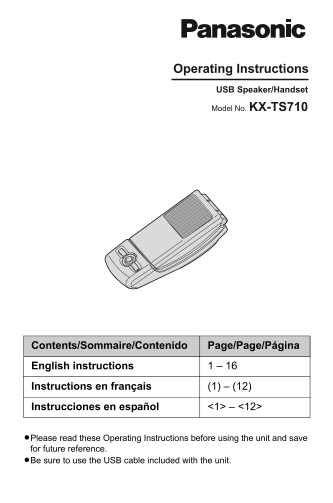
TS710(e).book Page 1 Friday, March 14, 2008 4:48 PM Operating Instructions USB Speaker/Handset Model No. KX-TS710 Contents/Sommaire/Contenido Page/Page/Página English instructions 1 – 16 Instructions ...
Page 2
TS710(e).book Page 2 Friday, March 14, 2008 4:48 PM Table of Contents Introduction Feature highlights . . . . . . . . . . . . . . . . . . . . . . . . . . . . . . . . . . . . . . . . . . . . . . . . . ...
Page 3
TS710(e).book Page 3 Friday, March 14, 2008 4:48 PM Introduction Thank you for purchasing the Panasonic USB Speaker/Handset. Feature highlights Ideal for free internet calls and group conference Inter...
Page 4
TS710(e).book Page 4 Friday, March 14, 2008 4:48 PM Introduction Accessory information Included parts A USB Speaker/Handset A USB cable Part No. PQJA10207Z For best performance Environment LKeep the p...
Page 5
TS710(e).book Page 5 Friday, March 14, 2008 4:48 PM Preparation Installation (Connecting to a computer) Important: LStart the application software you want to use with the unit after installation. Con...
Page 6
TS710(e).book Page 6 Friday, March 14, 2008 4:48 PM Using the Unit Status indicator Function mode/ Light Status Meaning Example of use Red The microphone is muted (page 7). External speaker/ Top cover...
Page 7
TS710(e).book Page 7 Friday, March 14, 2008 4:48 PM Using the Unit Using the unit as the external speaker of the computer You can listen to sounds from the computer through the speaker on the unit whe...
Page 8
TS710(e).book Page 8 Friday, March 14, 2008 4:48 PM Useful Information Troubleshooting Problem Cause/solution The speaker/receiver does LThe application software you want to use with not sound. the un...
Page 9
TS710(e).book Page 9 Friday, March 14, 2008 4:48 PM Useful Information Problem Cause/solution Other party cannot hear LThe application software you want to use with you. the unit was started before in...
Page 10
TS710(e).book Page 10 Friday, March 14, 2008 4:48 PM Useful Information Important security notice LPanasonic cannot accept any liability or provide warranty for security problems occurring in the foll...
Page 11
TS710(e).book Page 11 Friday, March 14, 2008 4:48 PM Useful Information NOTE: LUSE ONLY WITH UL LISTED ITE (INFORMATION TECHNOLOGY EQUIPMENT). LThis USB Speaker/Handset does not connect to a PSTN and ...
Page 12
TS710(e).book Page 12 Friday, March 14, 2008 4:48 PM Useful Information Customer services (for U.S. users only) Customer Services Directory Obtain Product Information and Operating Assistance; locate ...
Page 13
TS710(e).book Page 13 Friday, March 14, 2008 4:48 PM Useful Information Warranty (for U.S. users only) PANASONIC CONSUMER PANASONIC PUERTO RICO, INC. ELECTRONICS COMPANY, DIVISION San Gabriel Industri...
Page 14
TS710(e).book Page 14 Friday, March 14, 2008 4:48 PM Useful Information Limited Warranty Limits And Exclusions This Limited Warranty ONLY COVERS failures due to defects in materials or workmanship, an...
Page 15
TS710(e).book Page 15 Friday, March 14, 2008 4:48 PM Useful Information Warranty (for Canada users only) Panasonic Canada Inc. 5770 Ambler Drive, Mississauga, Ontario L4W 2T3 PANASONIC PRODUCT - LIMIT...
Page 16
TS710(e).book Page 16 Friday, March 14, 2008 4:48 PM We recommend keeping a record of the following information for future reference. Serial No. Date of purchase (found on the bottom of the unit) Name...