# A B C D E F G H I J K L M N O P Q R S T U V W X Y Z

Panasonic KX-TGA651 User Guide

Summary

The KX-TGA651 is an additional digital cordless handset designed specifically for compatible Panasonic Digital Cordless Phone systems. This installation manual provides comprehensive instructions on registering, charging, and operating your new extra unit. It guides users through initial setup, general operational functions (soft keys, navigation), and basic troubleshooting steps, ensuring seamless integration with your existing base station phone system. Essential reading for owners of specified Panasonic cordless models who require easy access to a secondary, reliable communication device.
📄 Preview PAGE OF 20

Page 1 Text Content

TGA651(e).fm Page 1 Wednesday, April 7, 2010 10:24 AM

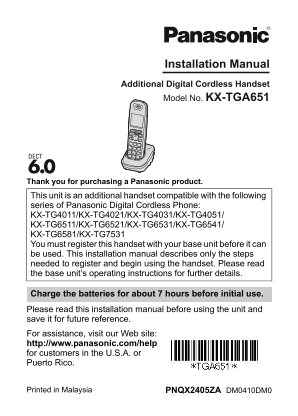
Installation Manual Additional Digital Cordless Handset Model No. KX-TGA651

Thank you for purchasing a Panasonic product.

This unit is an additional handset compatible with the following series of Panasonic Digital Cordless Phone: KX-TG4011/KX-TG4021/KX-TG4031/KX-TG4051/ KX-TG6511/KX-TG6521/KX-TG6531/KX-TG6541/ KX-TG6581/KX-TG7531 You must register this handset with your base unit before it can be used. This installation manual describes only the steps needed to register and begin using the handset. Please read the base unit’s operating instructions for further details.

Charge the batteries for about 7 hours before initial use. Please read this installation manual before using the unit and save it for future reference. For assistance, visit our Web site: http://www.panasonic.com/help for customers in the U.S.A. or Puerto Rico.

PNQX2405ZA DM0410DM0Printed in Malaysia

Page Summary Contents For Panasonic KX-TGA651 User Guide

Page 1 TGA651(e).fm Page 1 Wednesday, April 7, 2010 10:24 AM Installation Manual Additional Digital Cordless Handset Model No. KX-TGA651 Thank you for purchasing a Panasonic product. This unit is an addition...
Page 2 TGA651(e).fm Page 2 Wednesday, April 7, 2010 10:24 AM Accessory information Supplied accessories Accessory item/Order number Quantity Charger/PNLC1010ZB AC adaptor/PQLV219Y Rechargeable batteries/HHR-...
Page 3 TGA651(e).fm Page 3 Wednesday, April 7, 2010 10:24 AM Note: LUse only the supplied Panasonic AC adaptor PQLV219. LThe AC adaptor must remain connected at all times. (It is normal for the adaptor to fe...
Page 4 TGA651(e).fm Page 4 Wednesday, April 7, 2010 10:24 AM Panasonic Ni-MH battery performance (supplied batteries) Operation Operating time In continuous use 13 hours max. (If Eco mode is on.) Not in use ...
Page 5 TGA651(e).fm Page 5 Wednesday, April 7, 2010 10:24 AM B Navigator key {^}, {V}, {<}, or {>}: Scroll through various lists and items. ? VOL. (Volume: {^} or {V}): Adjust the receiver or speaker v...
Page 6 TGA651(e).fm Page 6 Wednesday, April 7, 2010 10:24 AM Handset: Place the handset on the base unit or charger, then wait until a long beep sounds and w is displayed. Note: If an error tone sounds, or i...
Page 7 TGA651(e).fm Page 7 Wednesday, April 7, 2010 10:24 AM For KX-TG4031/KX-TG4051/KX-TG7531 series users There are some differences in the specification of your original handset and the KX-TGA651. The fea...
Page 8 TGA651(e).fm Page 8 Wednesday, April 7, 2010 10:24 AM For KX-TG4011/KX-TG4021 series users There are some differences in the specification of your original handset and the KX-TGA651. The feature diffe...
Page 9 TGA651(e).fm Page 9 Wednesday, April 7, 2010 10:24 AM Caller list operations (Caller ID subscribers only): Editing a caller’s phone number before calling back (page 12) Erasing all caller information ...
Page 10 TGA651(e).fm Page 10 Wednesday, April 7, 2010 10:24 AM Group ringer tone (Caller ID subscribers only) You can assign a different ringer tone to the desired group. If you select “Current ringer” (defau...
Page 11 TGA651(e).fm Page 11 Wednesday, April 7, 2010 10:24 AM Differences in the answering system operations (KX-TG4021 series only) Voice guidance language {MENU} i {#}{1}{1}{2} {V}/{^}: Select the desired ...
Page 12 TGA651(e).fm Page 12 Wednesday, April 7, 2010 10:24 AM Note: LWhile message alert is on, battery operating time is shortened (page 4). Operational differences in other features Caller list operations ...
Page 13 TGA651(e).fm Page 13 Wednesday, April 7, 2010 10:24 AM Deregistering a handset {MENU} i {#}{1}{3}{1} {V}/{^}: Select the handset you want to cancel. i {SELECT} {V}/{^}: “Yes” i {SELECT} i {OFF} Featur...
Page 14 TGA651(e).fm Page 14 Wednesday, April 7, 2010 10:24 AM {MENU} i {#}{2}{3}{8} {V}/{^}: Select “On” or “Off”. i {SAVE} If you select “Off”, press {OFF} to exit. Enter the desired hour and minute you wis...
Page 15 TGA651(e).fm Page 15 Wednesday, April 7, 2010 10:24 AM Your service provider/telephone company does not send voice mail tones. Your phone is connected to a PBX. If you are not sure which setting is re...
Page 16 TGA651(e).fm Page 16 Wednesday, April 7, 2010 10:24 AM For your safety To prevent severe injury and loss of life/property, read this section carefully before using the product to ensure proper and saf...
Page 17 TGA651(e).fm Page 17 Wednesday, April 7, 2010 10:24 AM Charge the batteries provided with or identified for use with this product only, in accordance with the instructions and limitations specified in...
Page 18 TGA651(e).fm Page 18 Wednesday, April 7, 2010 10:24 AM FCC and other information This equipment is hearing aid compatible as defined by the FCC in 47 CFR Section 68.316. When you hold the phone to you...
Page 19 TGA651(e).fm Page 19 Wednesday, April 7, 2010 10:24 AM FCC RF Exposure Warning: This product complies with FCC radiation exposure limits set forth for an uncontrolled environment. This handset may not...
Page 20 TGA651(e).fm Page 20 Wednesday, April 7, 2010 10:24 AM IMPORTANT! If your product is not working properly. . . 1 Reconnect AC adaptor to the base unit. 2 Check if telephone line cord is connected. 3 U...

Manual Details

Brand Panasonic
Pages 20
File Size 604.04 KB
Published June 21, 2026
4 views

Enter the captcha to get the download link:

captcha

Frequently Asked Questions

What type of batteries should I use for this handset?

You must use Ni-MH AAA (R03) rechargeable batteries. Never use Alkaline, Manganese, or Ni-Cd varieties.

How do I prepare the device before first use?

Charge the batteries for approximately 7 hours initially and ensure you have registered the handset to its base unit.

If my phone isn't working correctly, what is a basic troubleshooting step?

Reconnect the AC adaptor to the base unit and check if your telephone line cord is properly connected.

Can I use this handset with an old model cordless system?

Yes, it is compatible with various Panasonic Digital Cordless Phone series (e.g., KX-TG4011 or KX-TG6521), but registration is required.